Key Takeaways
- Seedream 4.0 combines text-to-image and image editing in one unified model
- Generate 4K resolution images with lightning-fast inference speed
- Perfect text integration within images beats the previous Seedream 3.0
- Access through Fal.ai for just $0.03 per generation
- 13 wild use cases from multi-referencing to Google Maps street views
Is This The Nano Banana Killer?
I’ve been absolutely blown away by ByteDance’s latest release – Seedream 4.0. As someone who runs a creative agency, I’m always hunting for the next game-changing AI tool. And let me tell you, I have 13 examples of ByteDance Seedream 4.0 images that will blow your mind away. Trust me.
After testing both Nano Banana and Seedream 4.0, I can confidently say Seedream pushes boundaries that Nano Banana simply can’t. For instance, Nano Banana doesn’t allow you to switch image styles into Pixar, Simpsons, or other creative aesthetics—something Seedream handles with ease. If you haven’t already checked out my article on the Insane Use Cases for Nano Banana AI (with Examples and Prompts), go check it out after reading this article.
This new ByteDance Seedream 4.0 image generator isn’t just another AI tool. It’s a complete game-changer that combines the power of text-to-image generation with advanced image editing capabilities. After spending the last couple of days testing this beast, I’ve compiled 13 mind-blowing examples that show exactly what this tool can do.
13 Wild Examples Of Seedream 4.0, Check it out:
1. Multi-Referencing Images To Create A Scene
Instead of uploading multiple separate images, I created a contact sheet combining all my reference elements into one image. Seedream 4.0 analyzed the contact sheet and generated a cohesive scene using all the elements perfectly. The way it understands spatial relationships between different reference points is absolutely incredible.
Input Image

Prompt
A woman in yellow is wearing headphones, holding her skateboard. She is crouching down, posing in front of the camera, while her dog sits next to her. At a skatepark surrounded by people.
Output Image
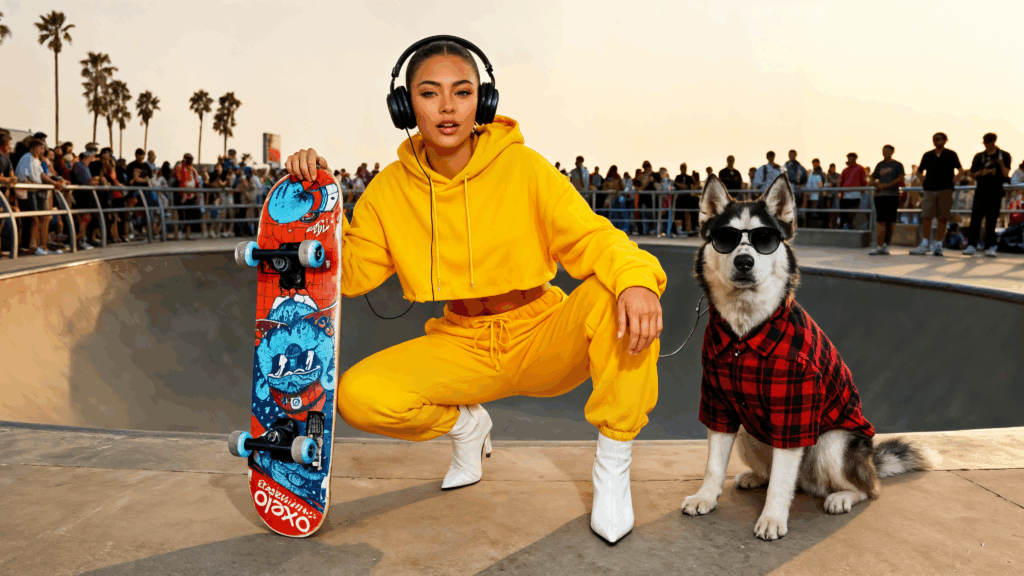
Let’s try another version with the same prompt, but add a fisheye lens to it.

This technique saves so much time compared to traditional methods. Just combine your references, add a descriptive prompt, and watch Seedream work its magic.
2. Character Compositions With Stick Figures
Here’s where things get really wild. I took two characters from completely different sources and drew simple stick figures showing the positions I wanted them in along with the location. Seedream 4.0 generated a whole professional image based on those basic sketches.
Input Image
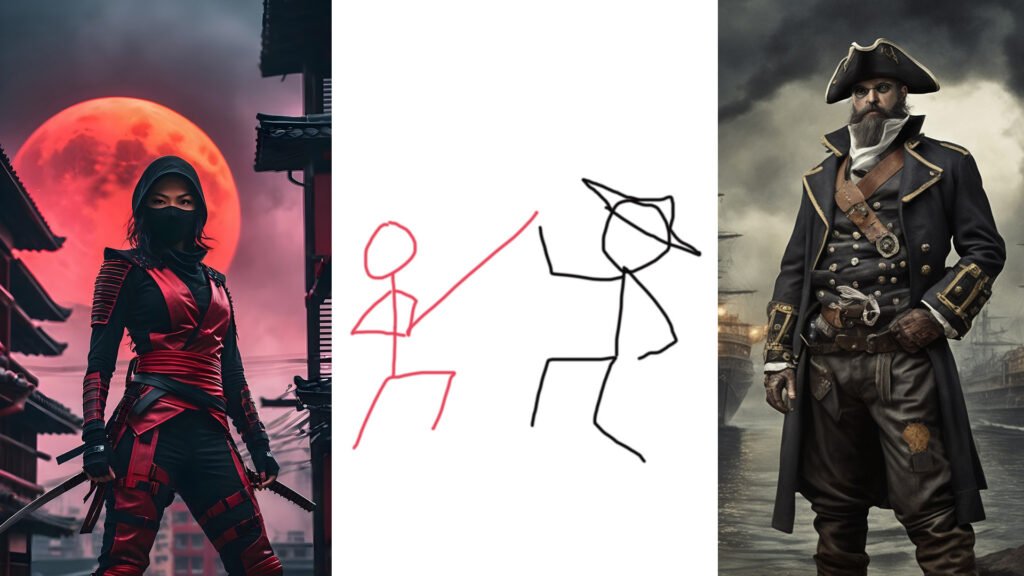
Prompt
Make the characters fight according to the pose drawing. They are fighting in a volcano surrounded by lava.
Output Image

The level of understanding this AI has for human anatomy and positioning is mind-blowing. It’s like having a professional designer who can read your mind and bring rough sketches to life.
3. Change Your Whole Environment
I started with a regular image of Tokyo and asked Seedream to add Godzilla roaming around. The results were phenomenal! Then I pushed it further, requesting a nighttime version with more chaos – Godzilla wrecking havoc with flashing lights everywhere.
Input Image
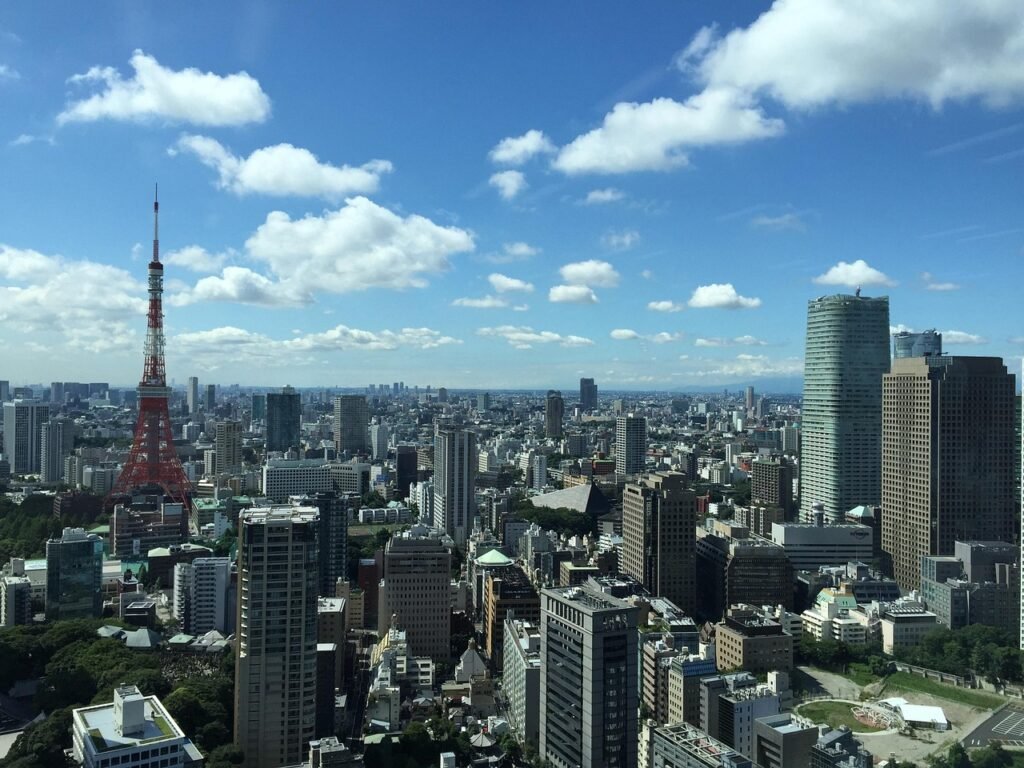
Prompt
Turn this into an epic sunset scene with Godzilla roaming around the city
Output Image
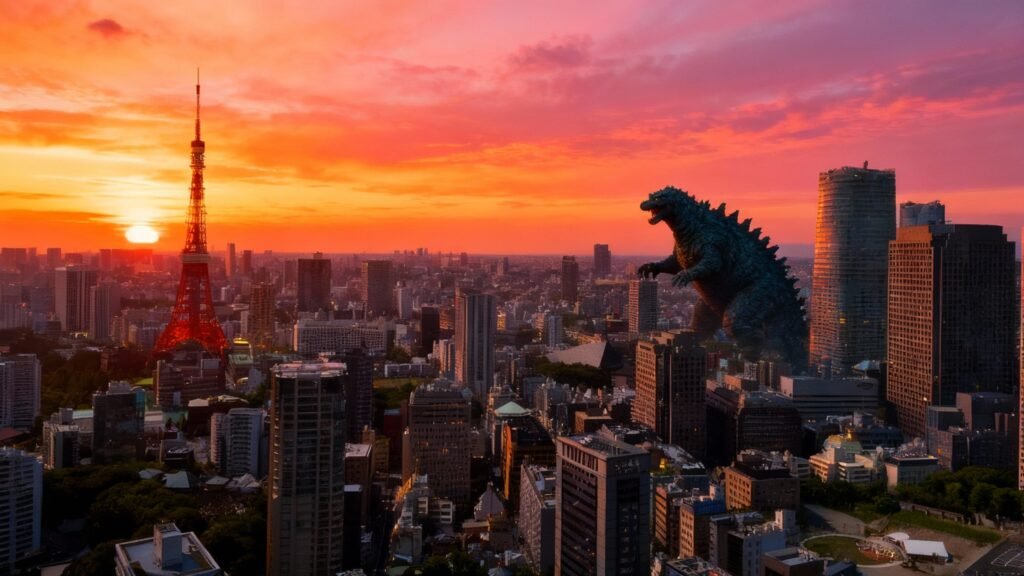
Let’s crank it up a bit—this is Godzilla we’re talking about, not some rom-com.
Prompt
Turn this into a nighttime scene with Godzilla wreaking havoc, the city in chaos, helicopters flying, and lights flashing
Output Image
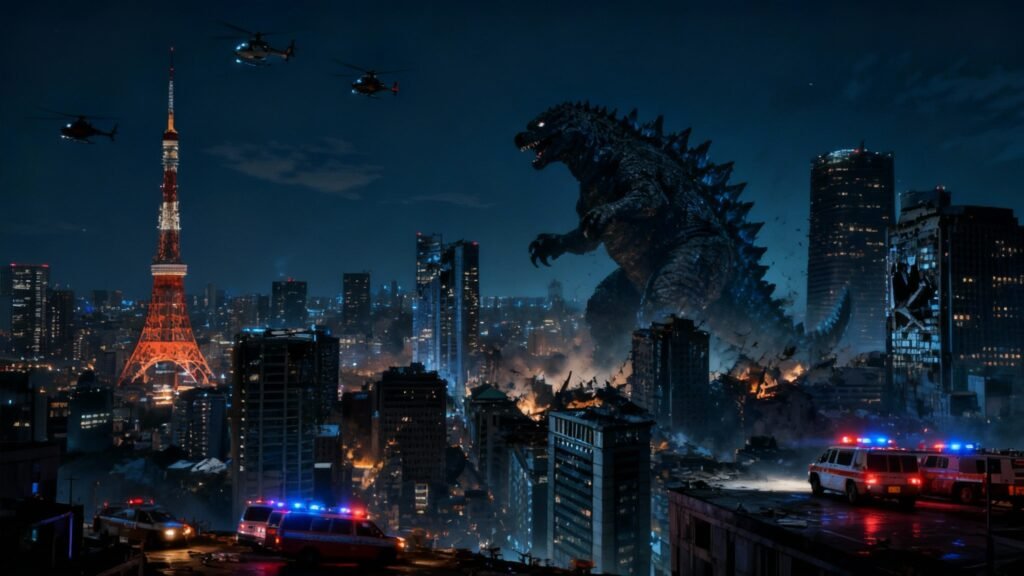
Seedream 4.0 delivered with incredible precision. The way it maintains the original environment while seamlessly integrating new dramatic elements is just amazing.
4. Change The Angle And Camera Lens
This example blew my mind. I took a regular image of a girl sitting on a stone and asked Seedream to change it to a fisheye lens from a high angle, then to a fisheye worm’s eye view. The results were incredibly realistic.
Input Image
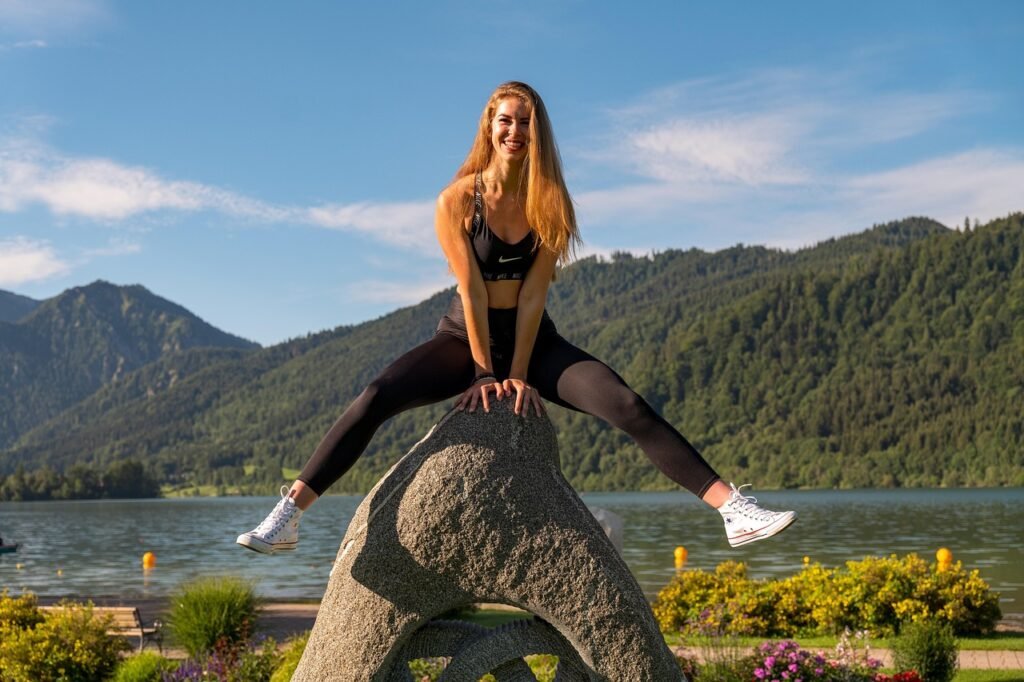
Prompt
Make a fisheye overhead view of this scene
Output Image
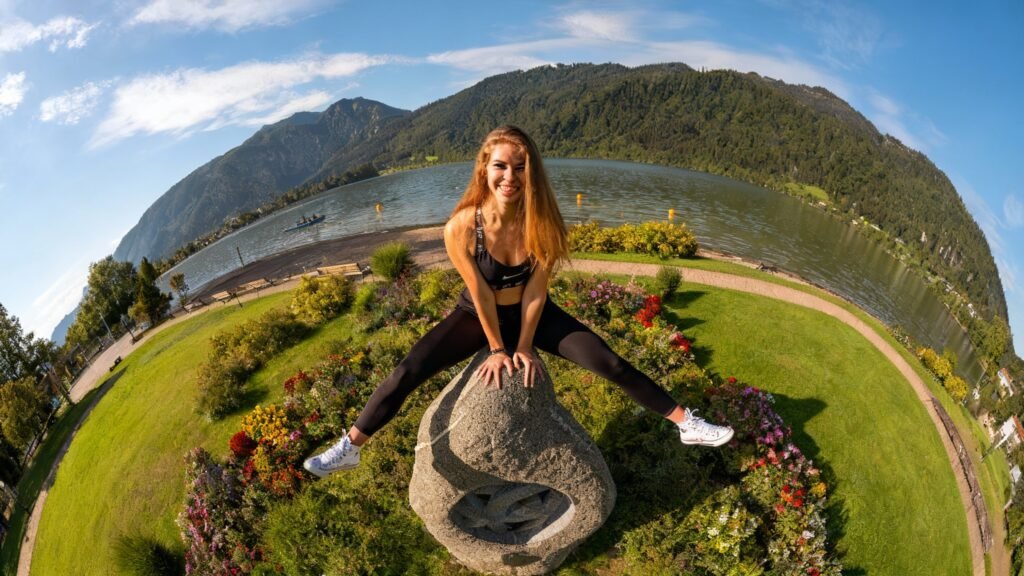
Prompt
Make an ultrawide-angle shot of this scene taken from a worm’s eye view
Output Image
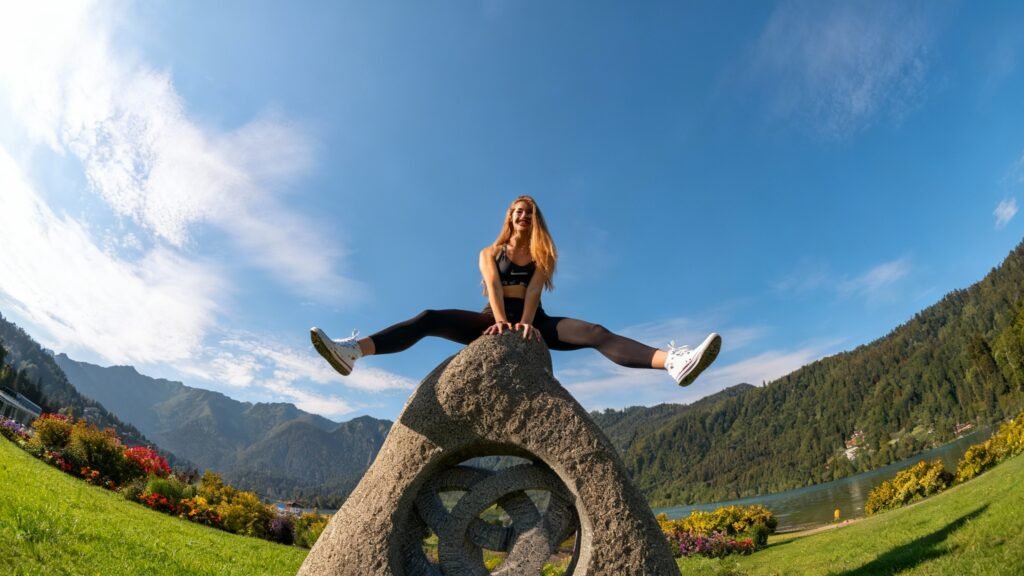
The AI understands different camera perspectives and lens distortions perfectly. It’s like having a professional photographer who can reshoot the same scene from any angle you want.
5. Fashion Collage
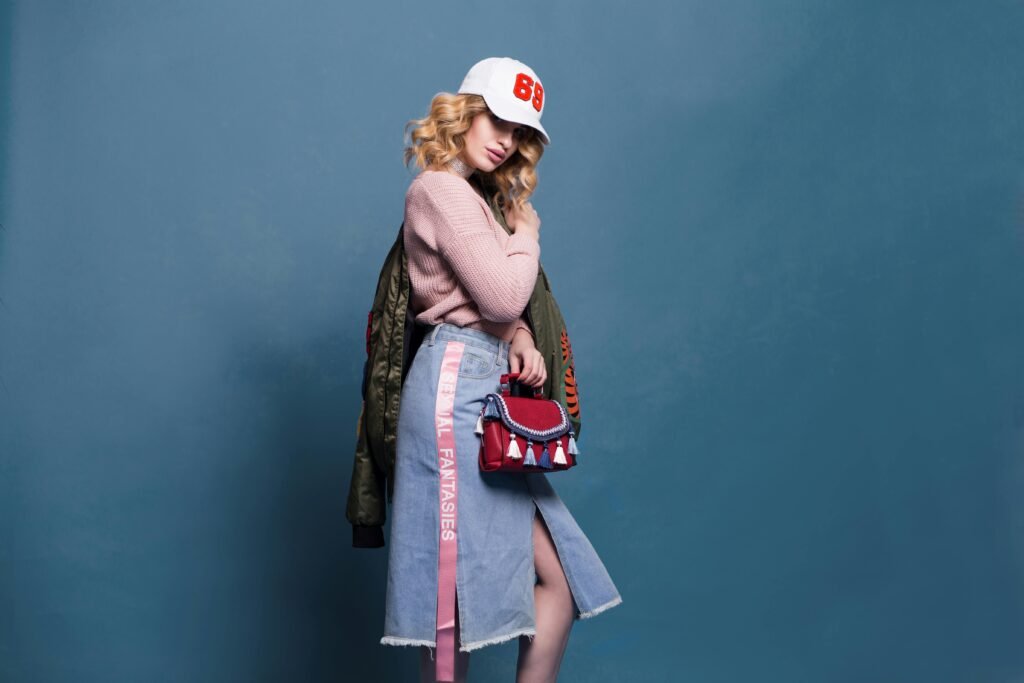
This ByteDance Seedream 4.0 example is absolutely incredible. I gave it an image of a model wearing multiple clothing items, then asked it to create a board collage of every single piece she was wearing, complete with cursive labels for each item.
Input Image
Prompt
A fashion mood board collage. Surround a portrait with cutouts of the individual items the model is wearing. Add handwritten notes and sketches in a playful, marker style font, and include the name of each item in English.
Output Image
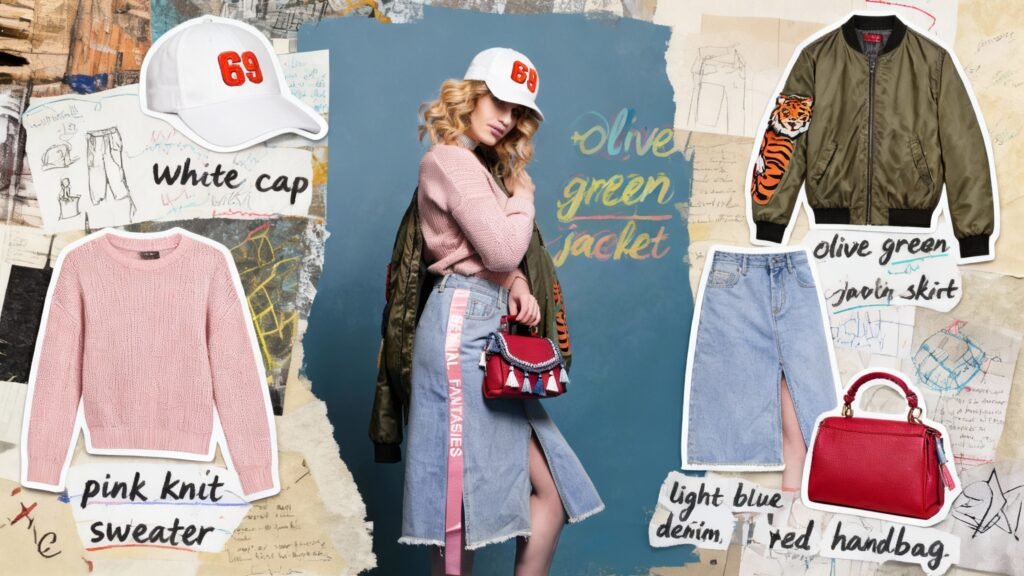
The detail and accuracy were stunning. Seedream identified every accessory, every piece of clothing, and arranged them beautifully with perfectly styled text. This would have taken me hours in Photoshop, but Seedream did it in 30 seconds. What do you think? Let me know.
6. Photo Restoration Magic
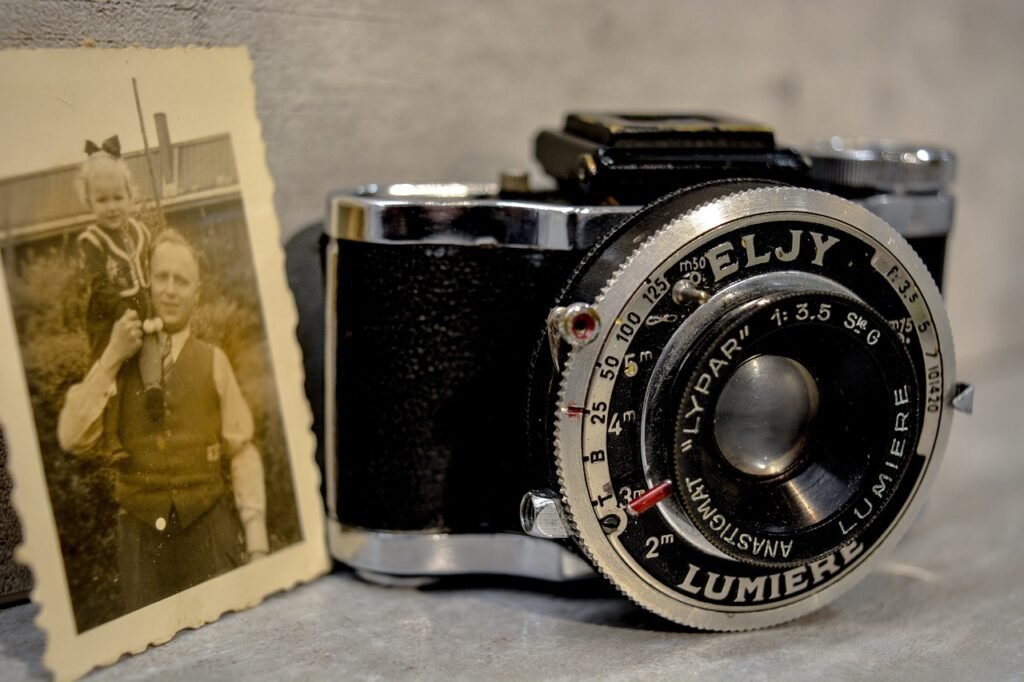
Wow, this example showcases the incredible power of Seedream 4.0. I gave it an image with an old, obscured photo in the corner and asked it to focus on that photo, restore it, colorize it, zoom in, and make it landscape mode.
Input Image
Prompt
Focus on the photo on the left, restore it and colorize it, and make it a full-screen in landscape format
Output Image

Now, let’s enhance it further with an additional high-qality pass.
Prompt
Restore and colorize this photo, ultra-realistic, high-quality camera
Output Image

It followed every part of my prompt perfectly. The restoration quality rivals professional photo restoration services, and the colorization looked historically accurate.
7. Change The Style Of A Photo
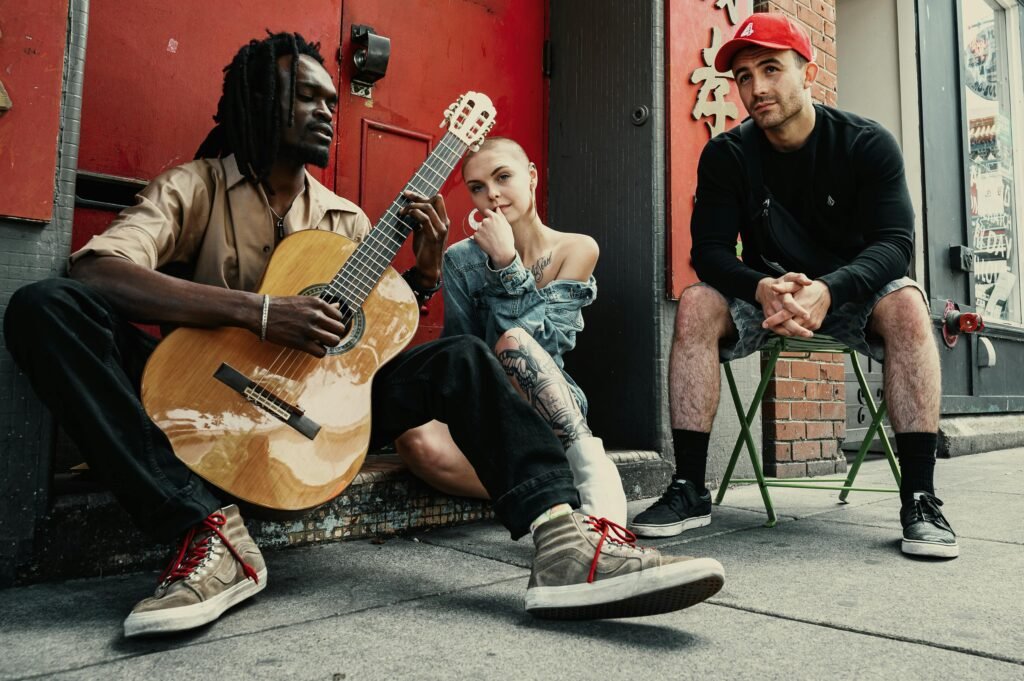
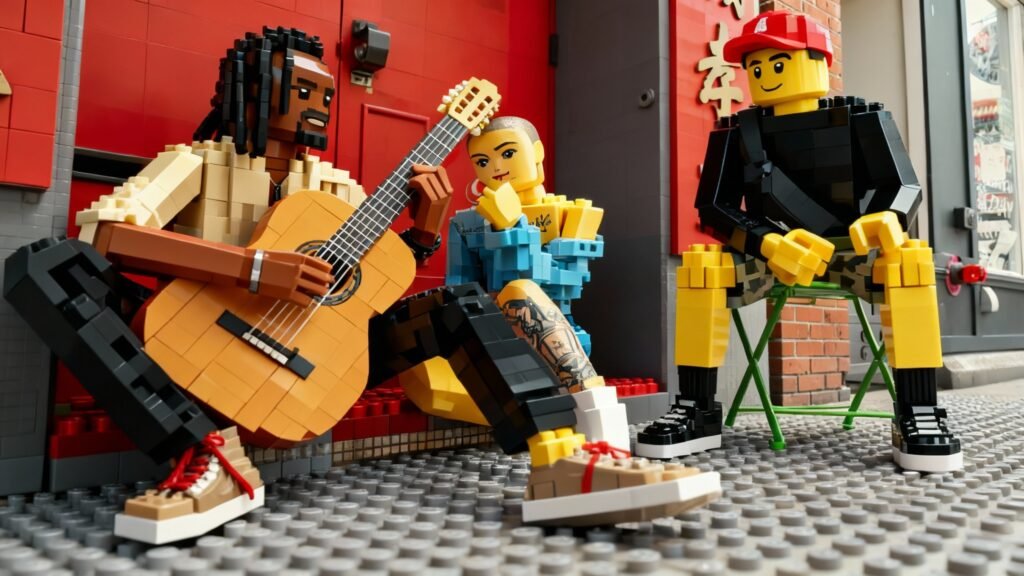
Style transformation is where Seedream really shines. I asked it to take one image and recreate it in anime style, LEGO style, and Pixar animation style. Each version maintained the core composition while perfectly capturing the requested aesthetic.
Input Image
Prompt
Change this to anime style
Output Image

Prompt
Change this to LEGO style
Output Image
Prompt
Change this to Pixar style
Output Image
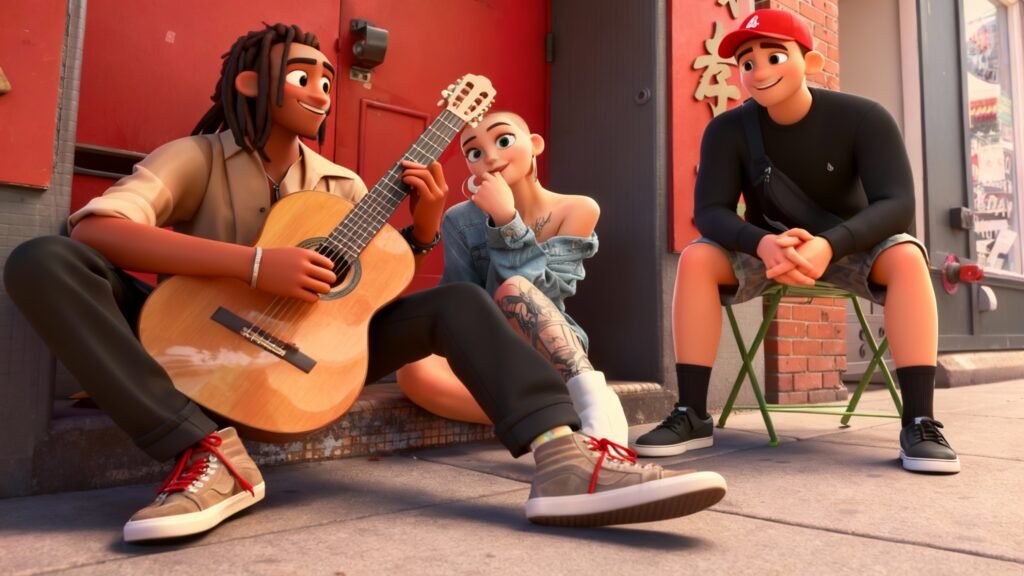
The consistency across different art styles is remarkable. It’s like having multiple artists each interpret the same scene in their unique style.
8. Swap Positions
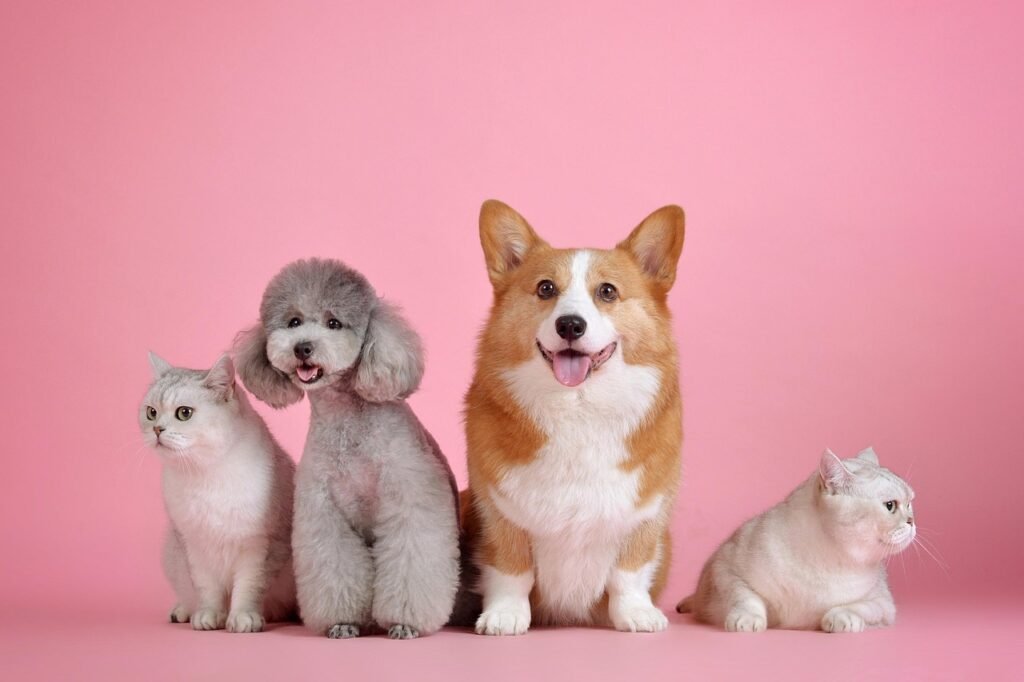
Position swapping is incredibly useful for complex scene arrangements. I asked Seedream to move the centered dogs to the outside and move the cats from outside to inside. The AI understood spatial relationships perfectly and made the changes seamlessly.
Input Image
Prompt
Reorder the position so the corgi is on the left, the two cats in the middle, and the poodle on the right
Output Image
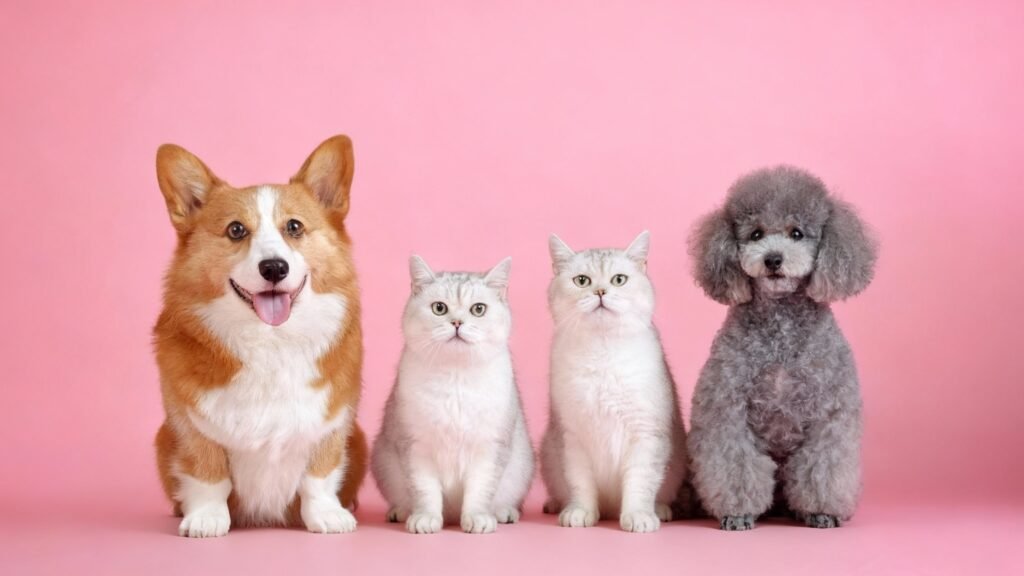
You can also swap clothing items or add new ones. The possibilities are truly endless with Seedream 4.0’s understanding of object relationships and scene composition.
9. From Google Maps To Street View
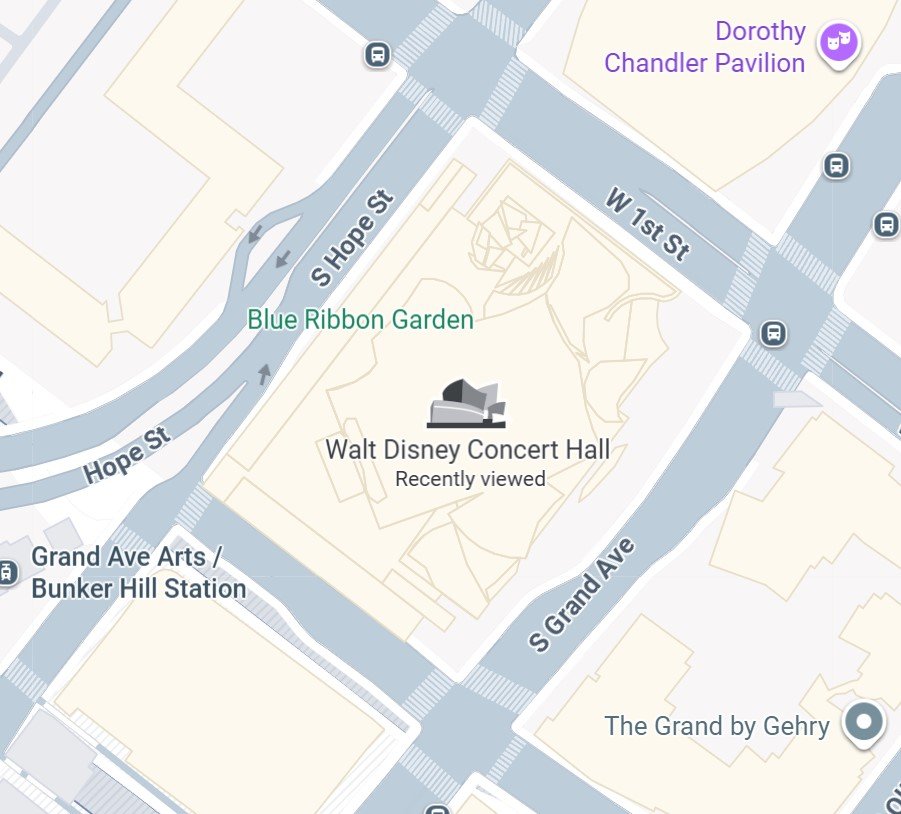
This example shows Seedream’s insane image generation power. I gave it a simple Google Maps screenshot of the Walt Disney Concert Hall in Downtown Los Angeles, and it generated a full street view image that looks like it came straight from Google Street View.
Input Image
Prompt
Make a photo of the front of this building. Wide-angle shot
Output Image
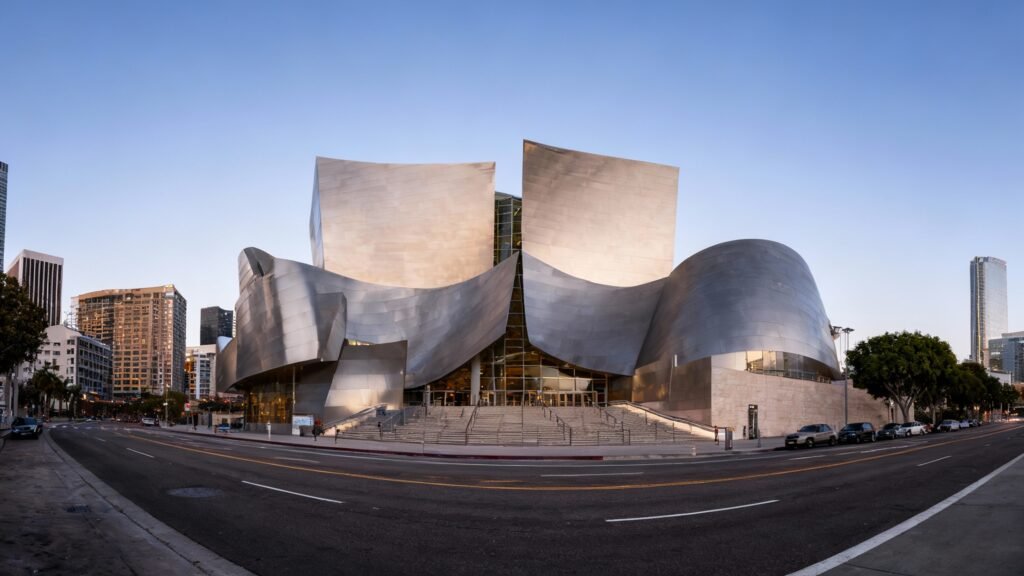
The architectural accuracy and environmental details were spot-on. It’s like the AI has memorized the entire world and can recreate any location from just a map reference.
10. Text Editing Within Images
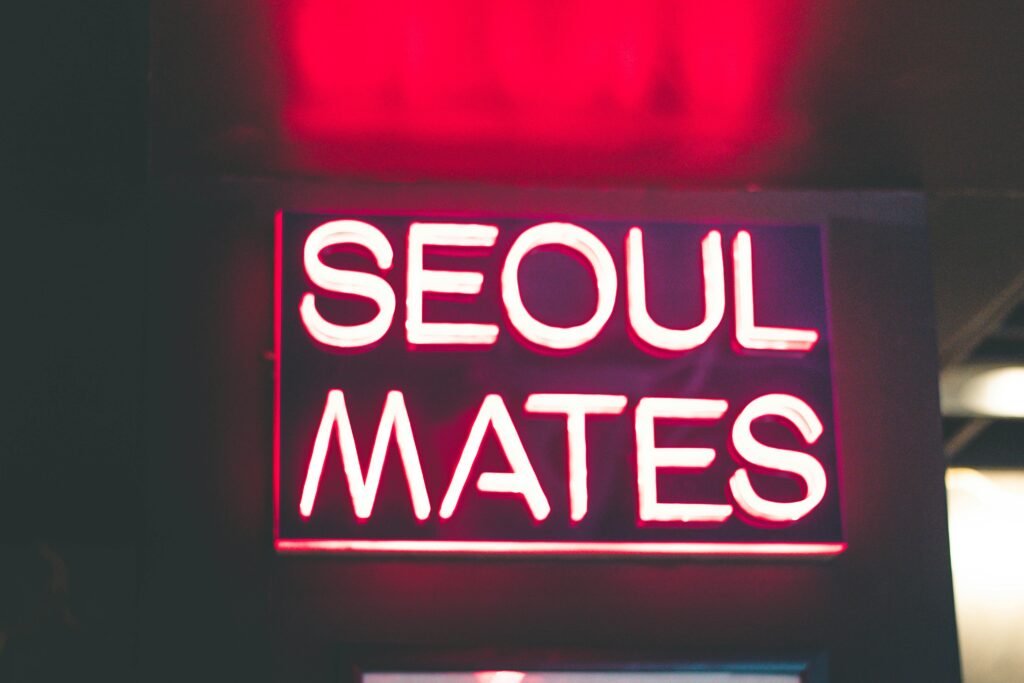
Changing text within images used to require advanced Photoshop skills. Now I simply give Seedream 4.0 a prompt and watch it preserve the exact font, color, and styling while making requested changes. This feature alone makes it incredibly valuable for design work.
Input Image
Prompt
Change the text sign to say “JZ ” on the top, and “CREATES” at the bottom
Output Image
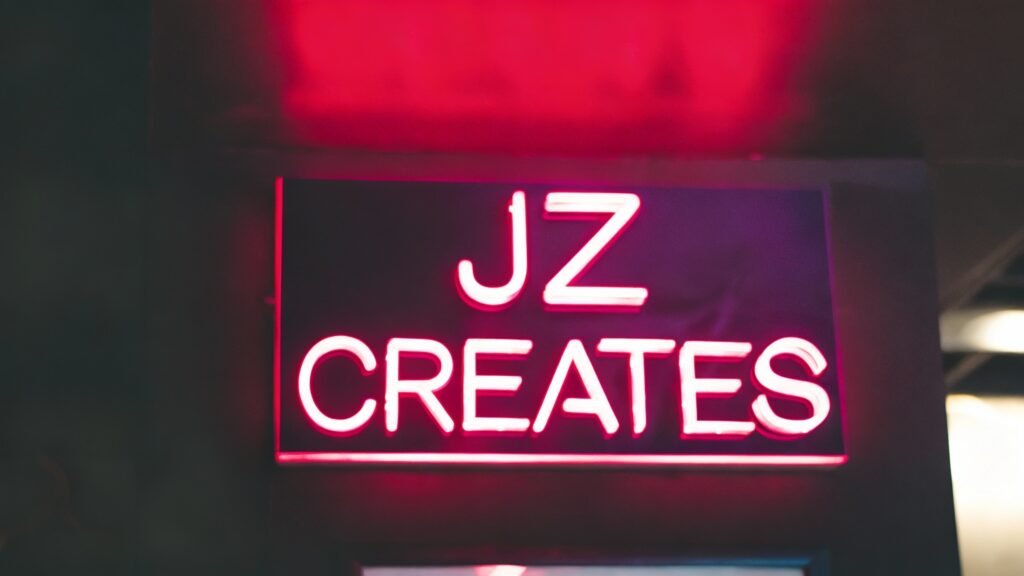
Similar to how Nano Banana AI handles text editing, Seedream maintains perfect visual consistency while making text modifications.
11. Add Text To Images
I gave Seedream an image of a blank invitation and asked it to write “You’re Invited to Our Beautiful Wedding Celebration” in centered, cursive handwriting. The results were flawless – perfect lettering, proper alignment, and natural-looking handwriting style.
Input Image

Prompt
Add “You’re Invited to Our Beautiful Wedding Celebration” to the card in cursive, handwritten text. Make it centered and aligned
Output Image
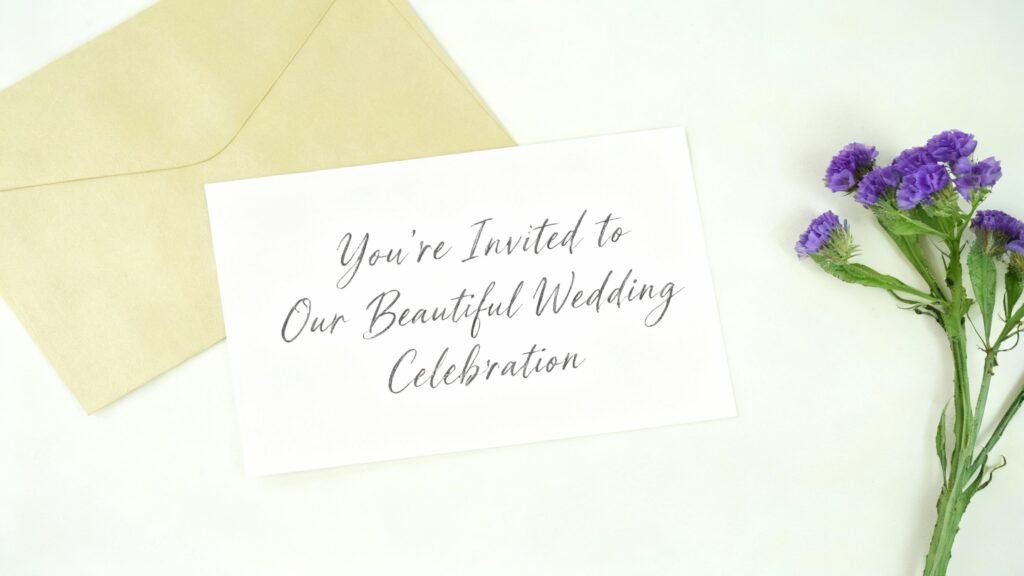
Notice how it followed the text exactly as I wrote it—even keeping the lowercase “t” in to. The integration looks completely natural, as if it were part of the original design. This opens up endless possibilities for creating custom graphics and personalized designs with a seamless, professional touch.
12. Zoom In On Images
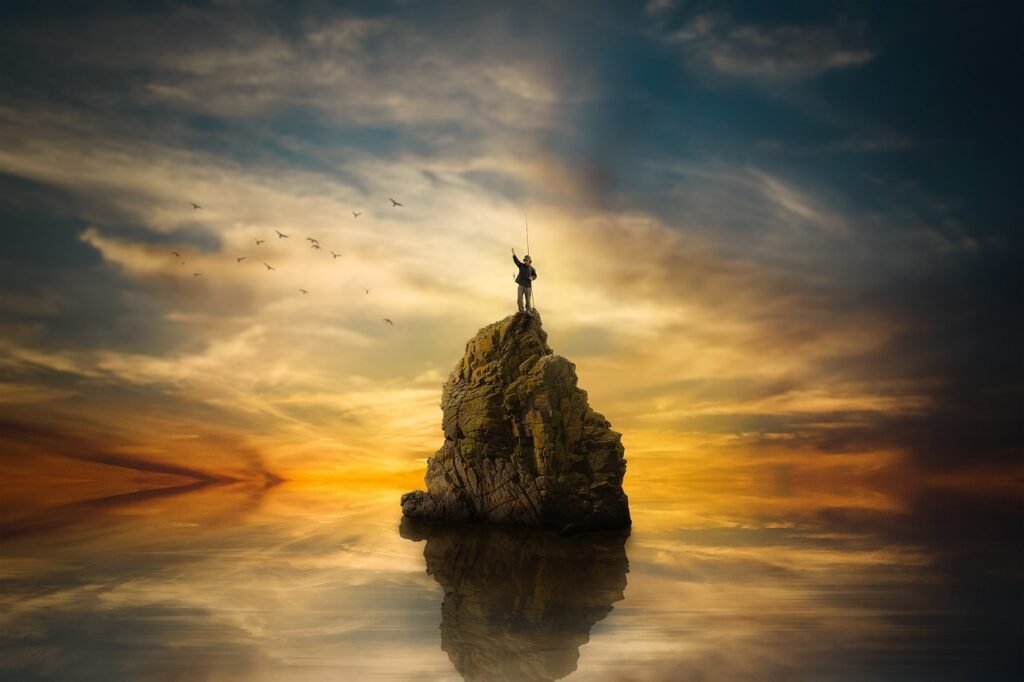
When I asked Seedream to zoom in on a guy fishing on top of a rock, it delivered exactly what I requested. While the person’s position shifted slightly, the style and overall look remained perfectly consistent.
Input Image
Prompt
Zoom in to a waist-up shot of this man
Output Image

The AI understands how to maintain visual coherence when changing perspective or zoom levels. It’s incredibly useful for creating multiple versions of the same scene at different scales.
13. Change The Time Of Day
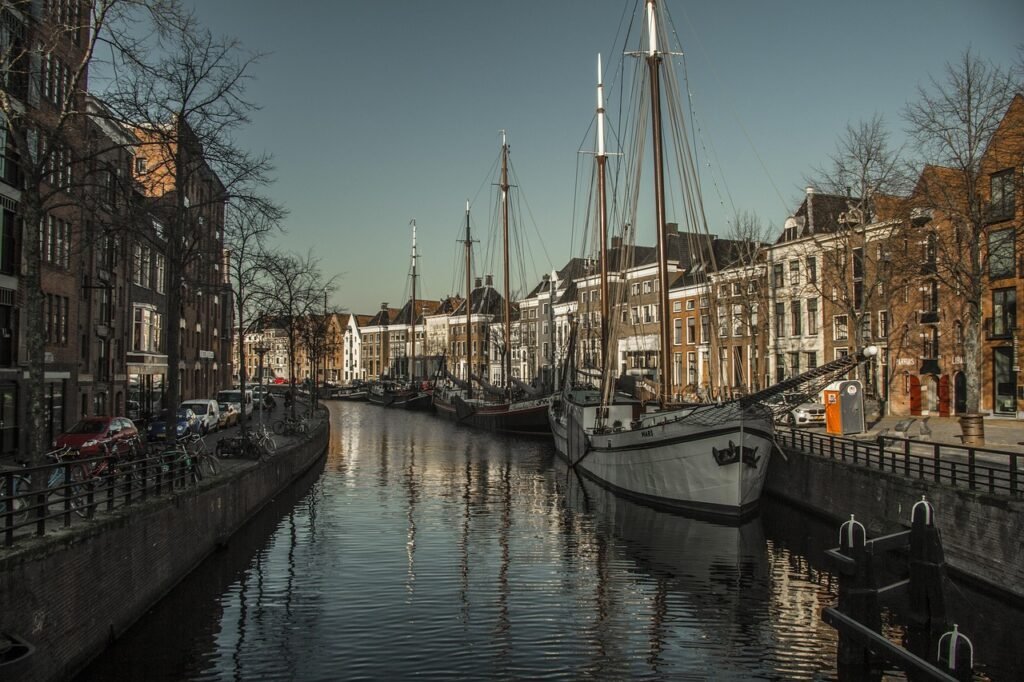
For my final example, I gave Seedream an image of a town with a canal during a normal sunny day and asked it to change it to a golden hour sunset. The transformation was absolutely stunning – perfect lighting, warm colors, and romantic atmosphere.
Input Image
Prompt
Turn into a golden hour sunset
Output Image
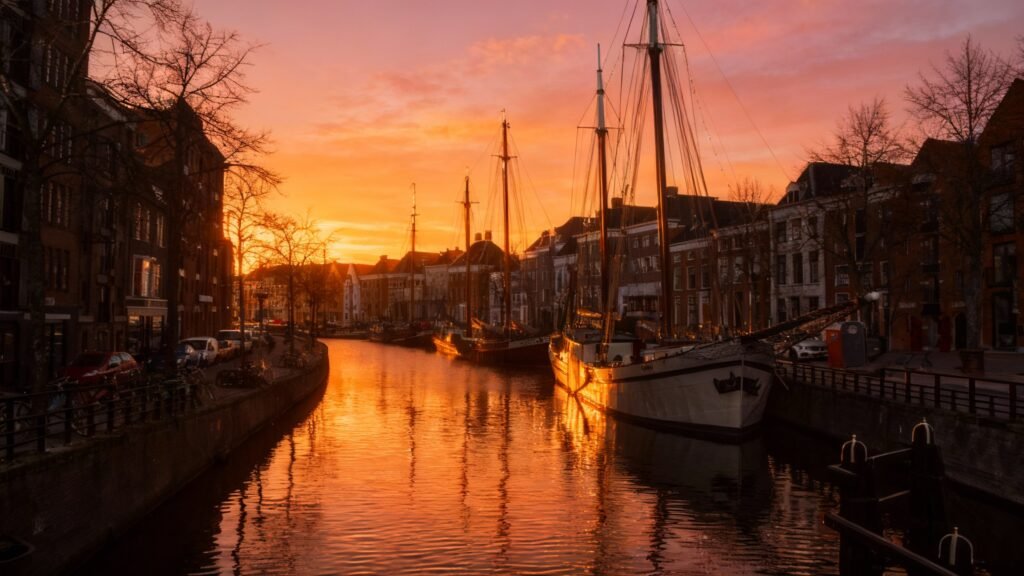
The way it understands lighting conditions and can transform entire scenes is remarkable. It’s perfect for creating multiple mood variations of the same location.
How To Access Seedream 4.0
As of this writing, there are 3 ways to access Seedream 4.0:
The official Chinese ByteDance website is available, but I found it difficult to navigate and log in. So I opted for the second option, which is Fal.ai – an all-in-one platform with many image generation tools. It only costs $0.03 to generate an image, which I say is well worth it.
It’s also available on Replicate.com. But I’m sure by next week, every AI platform will have Seedream 4.0 integrated. The accessibility is improving rapidly, making it easier for creators like us to harness this incredible technology.
My Final Thoughts
Creating these Examples of ByteDance Seedream 4.0 is what gets me up every day. This unified model represents the future of AI image generation and editing. The speed, quality, and versatility make it an essential tool for any creative professional.
Whether you’re working on digital marketing projects or complex visual campaigns, Seedream 4.0 can revolutionize your workflow. The possibilities are truly endless, and we’re just scratching the surface of what’s possible.
Just like other breakthrough AI tools we’ve covered, such as Google’s Veo 3, Seedream 4.0 is changing how we approach creative work. The integration of ByteDance’s technology with platforms like Dreamina CapCut shows where the industry is heading.
How JZ Creates Can Help Your Next Project
At JZ Creates, we’re always on the cutting edge of AI technology. Whether you need help implementing Seedream 4.0 in your creative workflow or want to explore other innovative solutions like Higgsfield AI for product videos, we’ve got you covered.
Our team specializes in helping businesses harness the power of AI for creative projects. From concept to execution, we make sure you’re using the most effective tools and techniques available.
Ready to Transform Your Creative Process?
Don’t let your competition get ahead with these incredible AI tools. ByteDance Seedream 4.0 is just the beginning of what’s possible in AI-powered creativity. Whether you need help getting started or want to take your current projects to the next level, contact us today and let’s discuss how we can revolutionize your creative workflow together.