Key Takeaways
- Nano Banana Pro launched on November 20, 2025, and turns text into smart images fast.
- It’s built on Google’s Gemini 3 Pro Image model with strong real-world understanding.
- You can use it for storyboards, infographics, ads, edits, and creative tests.
- It supports multi-image fusion (up to 14 inputs) and creates images in 2K and 4K.
- Great for designers, creators, and marketers who need fast, creative image tools.
I started using Nano Banana Pro (also called Nano Banana 2) as soon as it launched on November 20, 2025. It’s a new AI tool from Google that turns your text into visual images. I’ve tested it across real projects and creative briefs.
In this article, I’ll show you 18 examples and prompts that worked for me. If you’re a creator, designer, or marketer, this will help you see how it works and how to use it right.
Why Nano Banana Is a Game Changer?
I’ve used many tools, but Nano Banana changed the game for me. Released on November 20, 2025, this AI image generation/editing tool is powered by the Gemini 3 Pro Image engine. It was built by the team behind the Google DeepMind image model. This tool helps you turn ideas into images fast, with real-world accuracy.
You’ll see how it handles text rendering in images and supports multilingual typography in AI images. It’s built with an advanced visual reasoning model, so the results make sense. You can work in high-resolution output, up to 2K and 4K. One feature I use a lot is multi-image fusion. You can combine images—up to 14 inputs—and get a single, clean result.
In this article, I’m sharing 18 examples with prompts I’ve tested. If you’re a designer, creator, or builder, this will show you exactly what Nano Banana can do.
18 Stunning Nano Banana Pro Examples and Prompts to Try Today
1. Storyboards
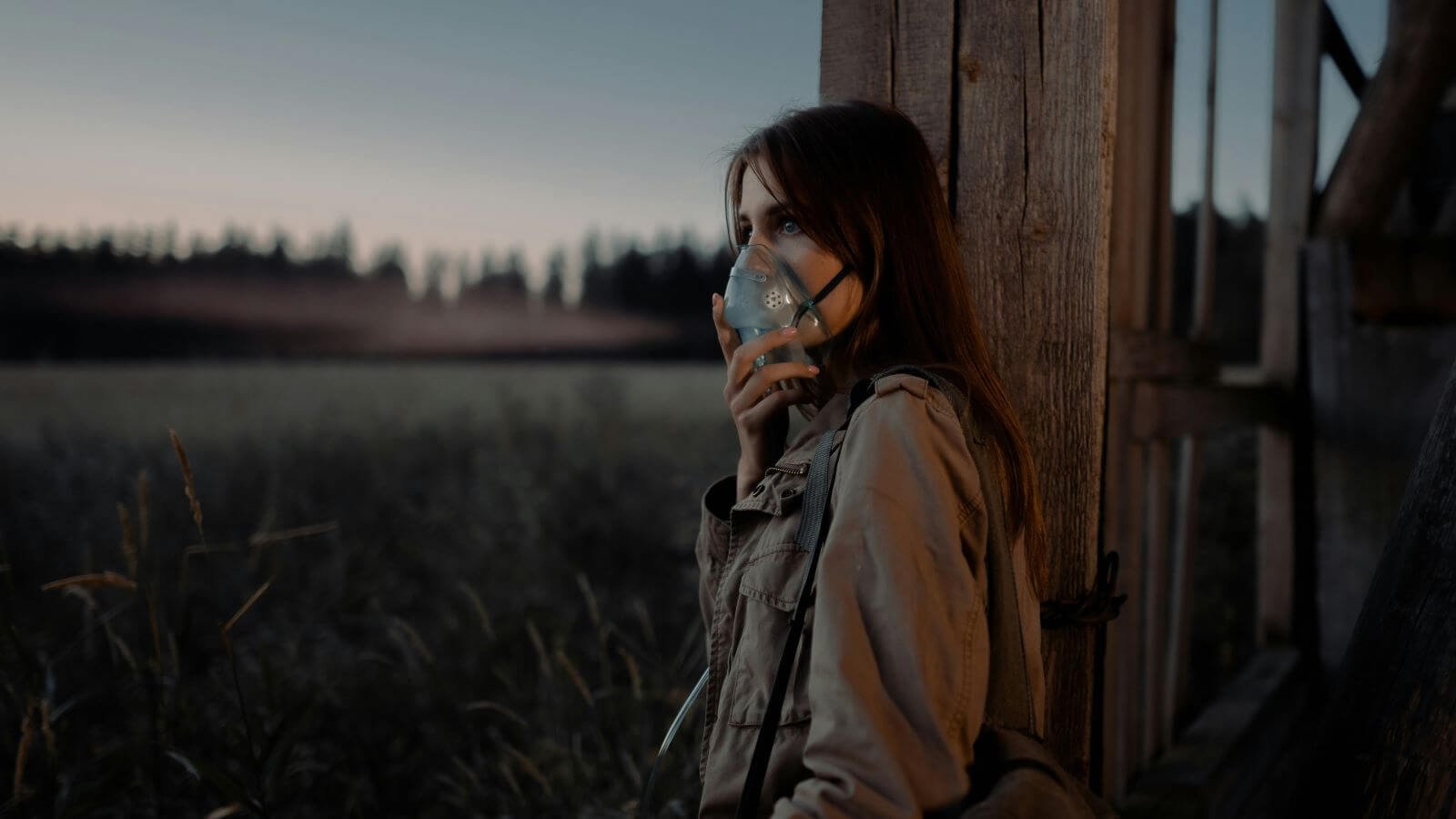
For this first test, I wanted to see how well Nano Banana Pro could take a cinematic still and turn it into a full storyboard sequence—something traditionally time-consuming for filmmakers and agencies. The goal was to see whether it could visualize motion, continuity, and narrative beats based on a single image.
Input Image
Prompt
Create a storyboard sketch for this scene. The woman walks into the field towards a spaceship. 4 shots, evenly spaced with descriptions for each.
Output Image
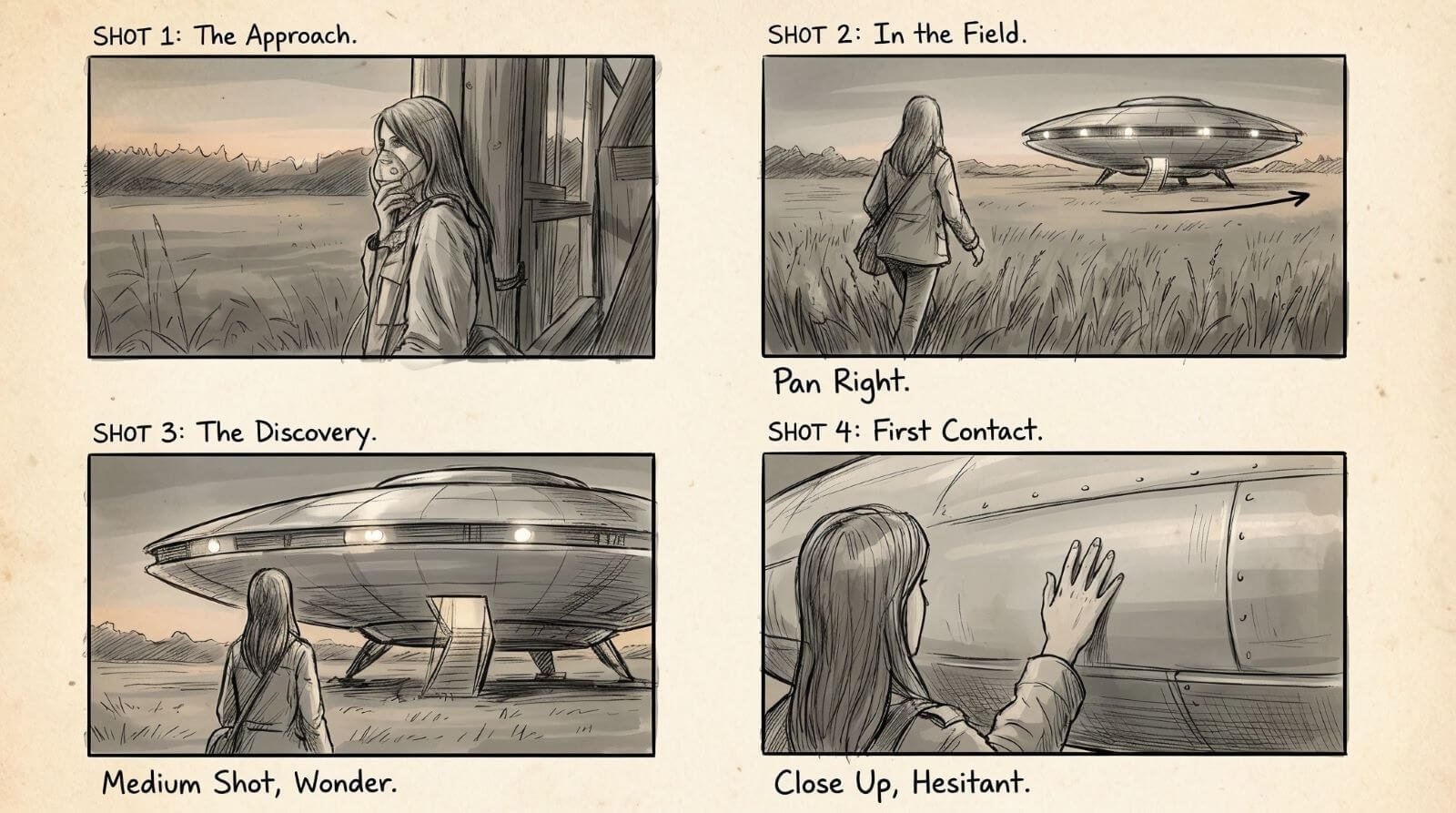
The output blew me away. The character stays consistent, the panels read like real storyboards, and the handwritten notes look production-ready. For filmmakers, this is going to reshape pre-production forever.
2. Infographics
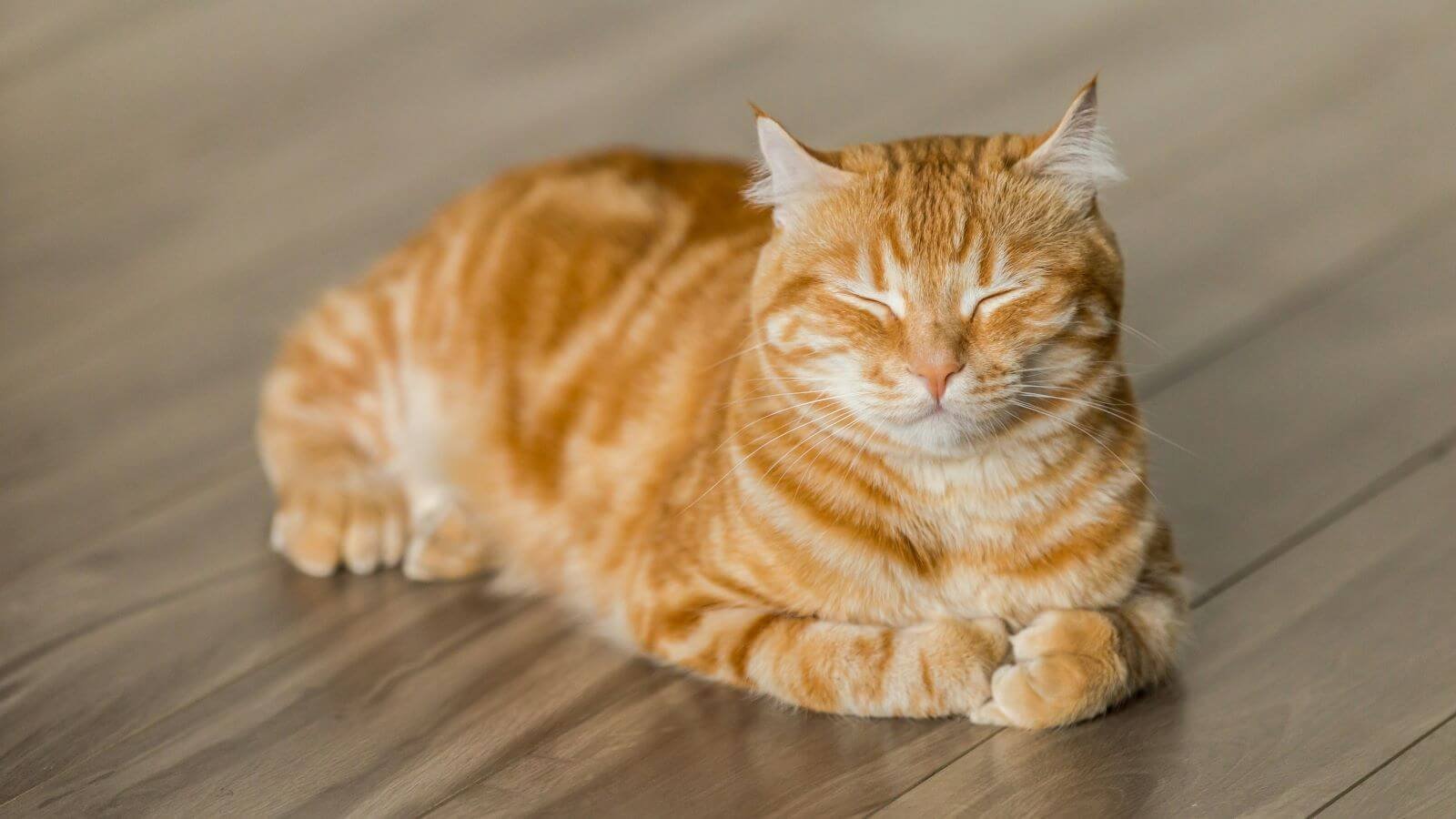
The next test I ran was to see how well the Nano Banana Pro can take a simple photo and turn it into a polished educational infographic. I wanted to push it toward more editorial, family-friendly design to see how well it handles structure and clarity.
Input Image
Prompt
Create an infographic about this cat, focusing on interesting information.
Output Image
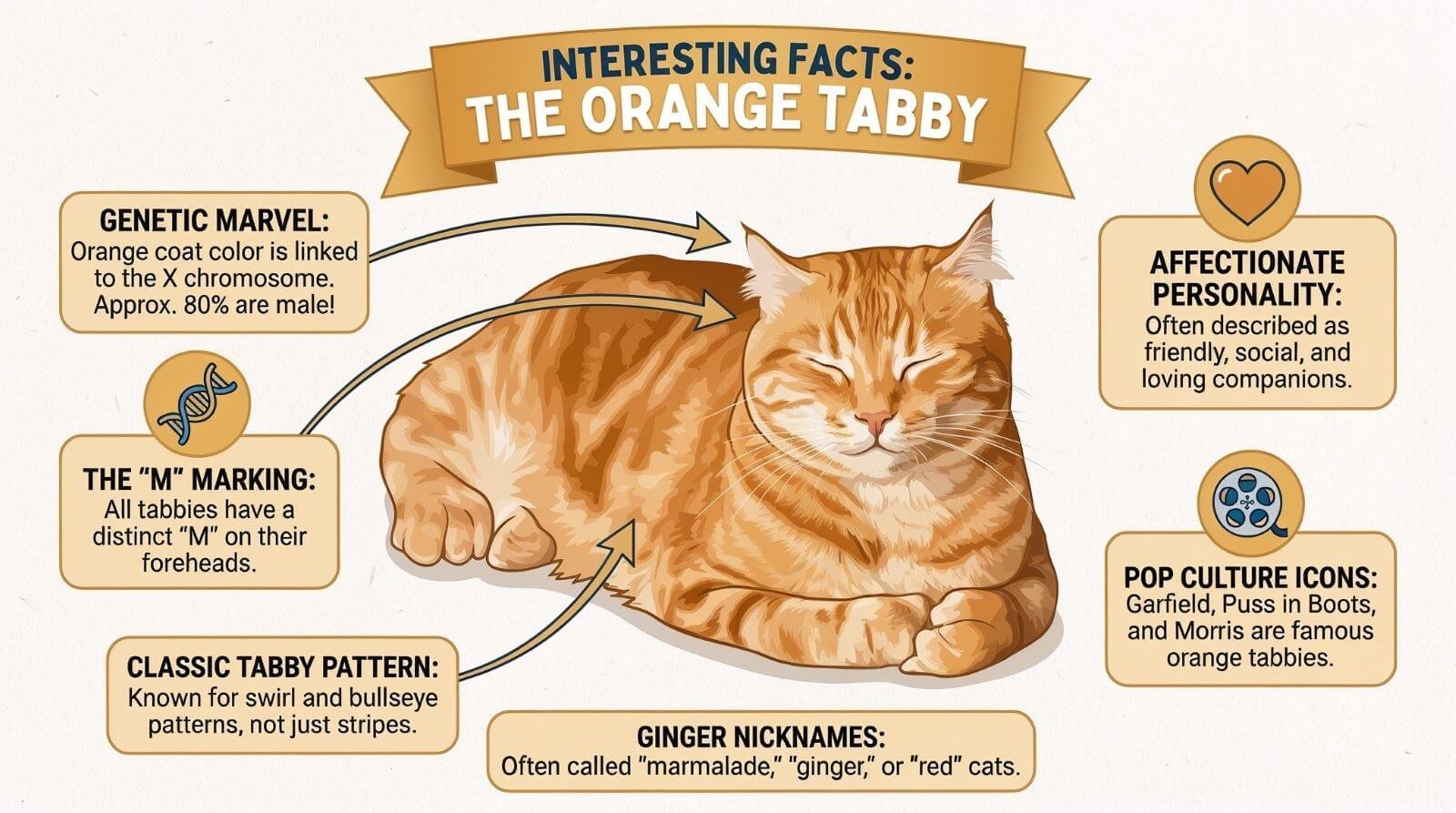
I’m honestly impressed with how clean and informative the output is—it captured the style, layout, and tone you’d expect from a professional pet-focused infographic. This level of speed and quality is wild for concepting educational or socially friendly content.
3. Advertisement
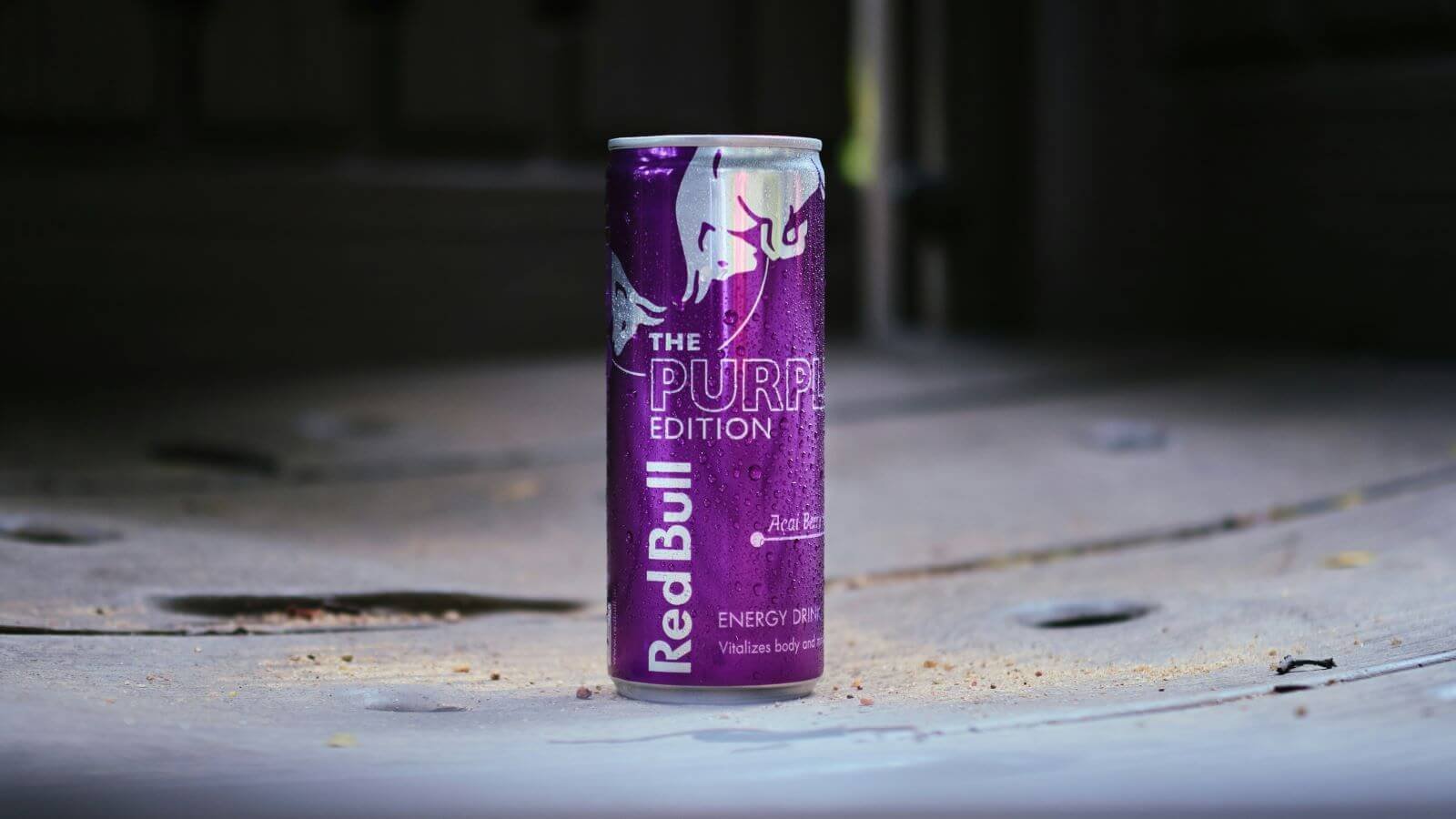
Next up, I ran a prompt to see how well the Nano Banana 2 could transform a product photo into a full billboard-style advertisement. I wanted to explore how accurately it could place the can into a real-world setting with lighting, mood, and on-brand messaging.
Input Image
Prompt
Create a bus stop billboard ad for this energy drink ‘Red Bull’. The setting is a New York street at dusk with neon lights. The tagline should be “Redbull Gives You Wings”. Make the aspect ratio 16:9.
Output Image
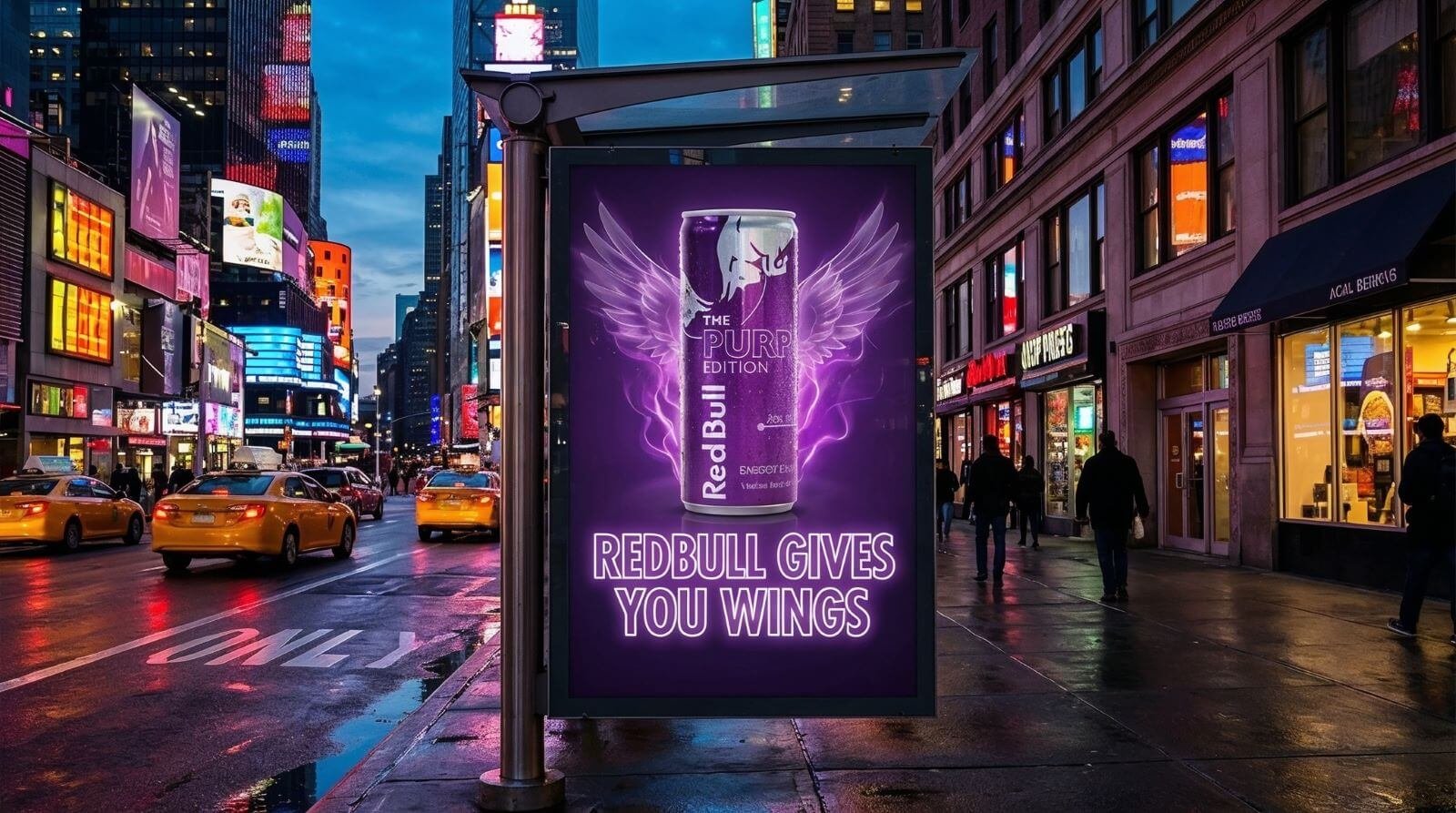
I’m really impressed with how this turned out—the model captured the New York energy, lighting, and vibe almost perfectly. As a creative director, I can see how powerful this is for rapid concept development and visual testing.
Now, let’s turn this into a Japanese setting.
Prompt
Localize this concept to a Japanese setting, keep the ad exactly the same, making sure to translate all the words on the can and in the ad “Redbull gives you wings” accurately and authentically
Output Image
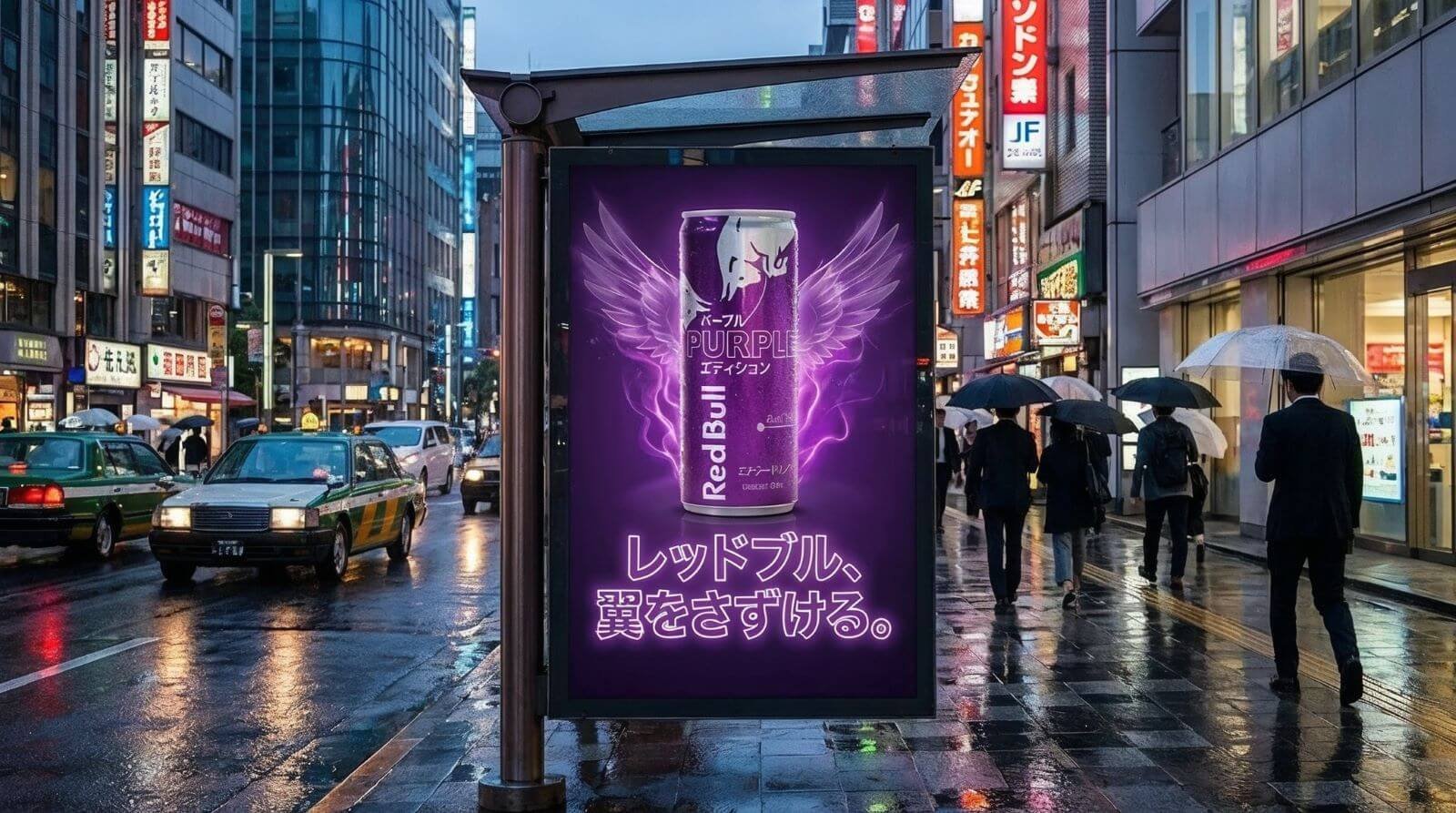
It didn’t translate every word perfectly, but for a fast AI generation, the output is still really solid. The environment, lighting, and overall vibe fit Japan perfectly, and with a couple more prompt tweaks, it could easily hit full accuracy.
4. Style Transfer
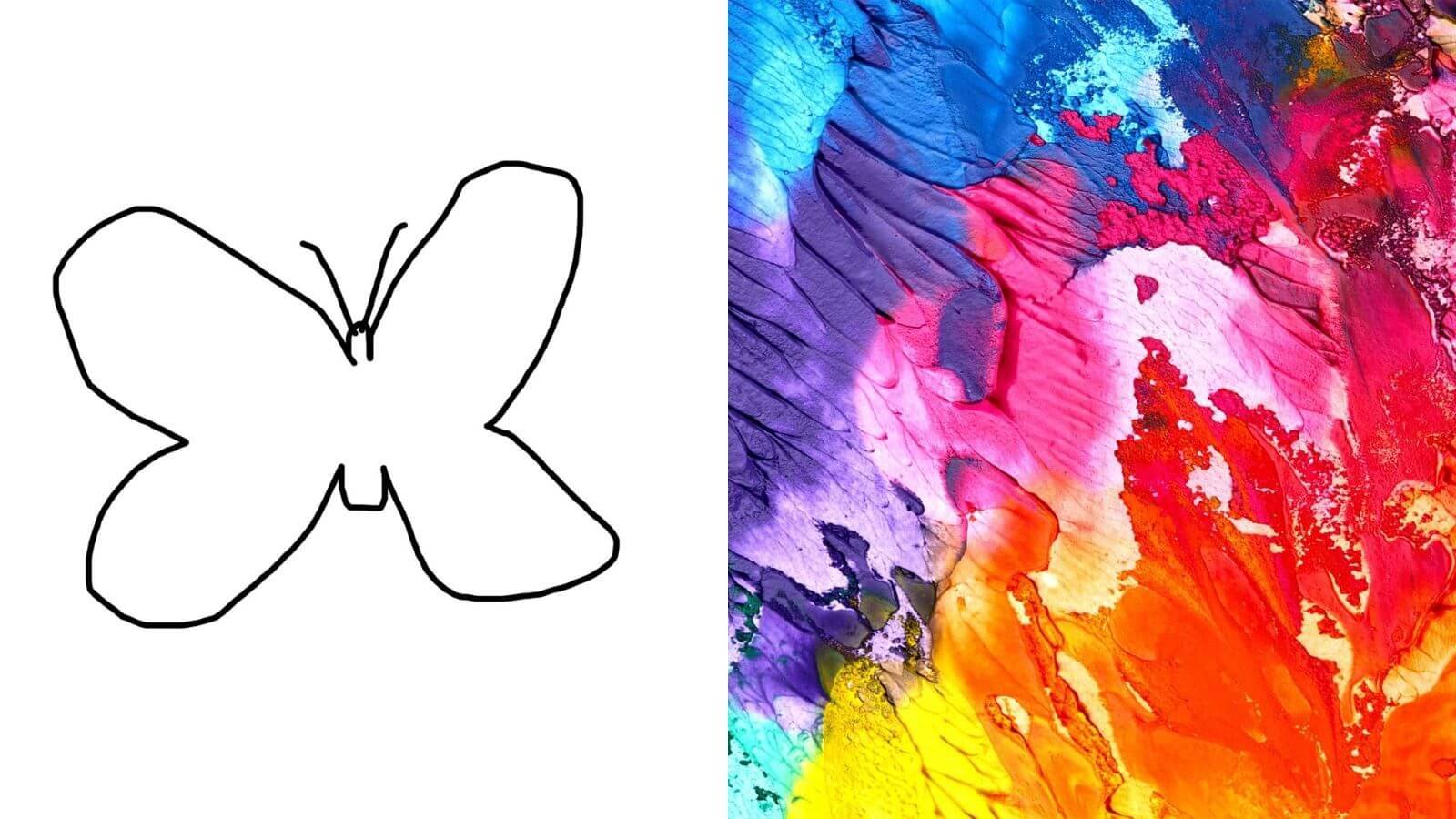
For this test, I wanted to see how well Nano Banana Pro could take a rough, child-like sketch and merge it with the color palette and texture from a reference painting. The goal was to push it creatively—turning something simple into a fully realized piece of art.
Input Image
Prompt
Transform the simple sketch into a realistic butterfly, follow the creative direction of the sketch, and use the colors and texture from the second image. The butterfly is placed in the middle of a white textured art canvas with paint splatters surrounding the butterfly.
Output Image
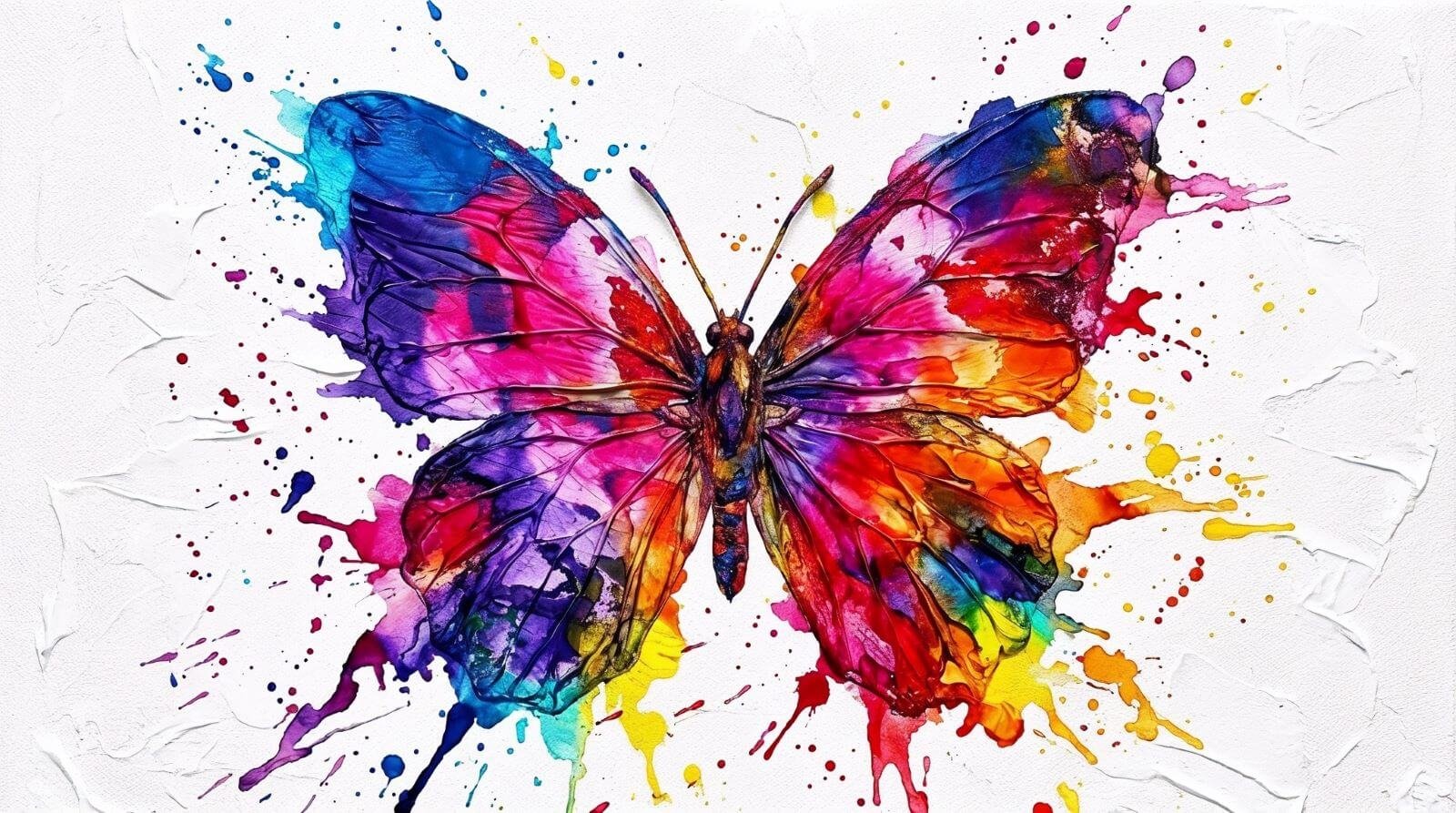
The result is stunning. Nano Banana Pro kept the silhouette of the sketch but elevated it with wild color, texture, and energy—exactly the type of transformation that shows how powerful these tools are for rapid creative exploration.
5. Environment
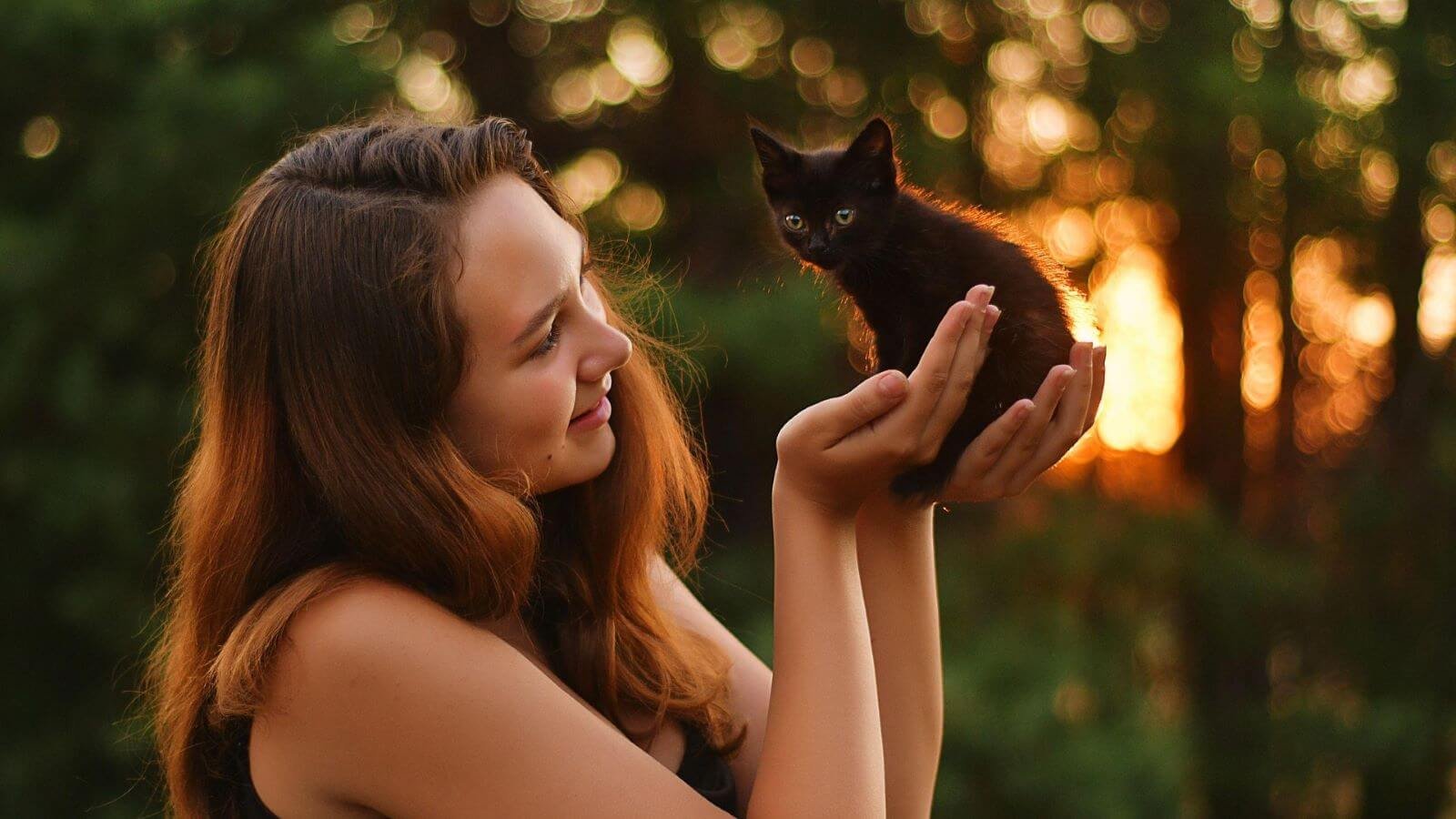
For this test, I wanted to see how well Nano Banana Pro could change the season in a photo. I took a warm summer picture and asked it to turn everything into winter with falling snow and a tiny scarf on the kitten.
Input Image
Prompt
Change the setting to winter with snow and a little scarf to the cat.
Output Image
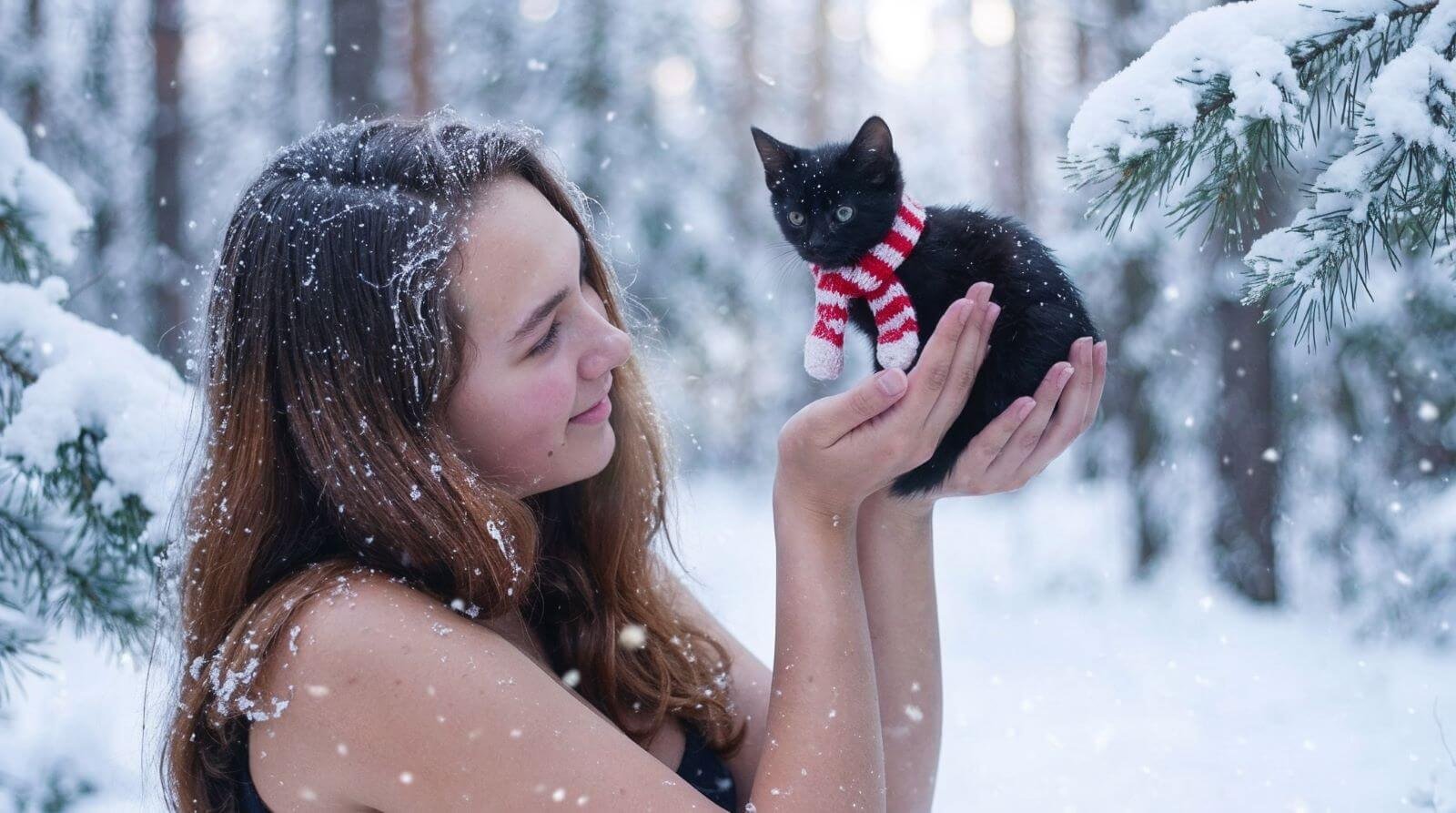
The results are super impressive. The snow looks real, the lighting feels natural, and the little scarf on the cat is perfect. This shows how fast Nano Banana Pro can make big creative changes with almost no effort.
6. Outfit Transfer
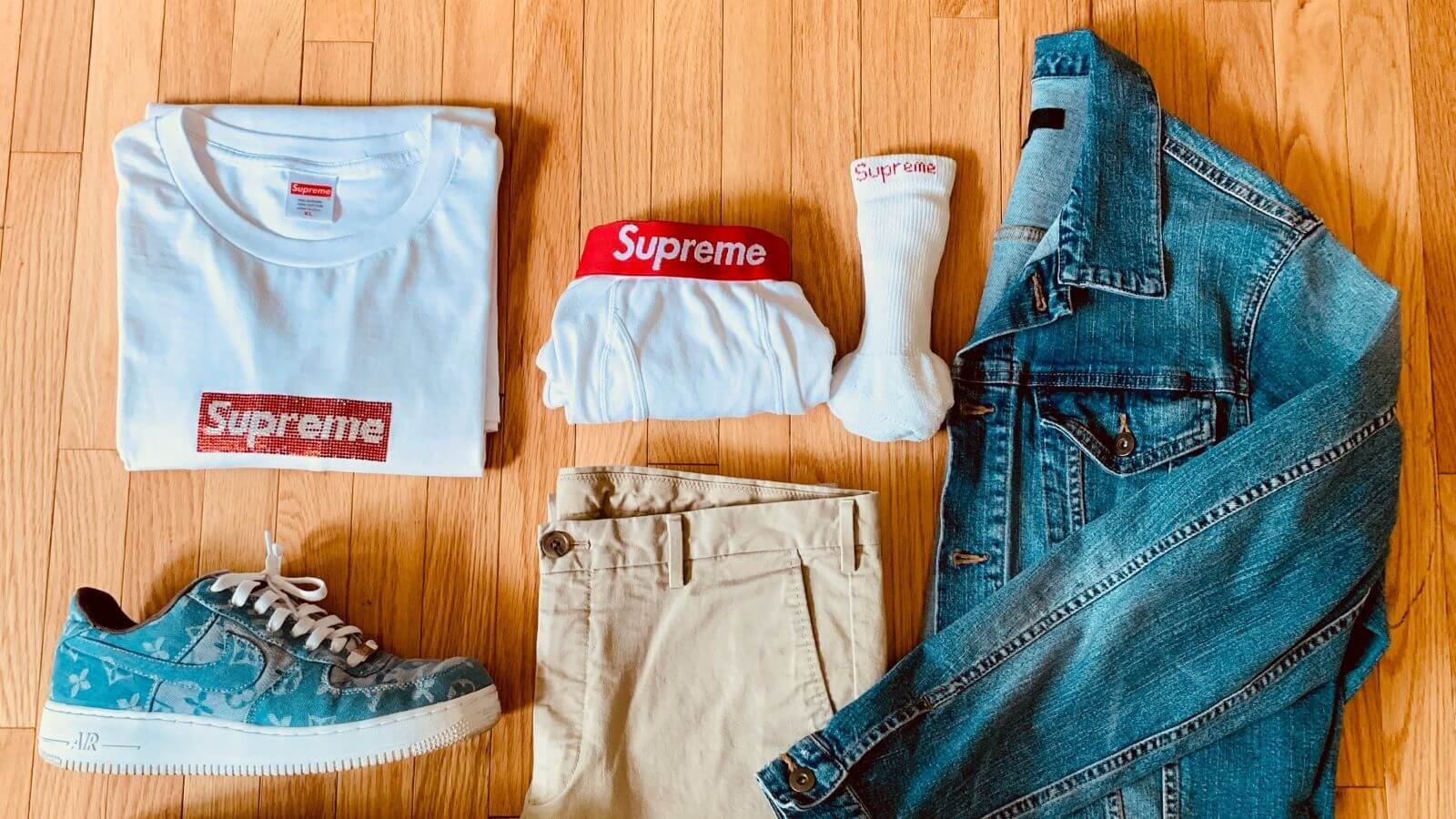
For this test, I wanted to see if Nano Banana Pro could take a flat lay of clothes and turn it into a real photoshoot with a male model. I asked it to put the entire outfit on someone and place him in a clean studio setup.
Input Image
Prompt
Add these articles of clothing to a male model in a photo studio, doing a photoshoot on a white backdrop.
Output Image
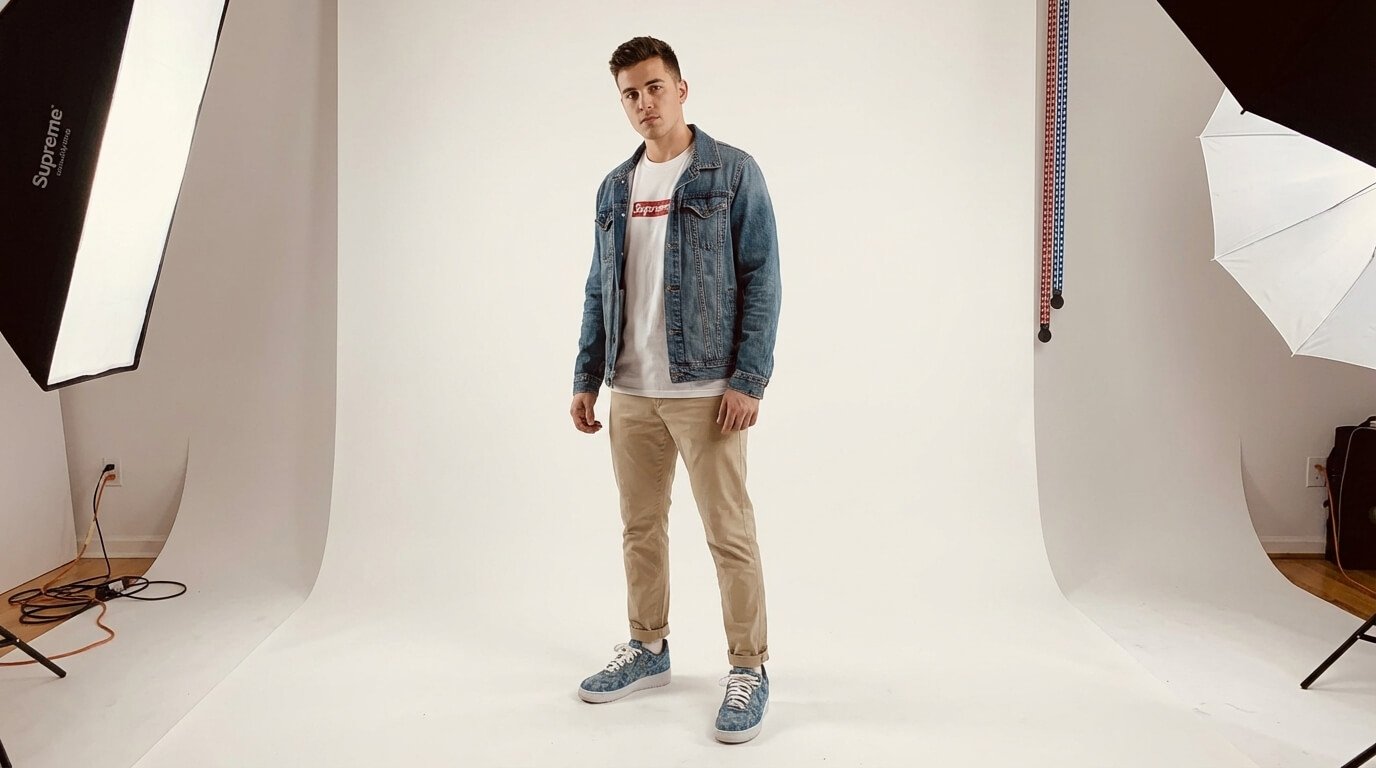
The results look super realistic. The model is wearing every piece correctly, the lighting matches a real studio, and the whole scene feels like an actual fashion shoot. This shows how powerful Nano Banana Pro is for fast lookbook and product-to-model transformations.
7. Text Change
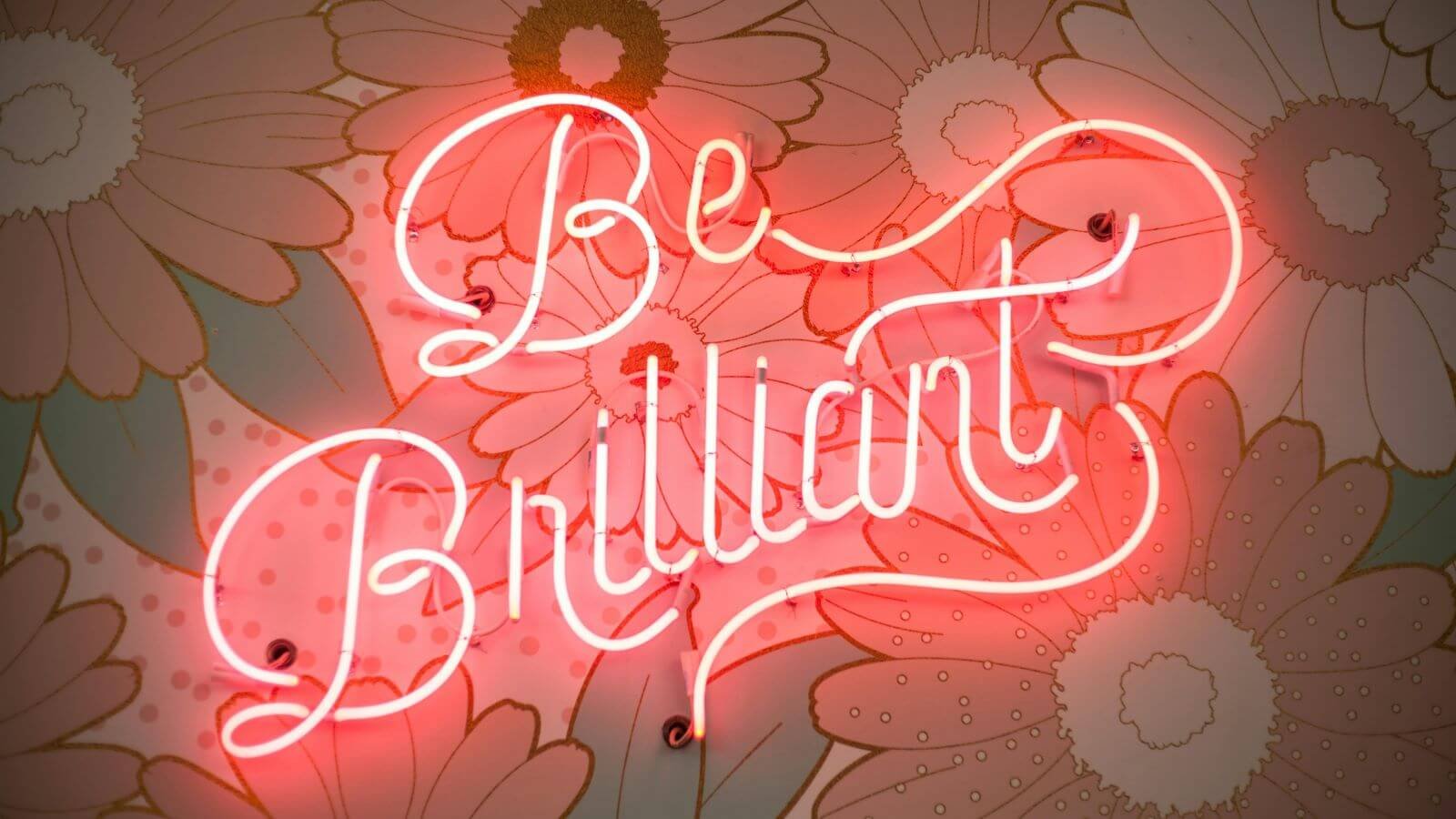
For this test, I wanted to see if Nano Banana Pro could change the word in a neon sign while keeping the exact same style, glow, and flow of the original lettering. It’s a great way to check how well it handles typography replacements inside real images.
Input Image
Prompt
Change the second word to “CREATIVE”.
Output Image
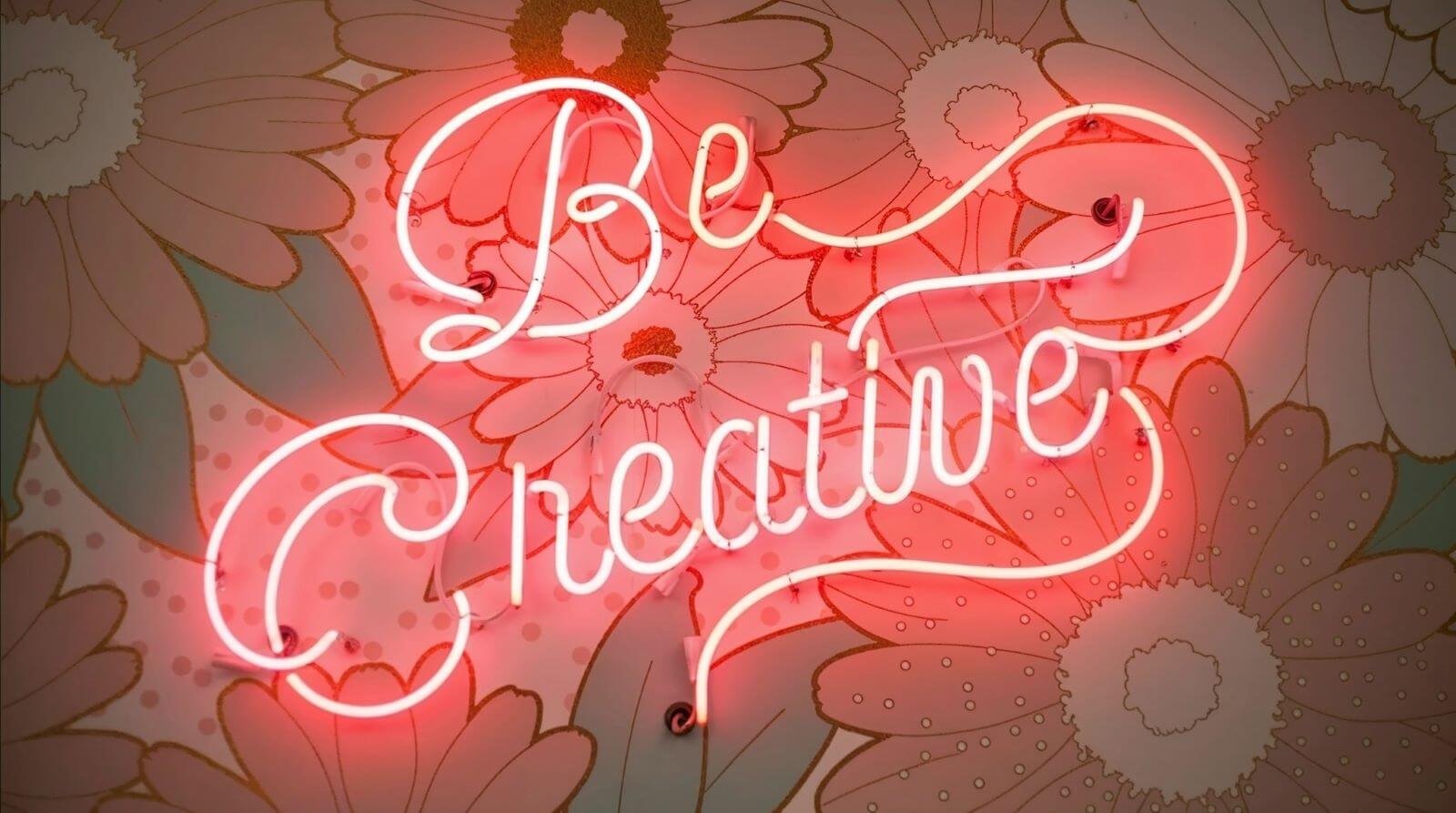
The result came out really strong—the new word is clear, readable, and fits the style almost perfectly. I would have liked the “C” to be a bit more stylized, but for a fast generation, this is exactly the direction I was aiming for.
8. Lighting Change
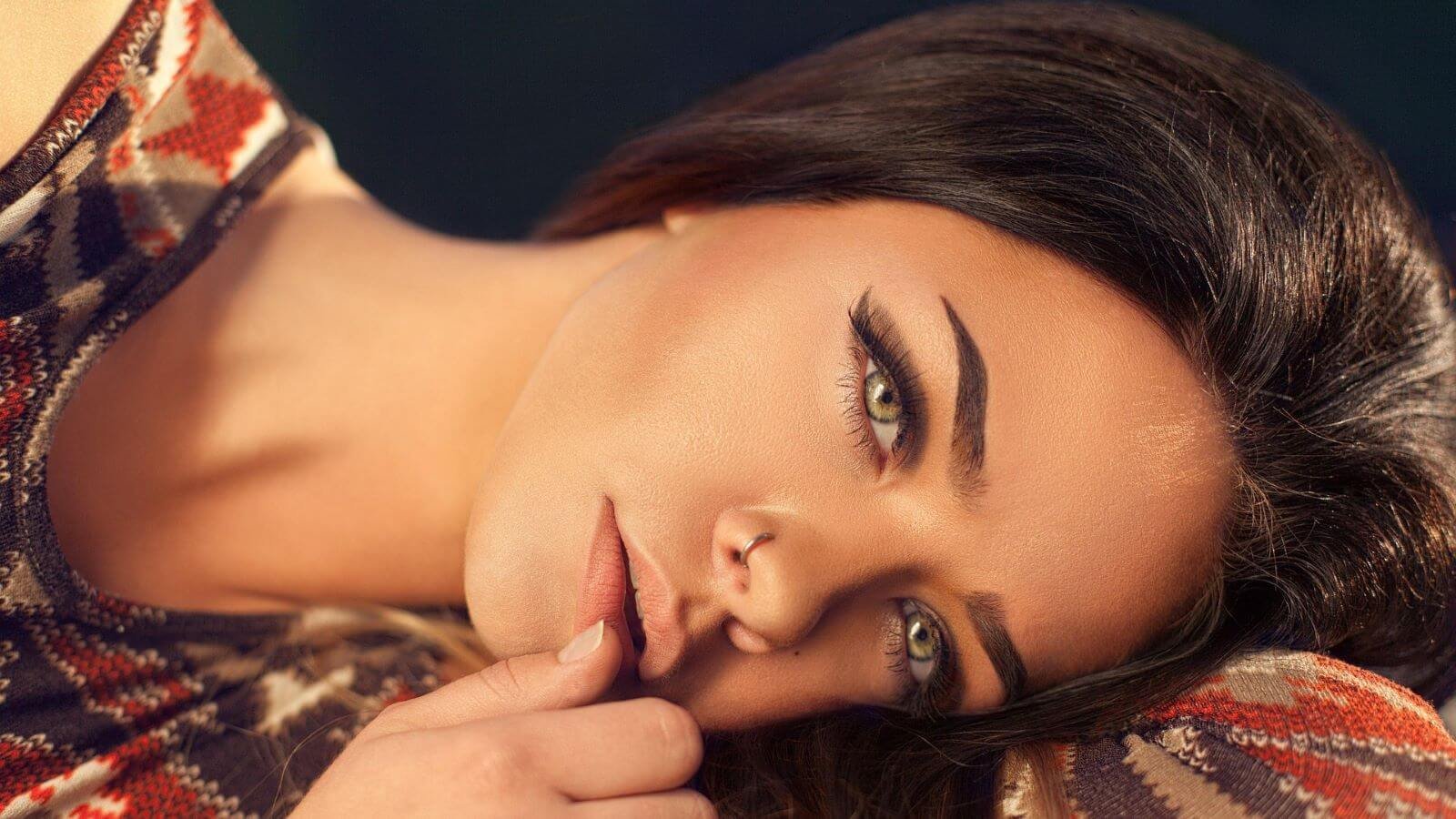
For this test, I wanted to see if Nano Banana Pro could take a well-lit portrait and transform it into a dramatic chiaroscuro scene. The goal was to keep her exact features but push the lighting into something bold, directional, and cinematic..
Input Image
Prompt
Generate an image with an intense chiaroscuro effect. The woman should retain her original features and expression. Introduce harsh, directional light, appearing to come from above and slightly down, casting deep, defined shadows across the face. Only slivers of light illuminate her eyes and cheekbones; the rest of her face is in deep shadow.
Output Image
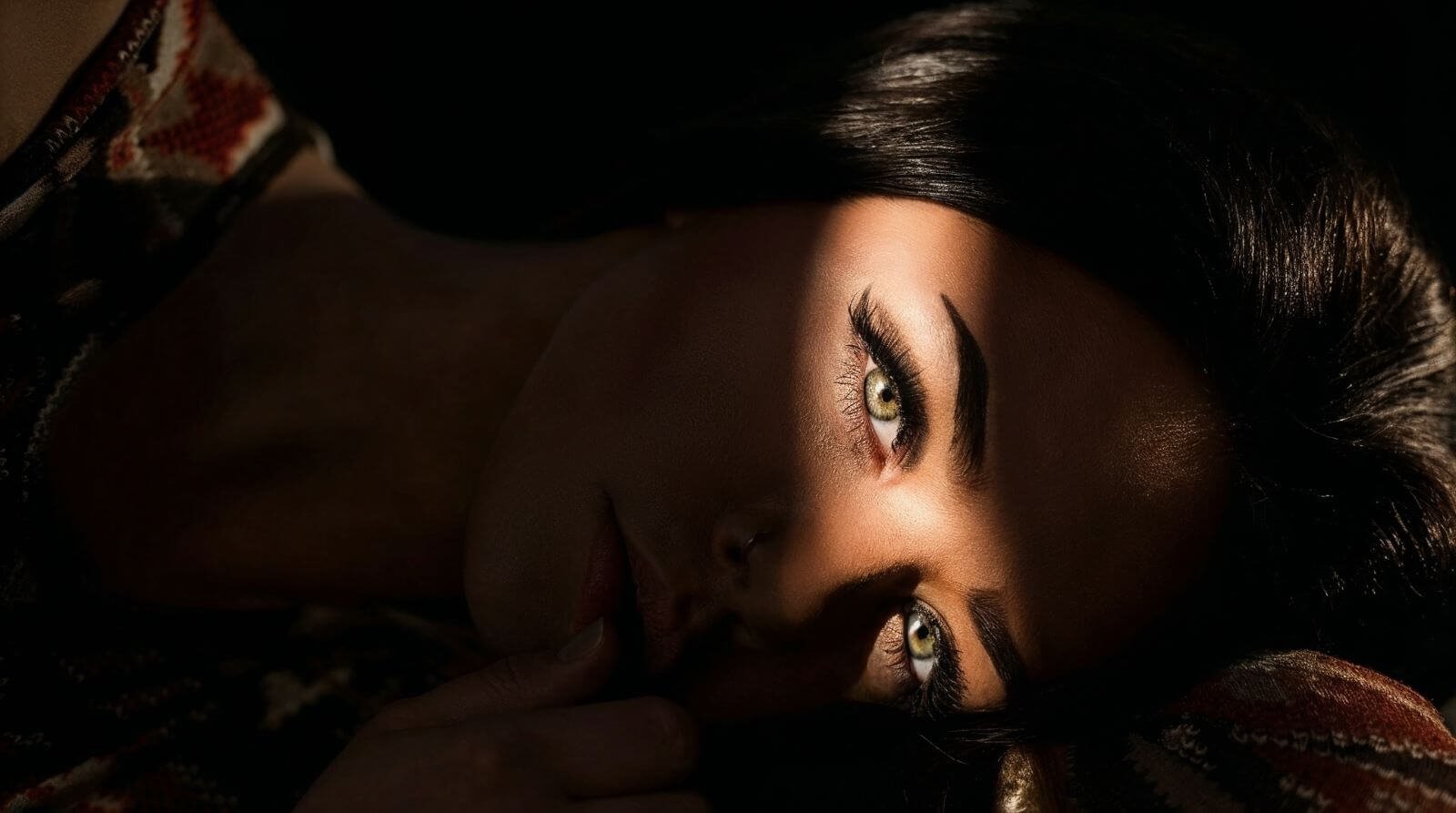
The result is stunning. The shadows are deep, the highlights are razor-focused, and her expression stays perfectly intact. This level of lighting control from a single prompt is seriously impressive.
9. Sketch-to-Scene
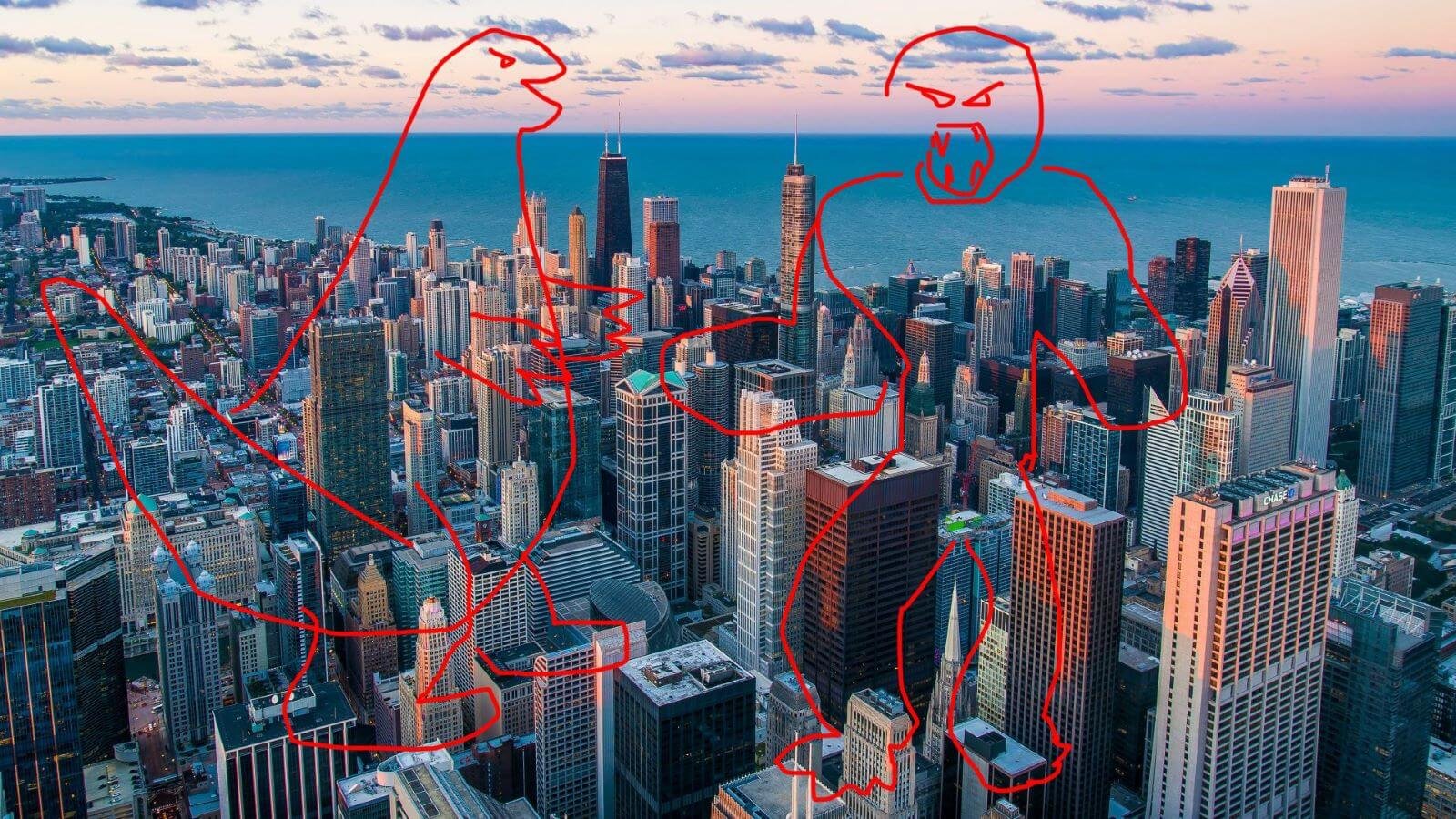
For this test, I gave Nano Banana Pro a really rough sketch—basically just outlines—to see if it could understand the idea and turn it into a full cinematic moment. I wanted to check how well it could follow my layout and transform it into something epic.
Input Image
Prompt
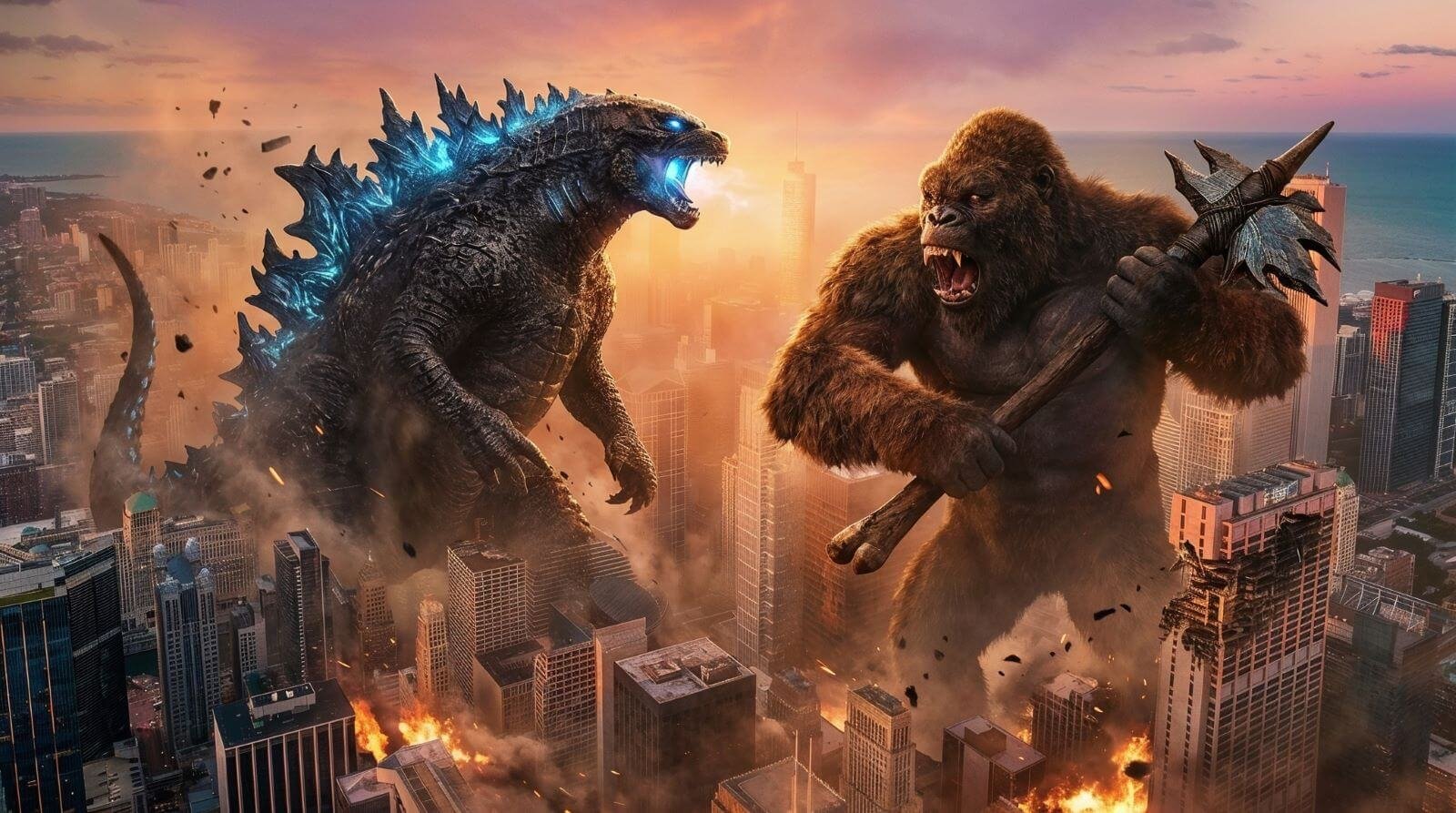
Generate an epic and cinematic scene of Godzilla vs King Kong.
Output Image

Nano Banana Pro absolutely blew me away. It took my messy little doodle and turned it into a massive, movie-level Godzilla vs. Kong battle exactly the way I pictured it in my head. This is insane.
This was so good, here’s an alternative output:
10. Camera Orbit
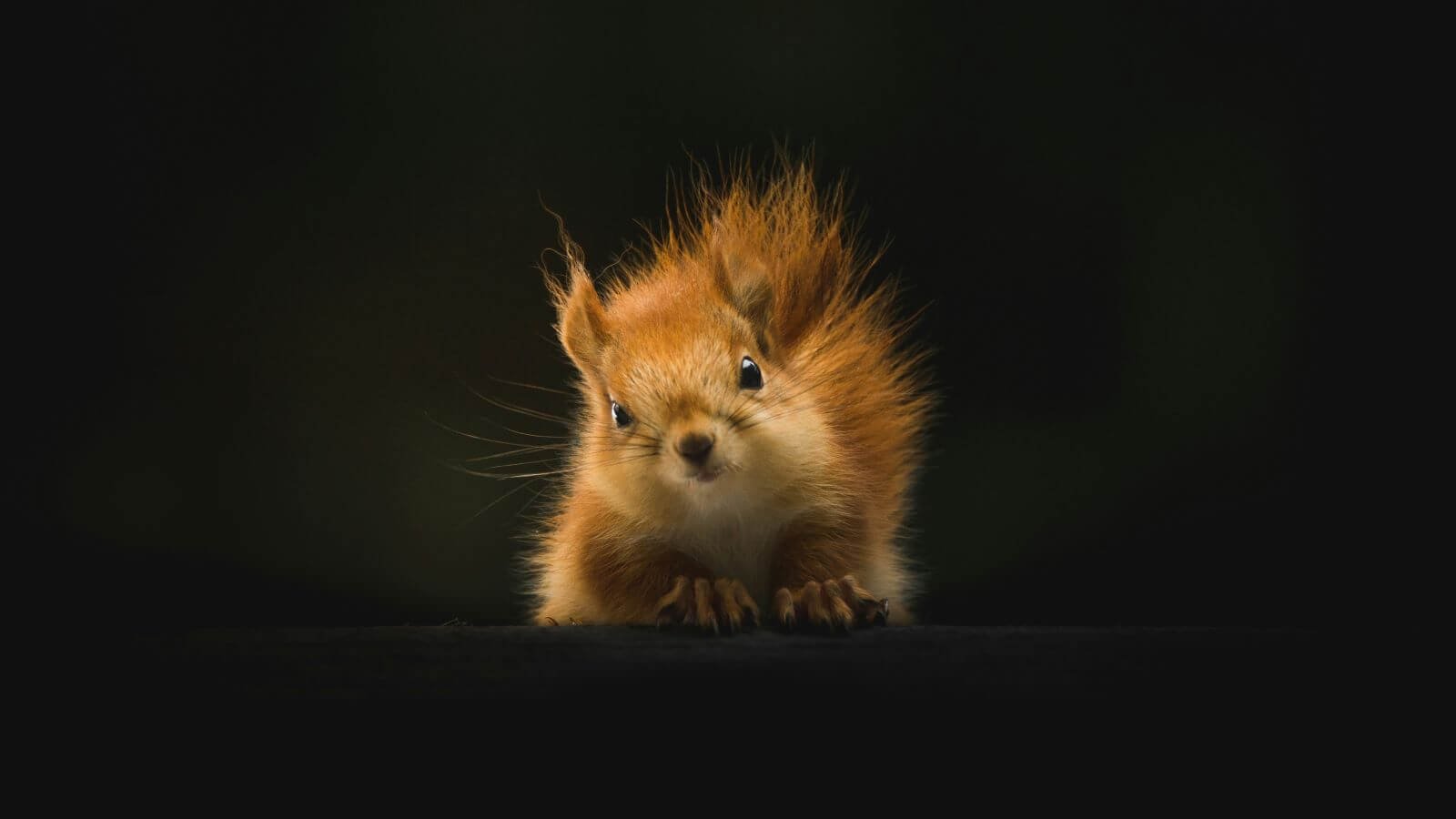
For this test, I wanted to see if Nano Banana Pro could take the original squirrel photo and simply rotate the camera around it by 90 degrees. No changes to style, lighting, or mood—just a clean, accurate orbit.
Input Image
Prompt
Keep the image exactly as it is. Orbit the camera 90 degrees to the right.
Output Image
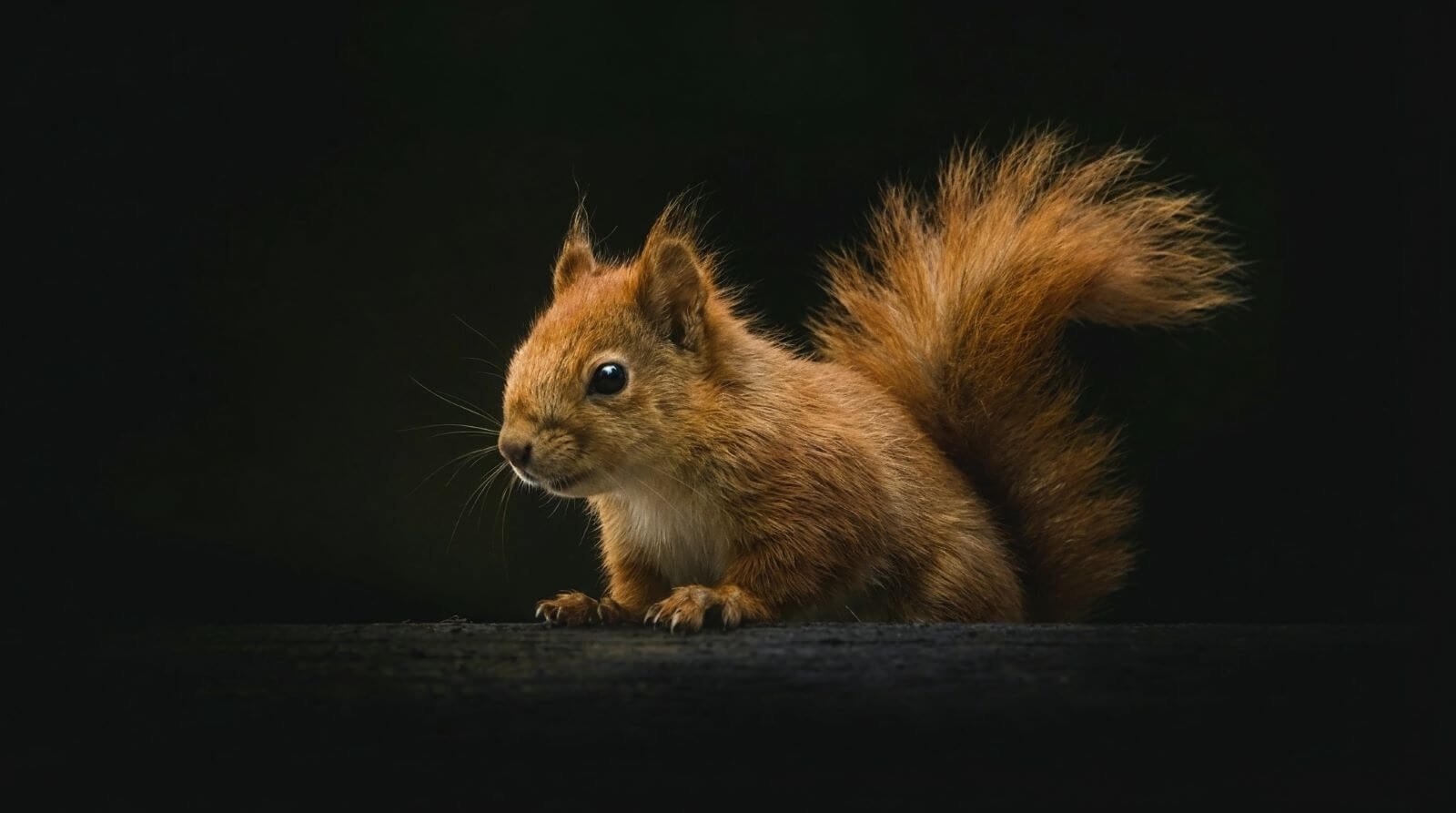
The result is spot-on. It kept the same lighting and vibe but gave me a completely new angle, as if the squirrel actually posed for a second shot. Really impressive control for such a simple prompt.
11. Photo Cleanup
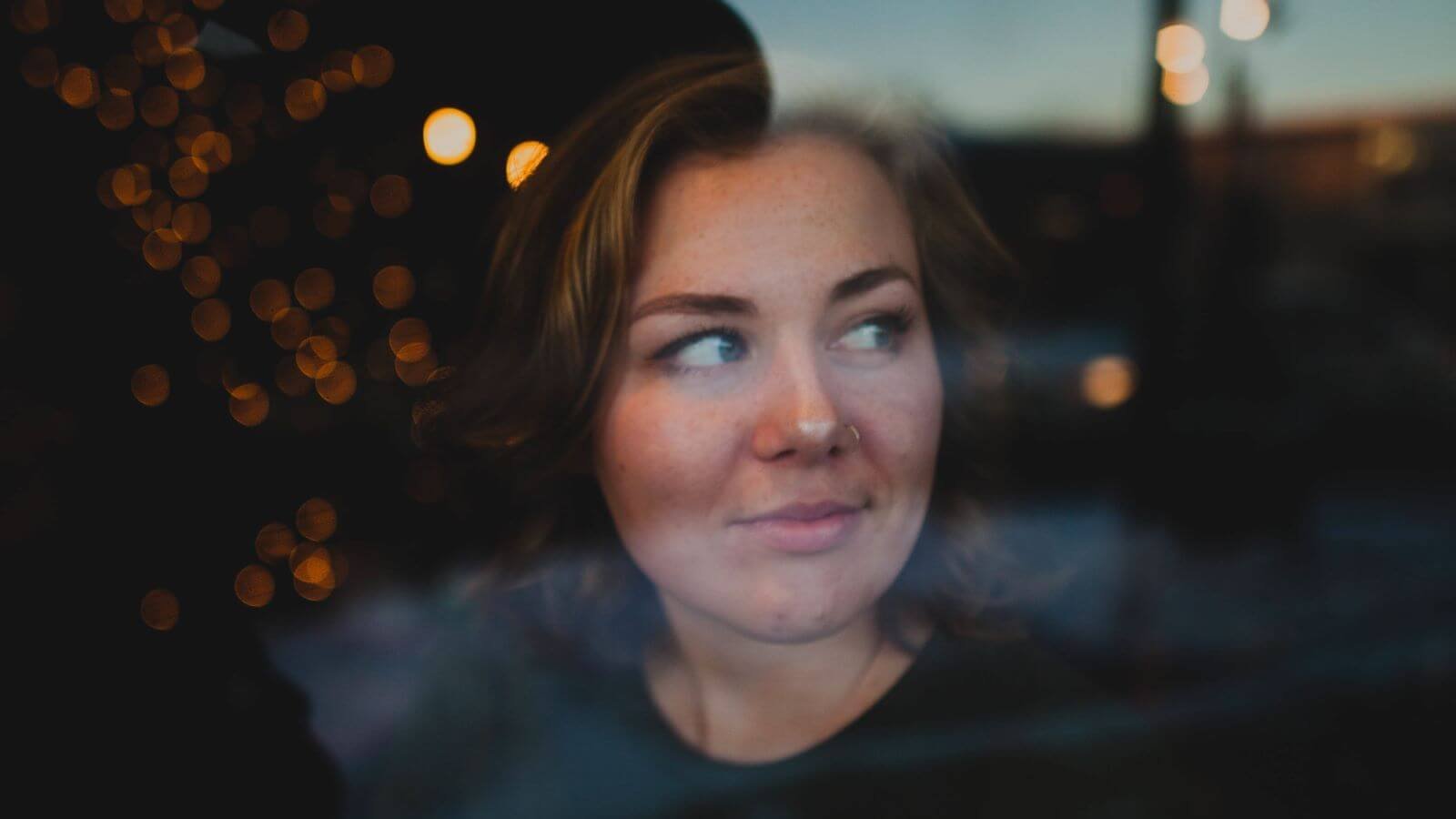
I wanted to see if Nano Banana Pro could keep the portrait exactly the same while removing all the window reflections and background distractions. The goal was to isolate her cleanly on a solid black background without losing detail or quality.
Input Image
Prompt
Keep the image exactly as it is, remove the reflectiveness and everything around her from the window, so the woman is clearly visible on a black background and of high quality.
Output Image
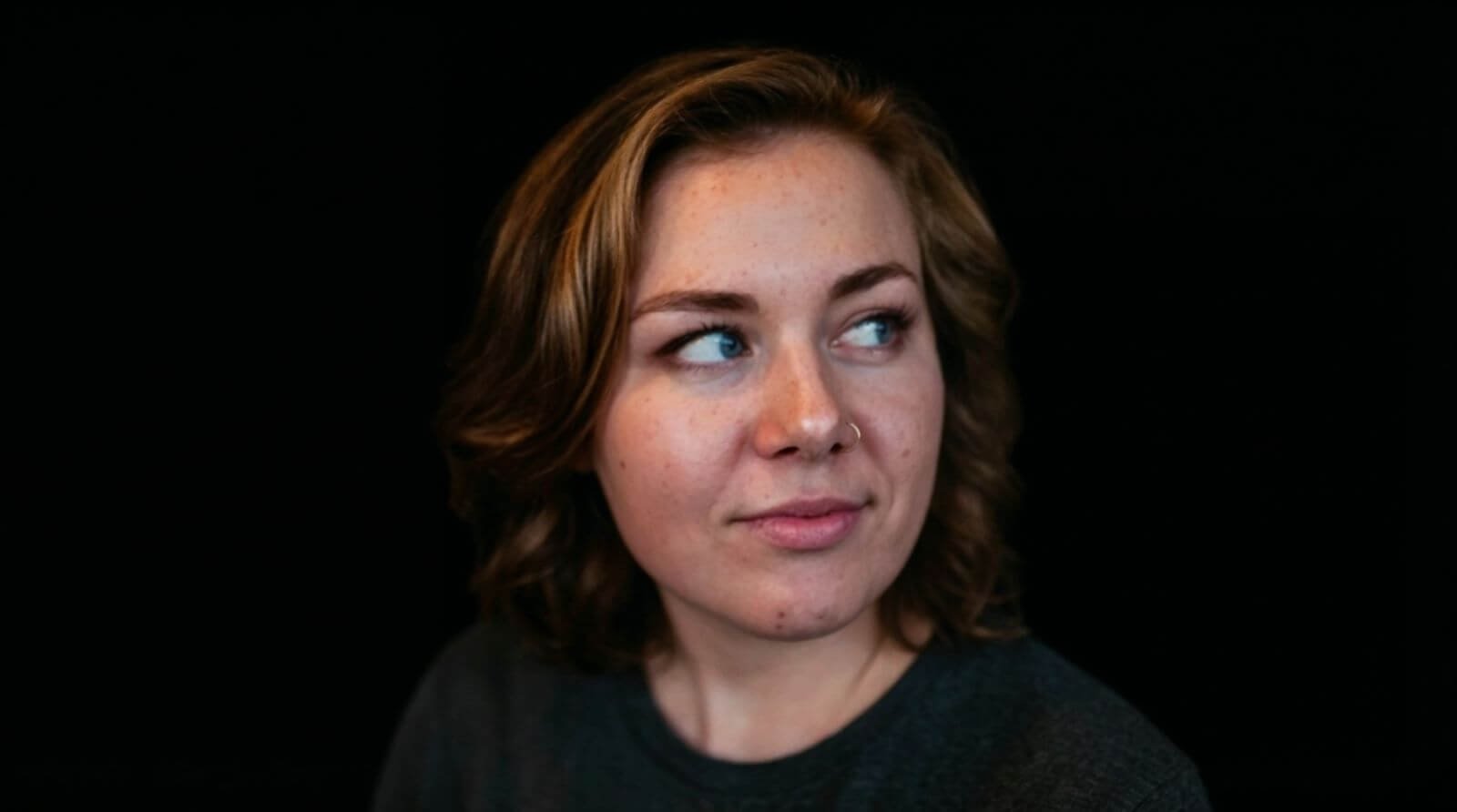
The result is super clean. It kept every detail of her face and expression while completely removing the reflections, giving me a studio-style portrait from a casual photo. Really solid output for a single prompt.
12. Flat Lay
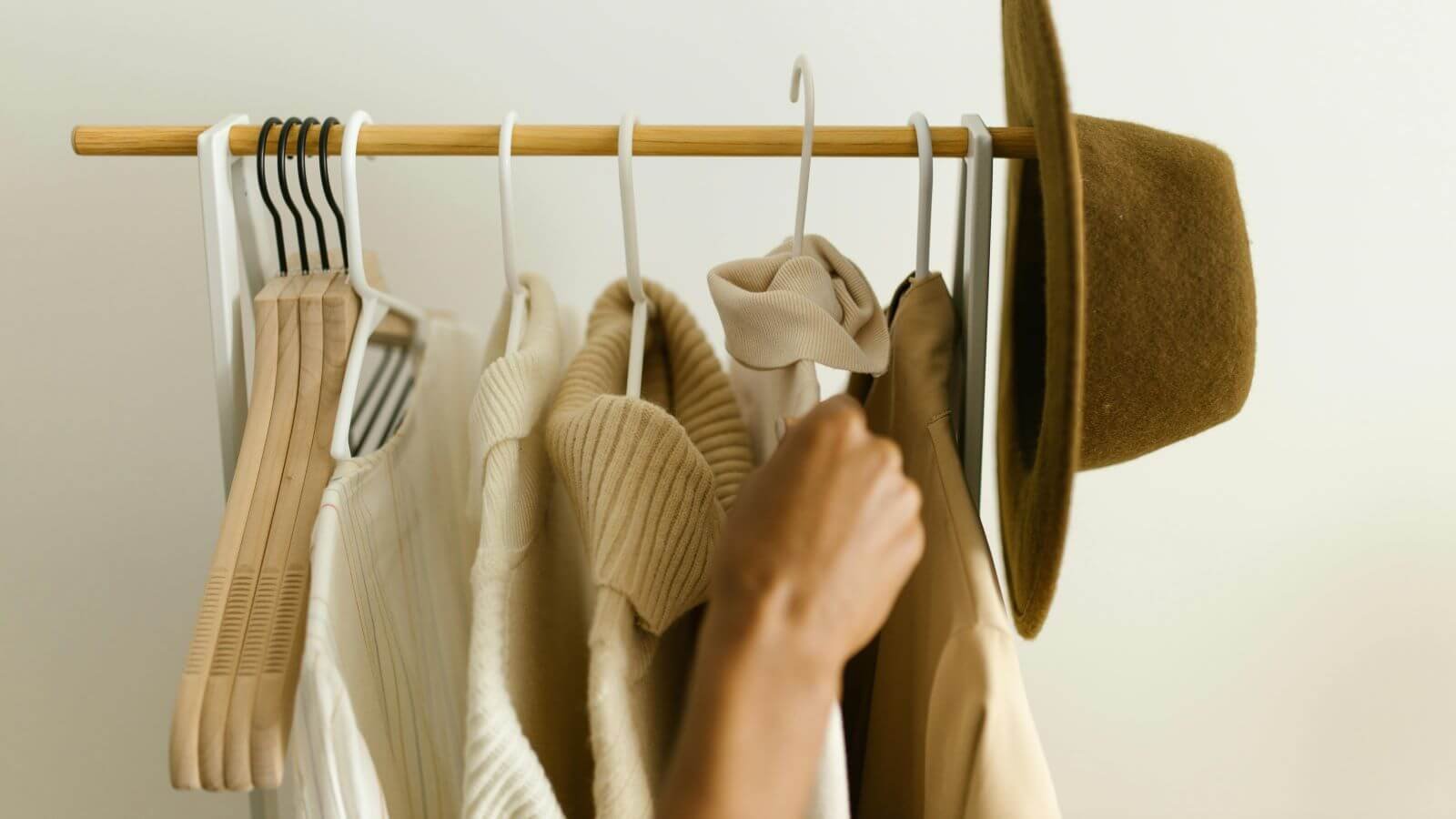
I wanted to see if Nano Banana Pro could take clothing from a rack and rearrange them into a clean, aesthetic flat lay on a soft, luxurious carpet. The goal was to make each piece clearly visible and evenly spaced, almost like a catalog setup.
Input Image
Prompt
Lay these articles of clothing on down a luxurious carpet, spread them out evenly so they are clearly viewable to the camera.
Output Image
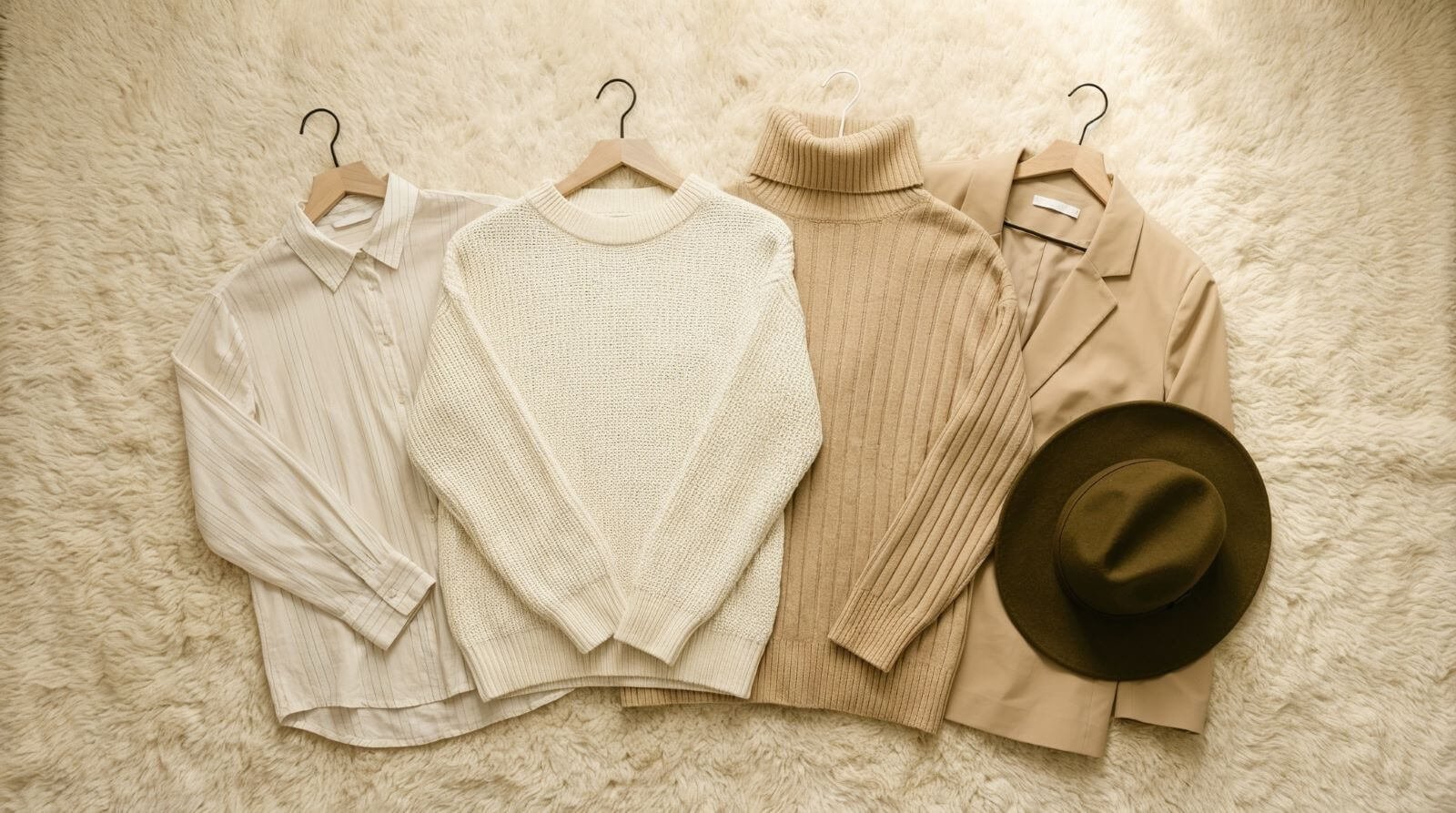
The result looks great. Everything is laid out neatly, the textures feel premium, and the overall style looks like a high-end fashion layout. Really solid transformation from rack to flat lay with a single prompt.
13. Info Guide
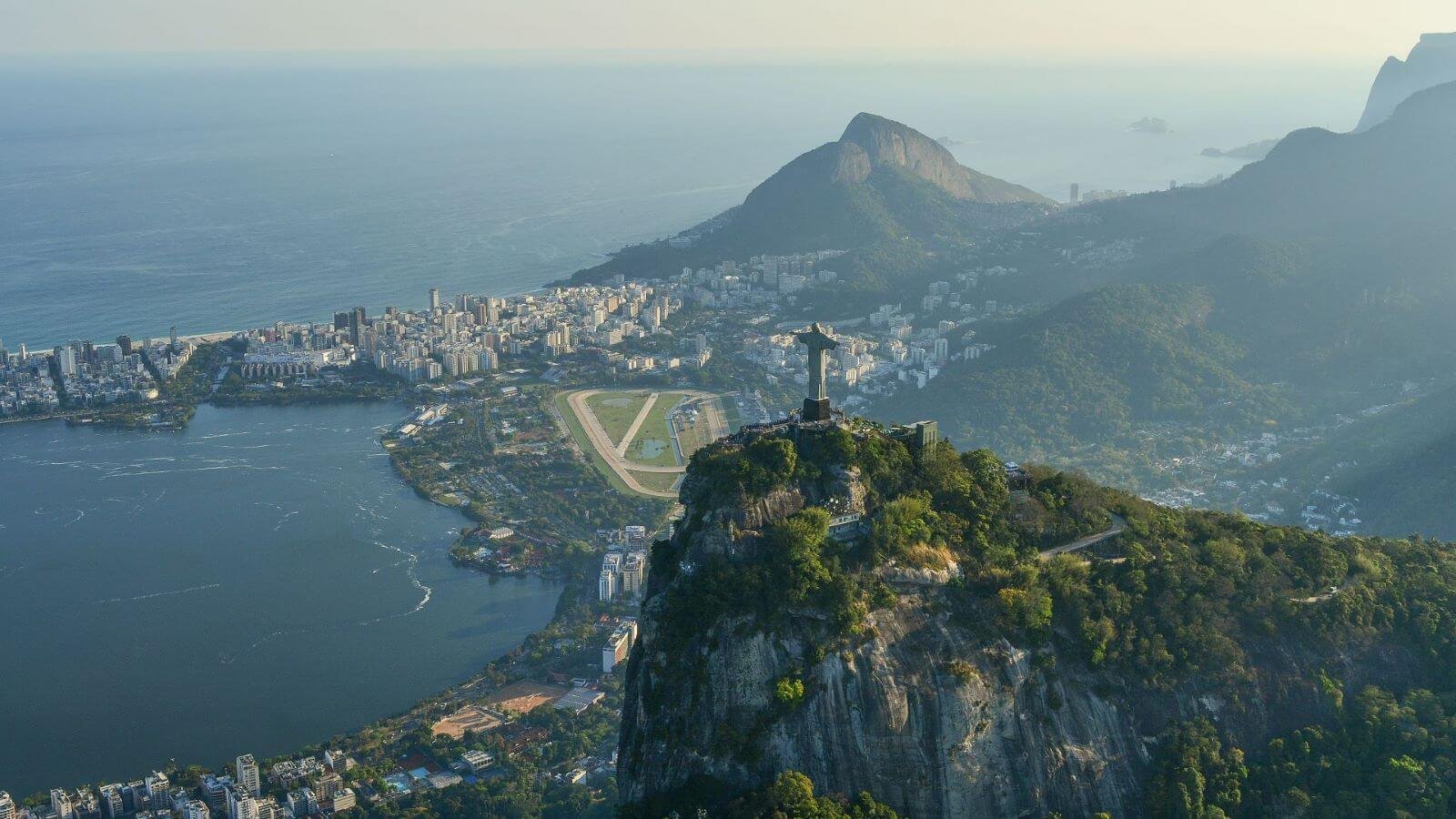
This time, I wanted to see how Nano Banana Pro would handle cultural context instead of just visuals. I asked it to identify key landmarks in Rio and turn them into a vibrant, Brazilian-inspired graphic that matches the country’s energy and personality.
Input Image
Prompt
Using this image of Brazil, please identify and describe the different locations and monuments shown in the photo. Write and stylize it in a tone that reflects the Brazilian culture.
Output Image
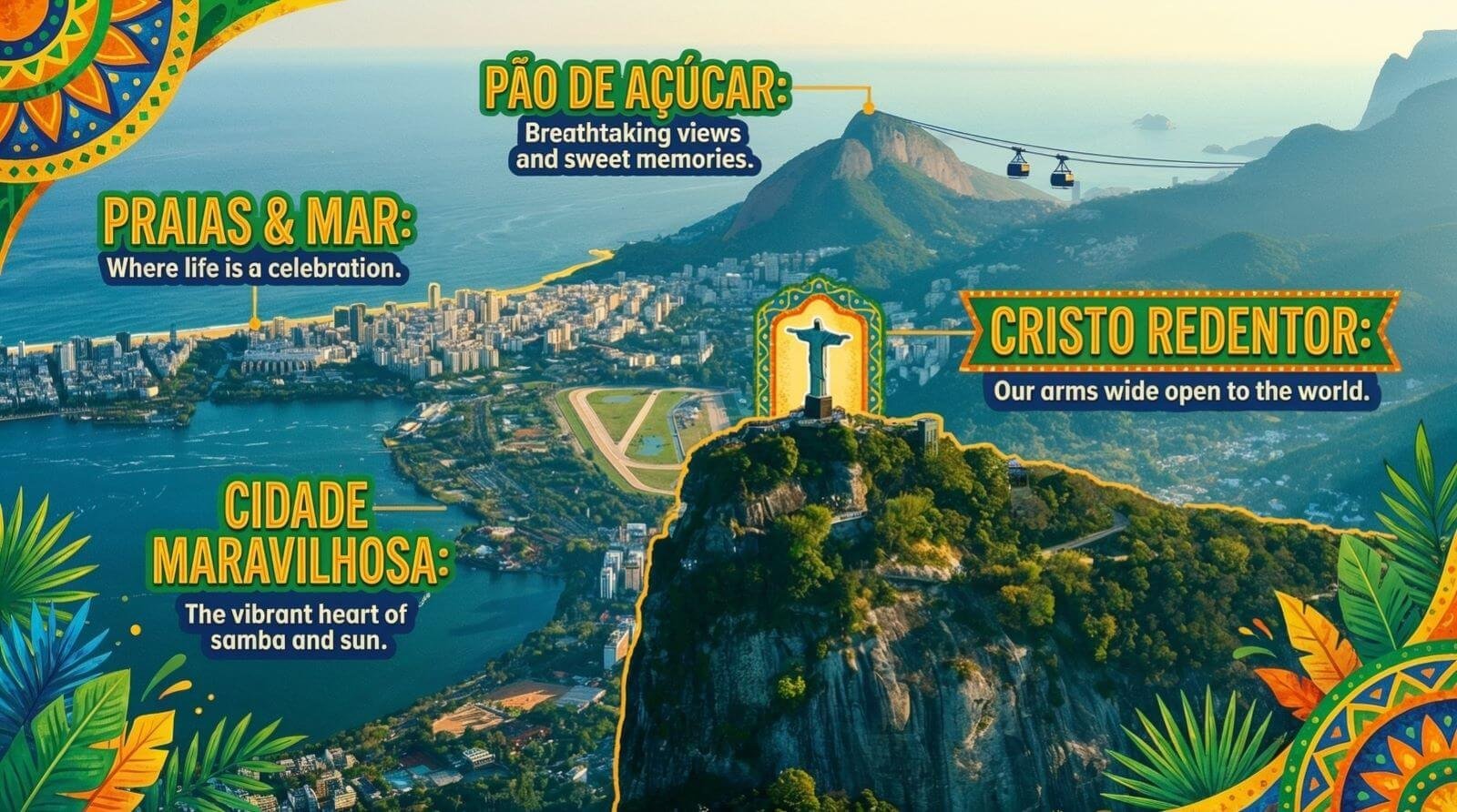
The output feels alive. The colors, typography, and cultural flair match the vibe of Brazil beautifully, and the landmark callouts look polished enough for tourism or editorial work. Really impressive blend of geography and design.
14. Photo Edit
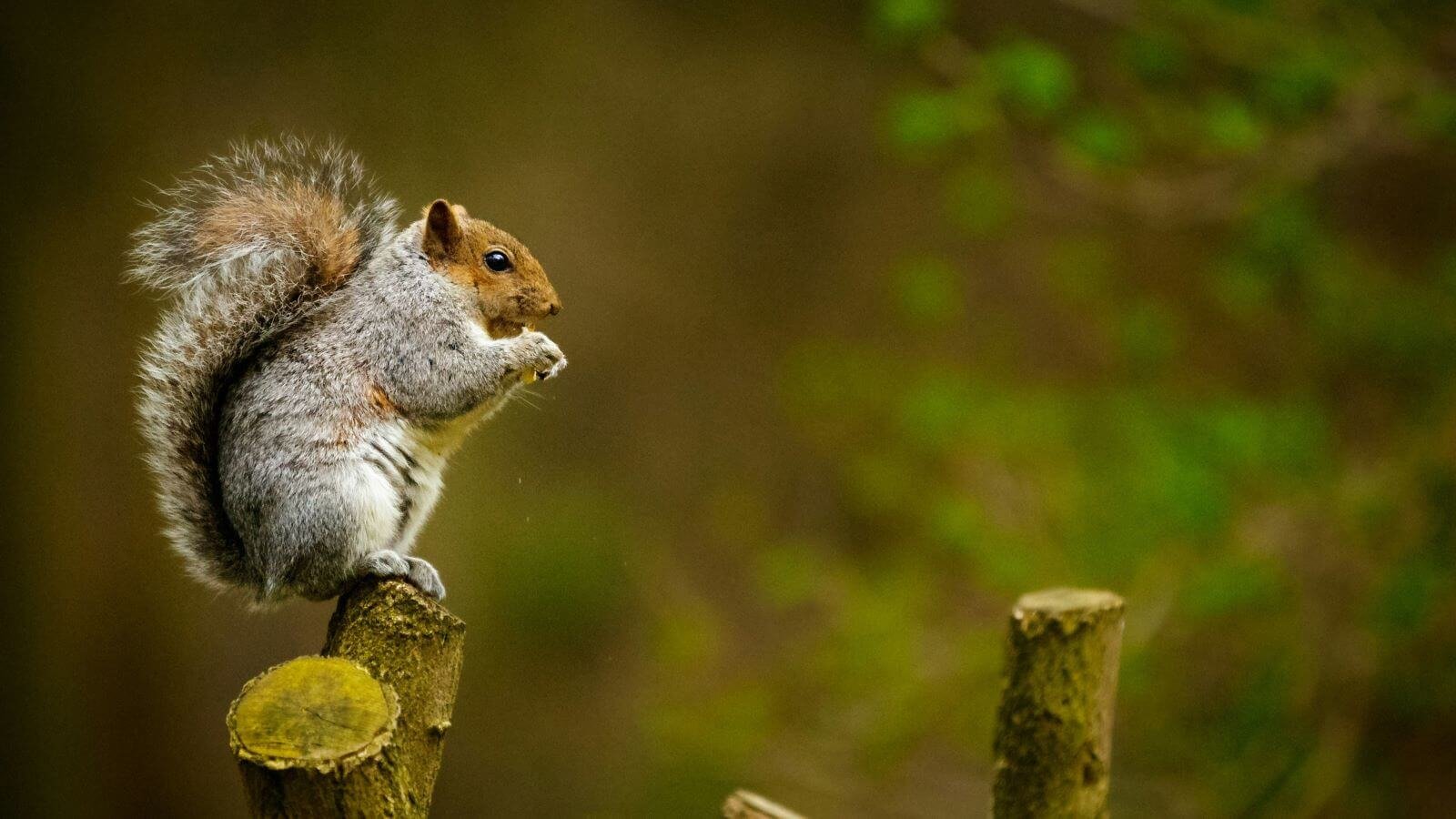
This time, I wanted to see how Nano Banana Pro handles something a little more playful. I kept the original squirrel exactly as it was and asked the model to add a second one, plus a pair of pugil sticks, so they’d look like they’re battling it out.
Input Image
Prompt
Keep the image exactly as it is. Add a squirrel to the right, and give them a pugil stick so they are fighting each other, trying to knock the other one down
Output Image
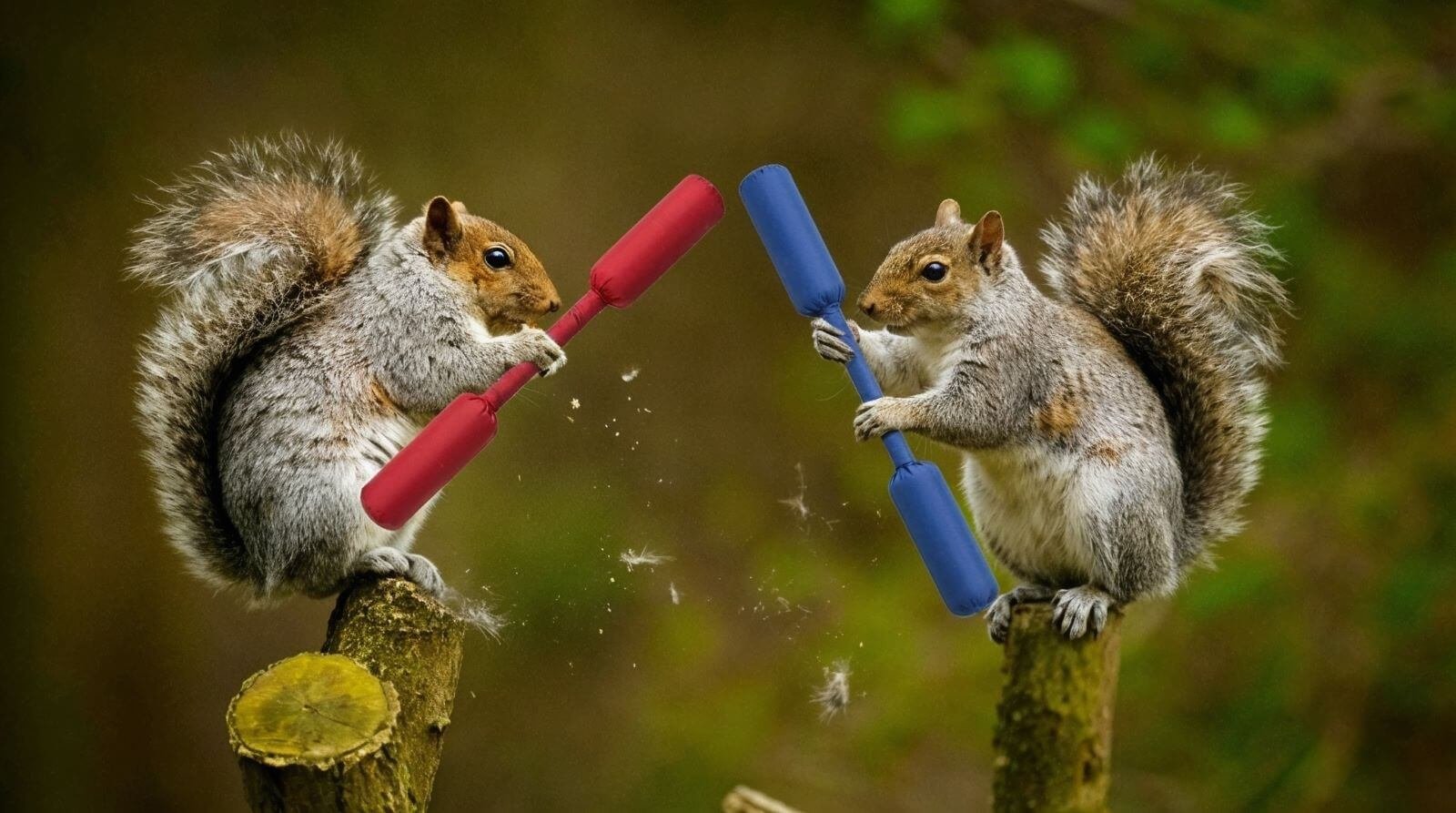
The result is hilarious. Both squirrels look natural in the scene, the props blend in perfectly, and the little burst of fur from the impact sells the moment. Such a fun and clean execution for a single prompt.
15. Focus Shift
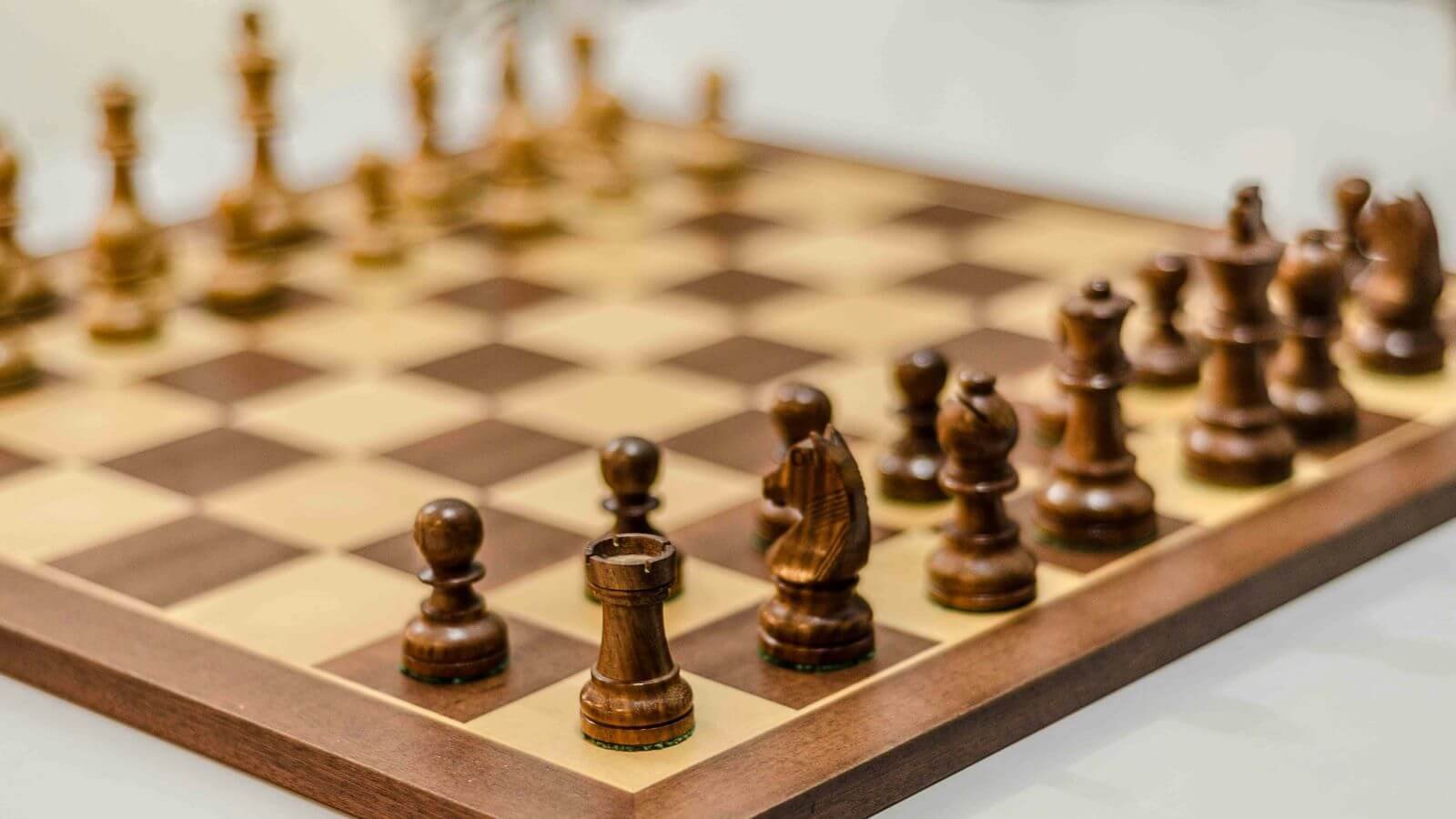
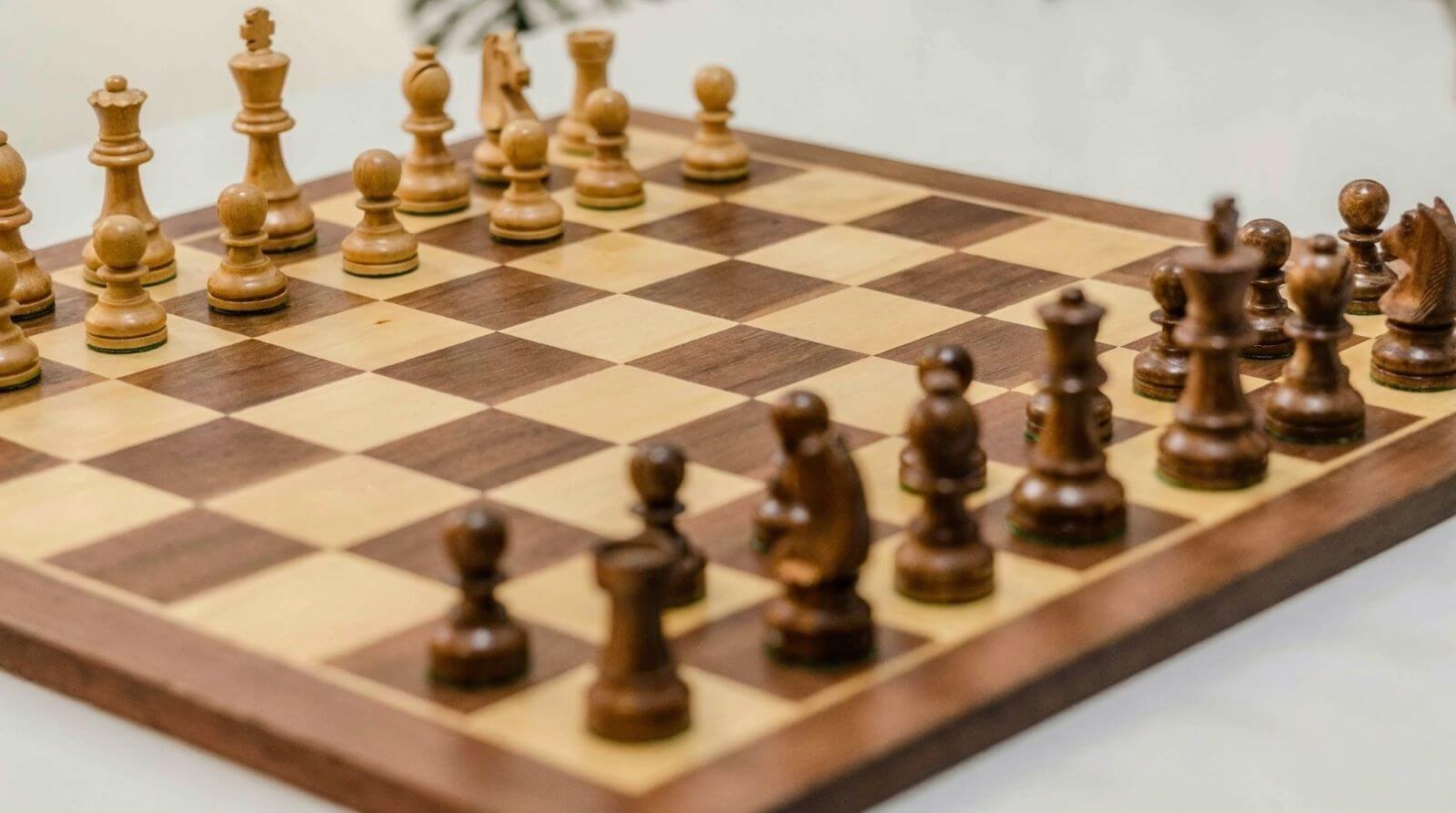
For this test, I wanted to see if Nano Banana Pro could keep the entire chess setup exactly the same but pull the camera’s focus toward the pieces in the back. The idea was to mimic a shallow depth-of-field effect without changing the composition.
Input Image
Prompt
Keep the image exactly as it is just shift the focus to the pieces in the back.
Output Image
The output feels alive. The colors, typography, and cultural flair match the vibe of Brazil beautifully, and the landmark callouts look polished enough for tourism or editorial work. Really impressive blend of geography and design.
16. Refocus Test
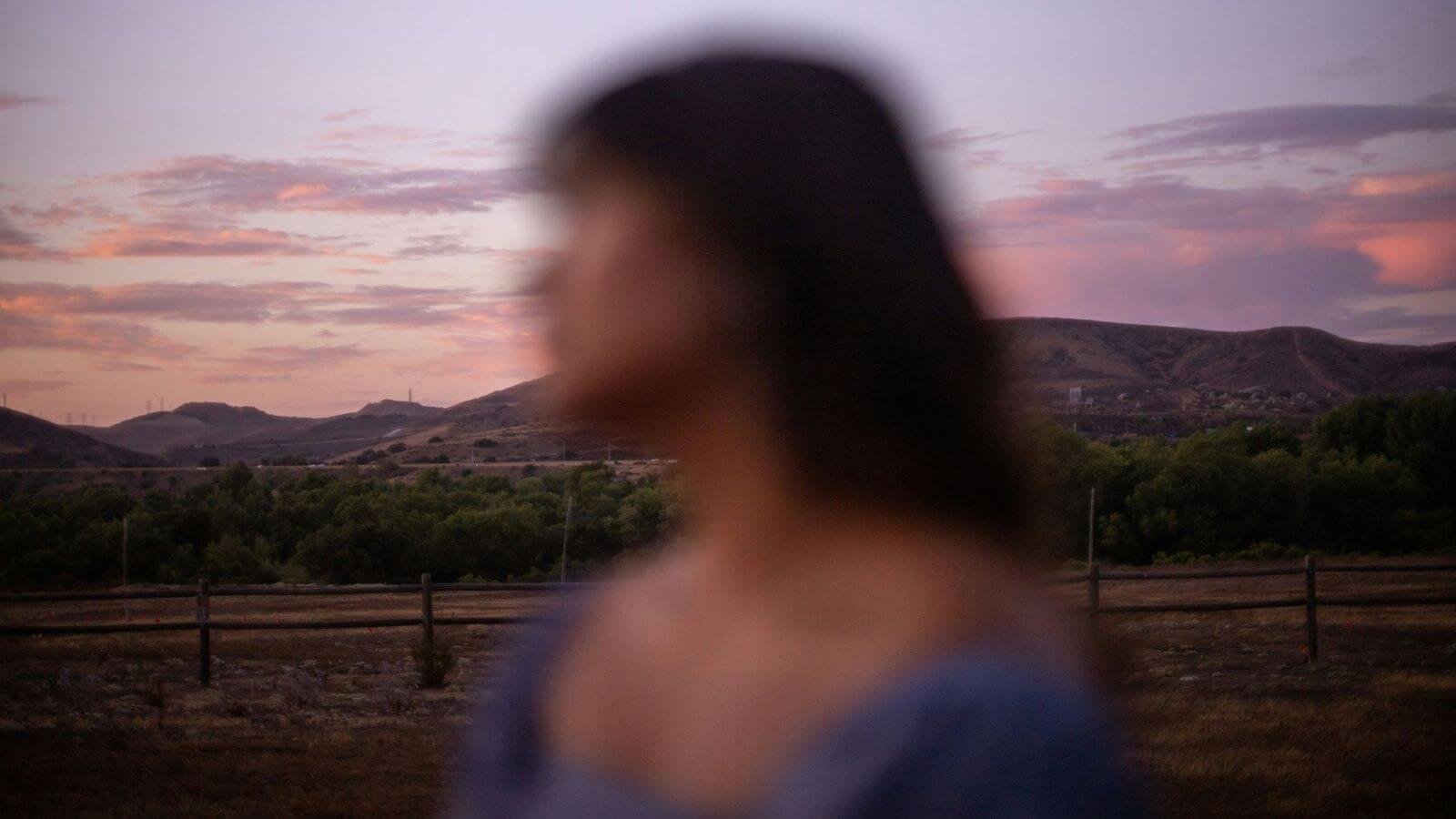
I wanted to see if Nano Banana Pro could take a completely mis-focused portrait and rebuild it correctly—sharpening the woman’s face while keeping the background nicely blurred. It’s the kind of fix that normally isn’t possible with a single photo.
Input Image
Prompt
Focus on the woman’s face and make the background blurry.
Output Image
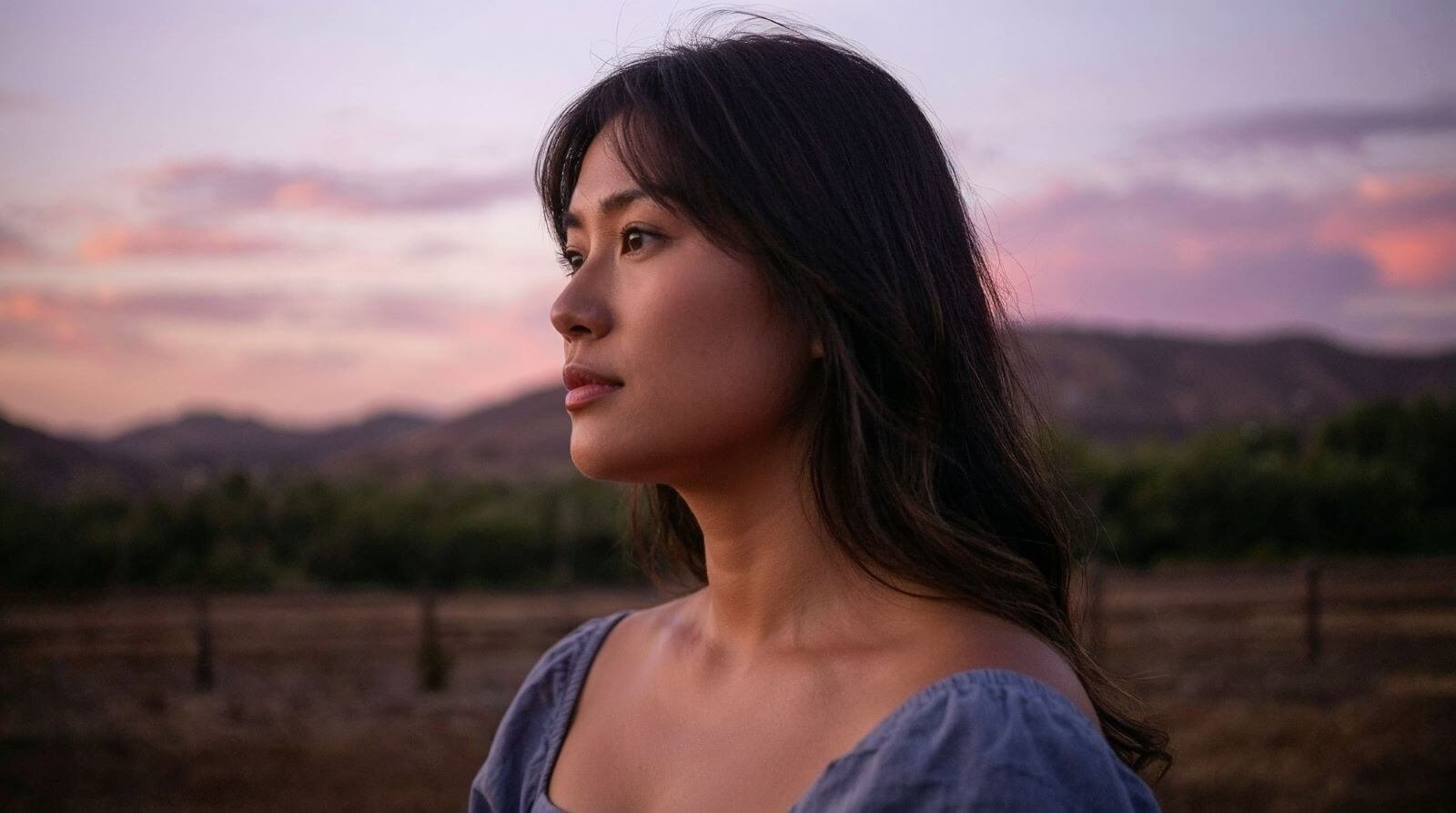
The result is incredible. Her face is crisp and natural, and even though her head position shifts a little, the overall reconstruction is amazing for a single prompt.
17. Creative Test
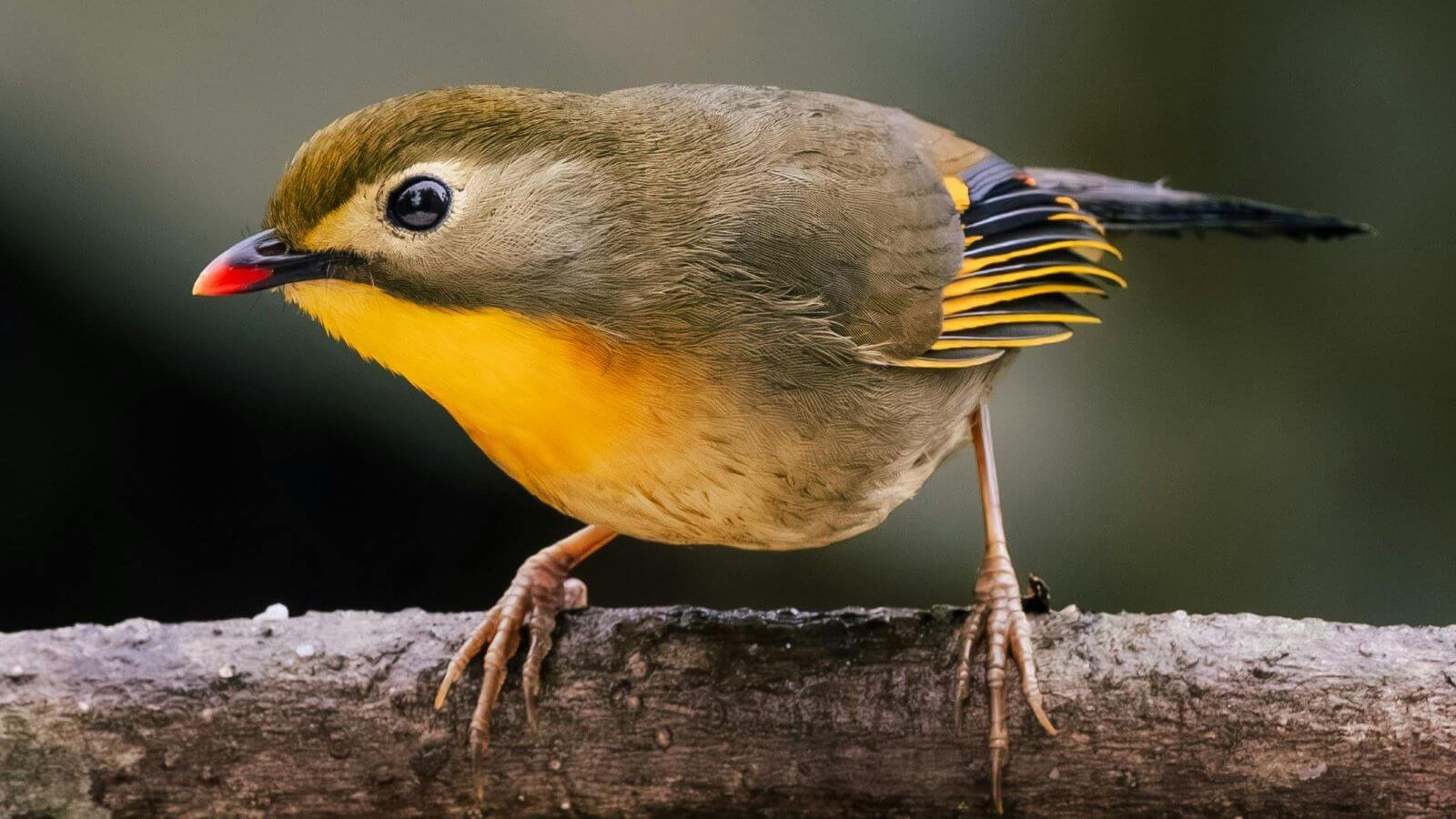
I decided to push Nano Banana Pro into something totally ridiculous just to see how far it could go. I took a simple bird photo and asked it to turn him into part of a breakdancing crew on the streets of LA — full outfits, full attitude, all in a realistic style.
Input Image
Prompt
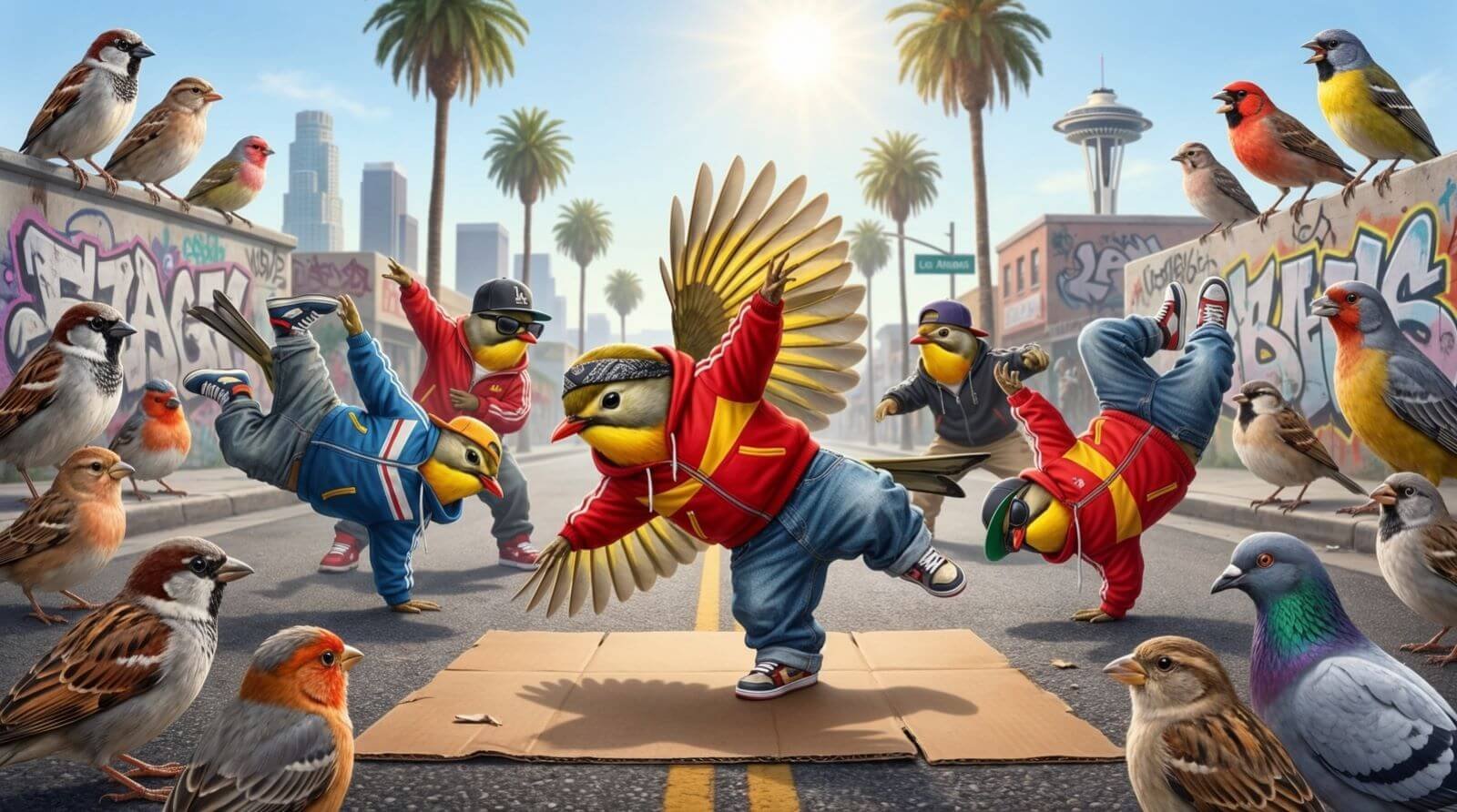
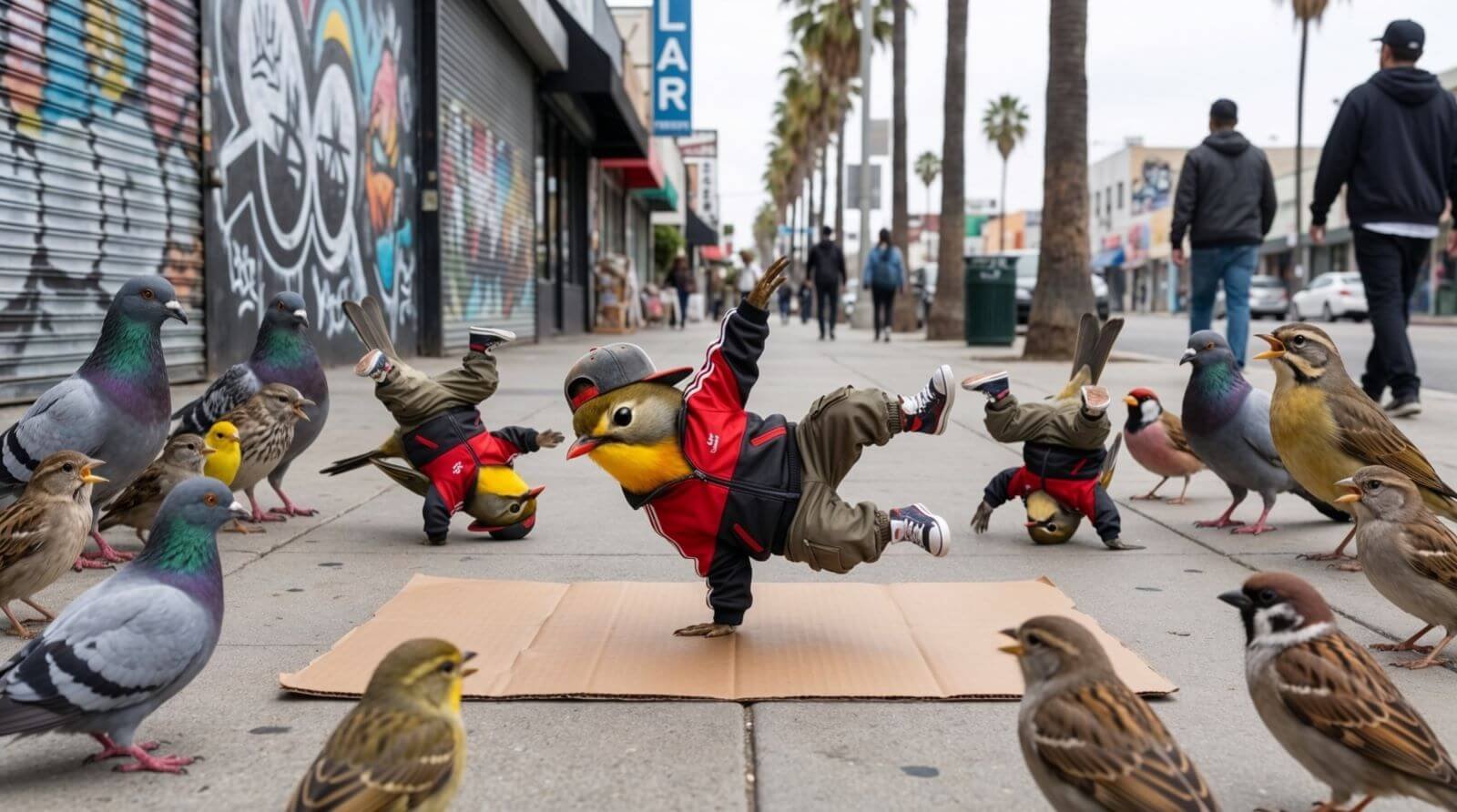
Give this bird breakdancing clothes, as he’s part of a breakdancing bird crew all wearing similar clothes, dancing on the streets of Los Angeles for a crowd of normal birds. Keep the style realistic, like the original image.
Output Image
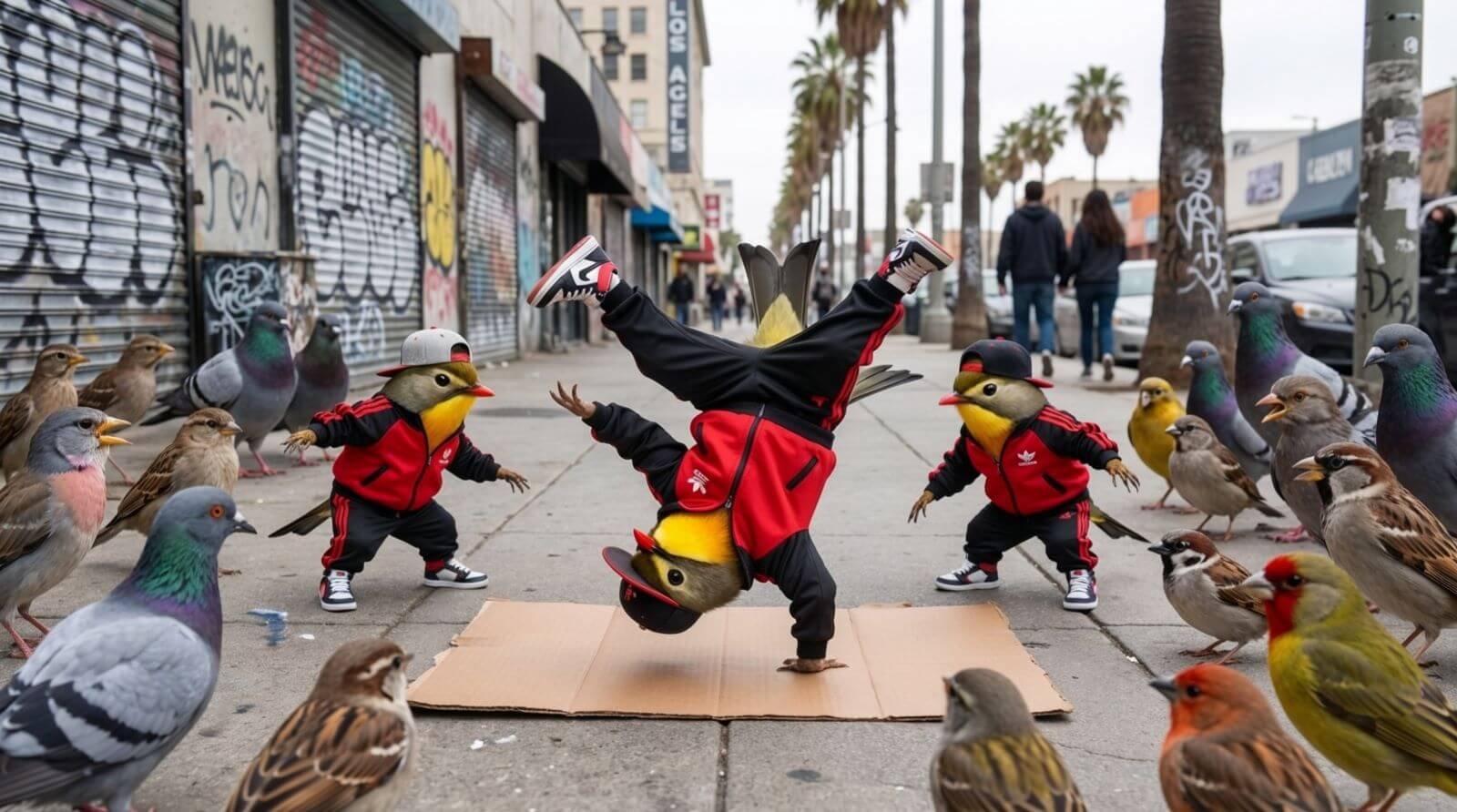
This generation had me cracking up. The poses, the outfits, the crowd of birds watching — it all came together way better than I expected. Absolutely hilarious and shockingly well-done.
Here are a couple more:
18. Logo Experiments
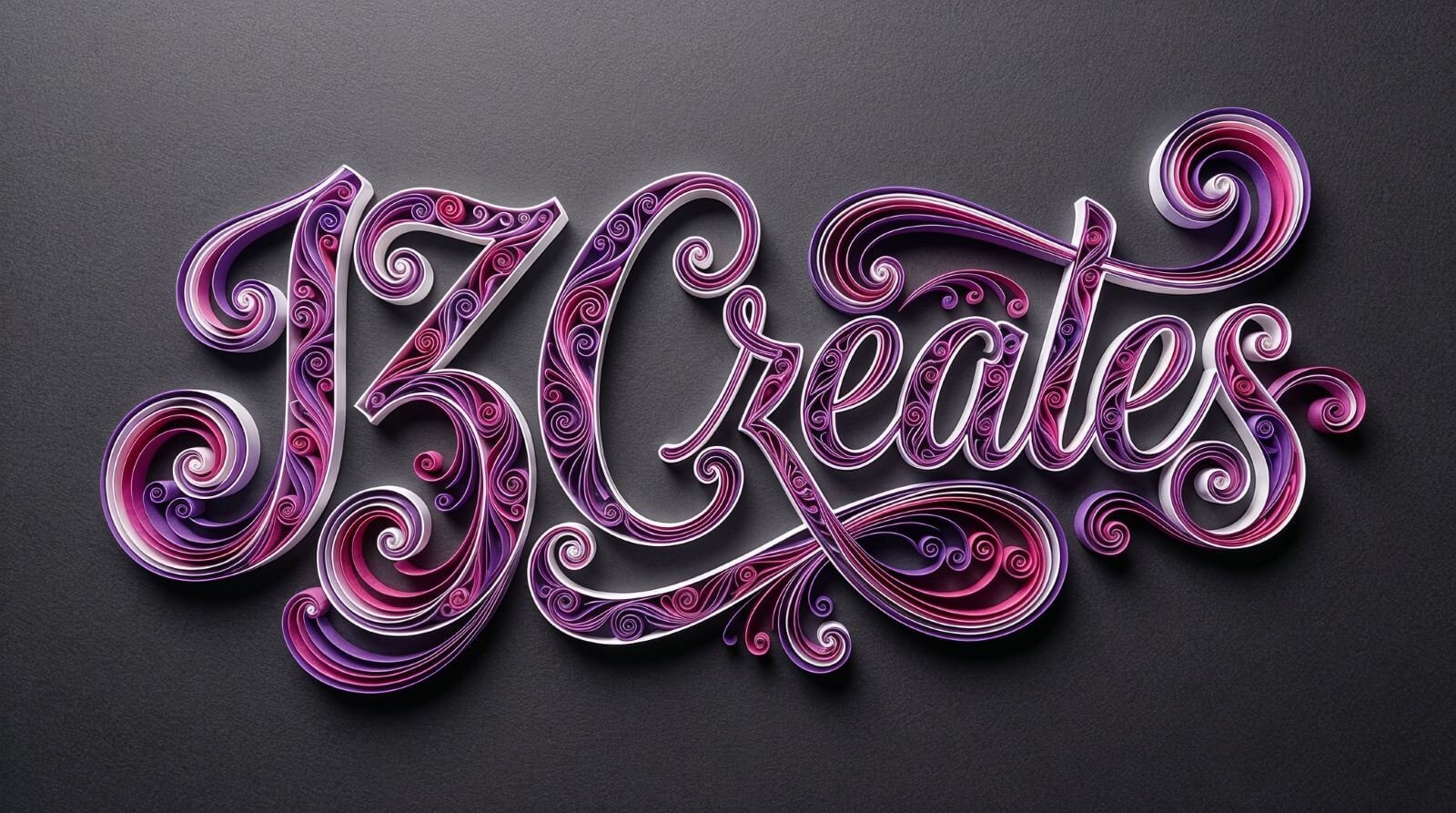
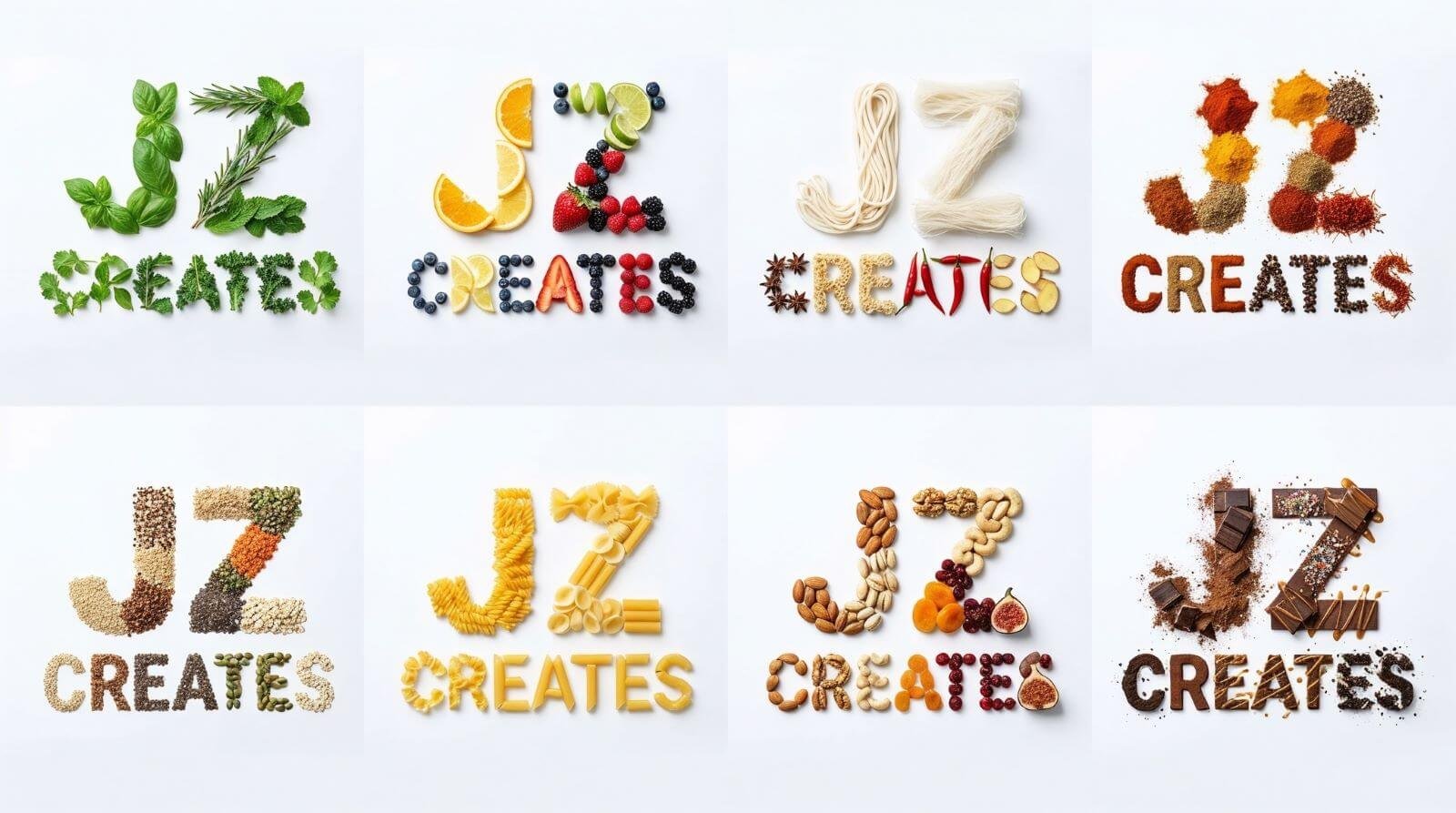
This time, I wanted to see how Nano Banana Pro would handle cultural context instead of just visuals. I asked it to identify key landmarks in Rio and turn them into a vibrant, Brazilian-inspired graphic that matches the country’s energy and personality. For this series, I challenged Nano Banana Pro to reinterpret “JZ Creates” in three completely different creative directions — paper-quilling art, food-based typography, and giant architectural letters on Venice Beach.
Each concept required a totally unique style, texture, and level of detail, making this a great test of versatility. This time, I wanted to see how Nano Banana Pro would handle cultural context instead of just visuals. I asked it to identify key landmarks in Rio and turn them into a vibrant, Brazilian-inspired graphic that matches the country’s energy and personality.
Prompt
A paper quilling artwork, rendered in the exact style, colors (purple, pink, magenta, white strips), and intricate swirl patterns of depicting the word “JZ CREATES” in an elaborate, calligraphic script. The paper strips create depth and shadows on a dark grey textured background.
Output Image
Prompt
Create one image containing eight separate typographic designs of the phrase “JZ CREATES.” Each design should use a completely different food theme, arranged together in a clean grid or evenly spaced layout on a solid white background. For each version, construct all letters of “JZ CREATES” from realistic food ingredients in a sophisticated, minimalistic style. Version 1: herbs and leafy greens. Version 2: citrus fruits and berries. Version 3: noodles and Asian ingredients. Version 4: colorful spices and seasonings. Version 5: grains, seeds, and lentils. Version 6: assorted pasta shapes. Version 7: nuts and dried fruits. Version 8: dessert ingredients such as chocolate, cocoa, or sweet toppings. Keep everything clean, bright, and neatly centered with soft natural shadows.
Prompt
A sunny Venice Beach street with palm-tree shadows. A row of quirky beach houses, each one designed to form a giant architectural letter, together spelling “JZ CREATES.” The letters are bold, centered, and clearly visible, just like the stylized BERLIN building façade. The houses keep real architectural details—windows, doors, balconies—while the letter shapes dominate the design. Painted in bright coastal tones of blue, red, white, and black. Wide-angle view, perfectly centered, crisp midday light and sharp shadows.
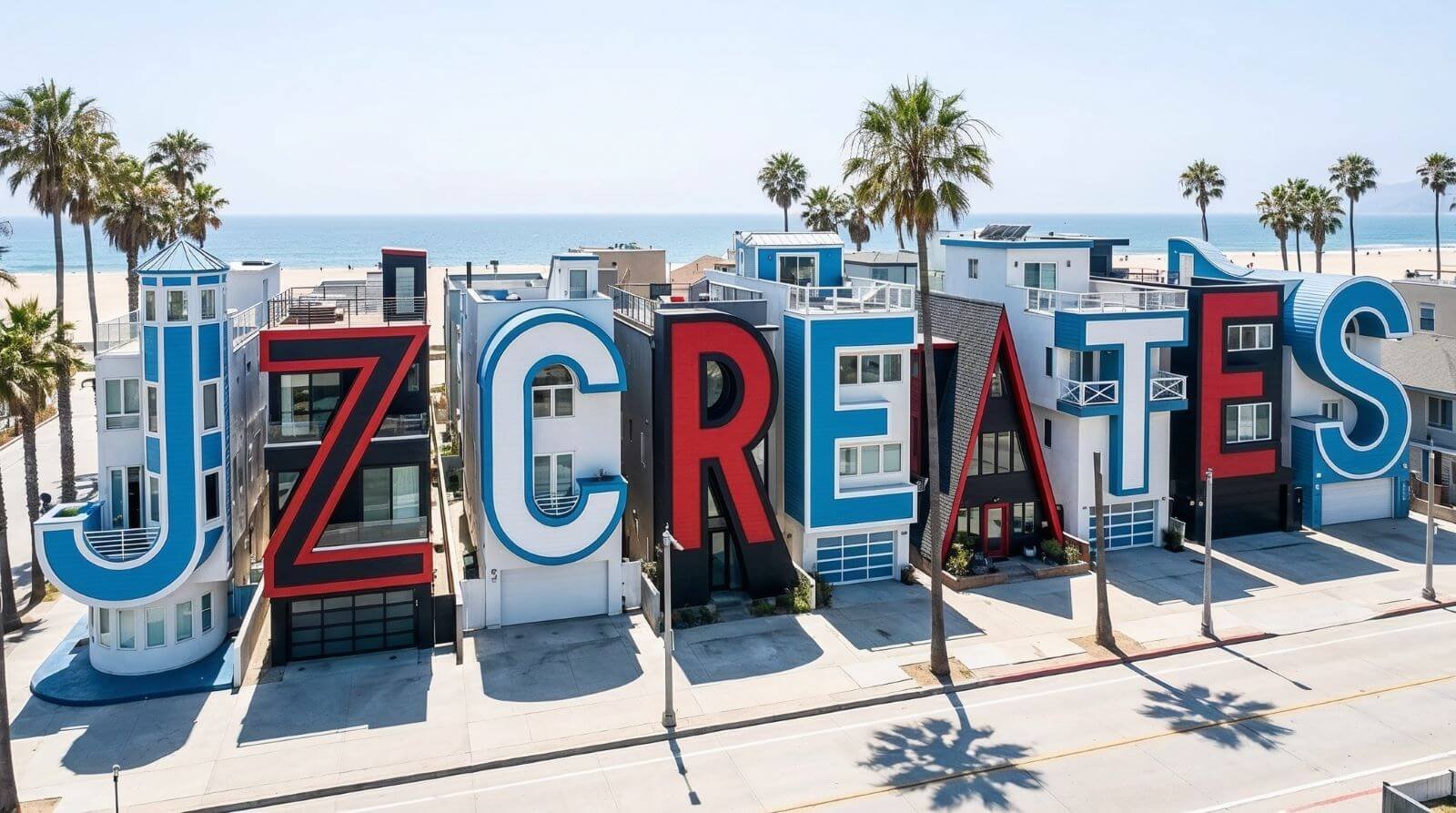
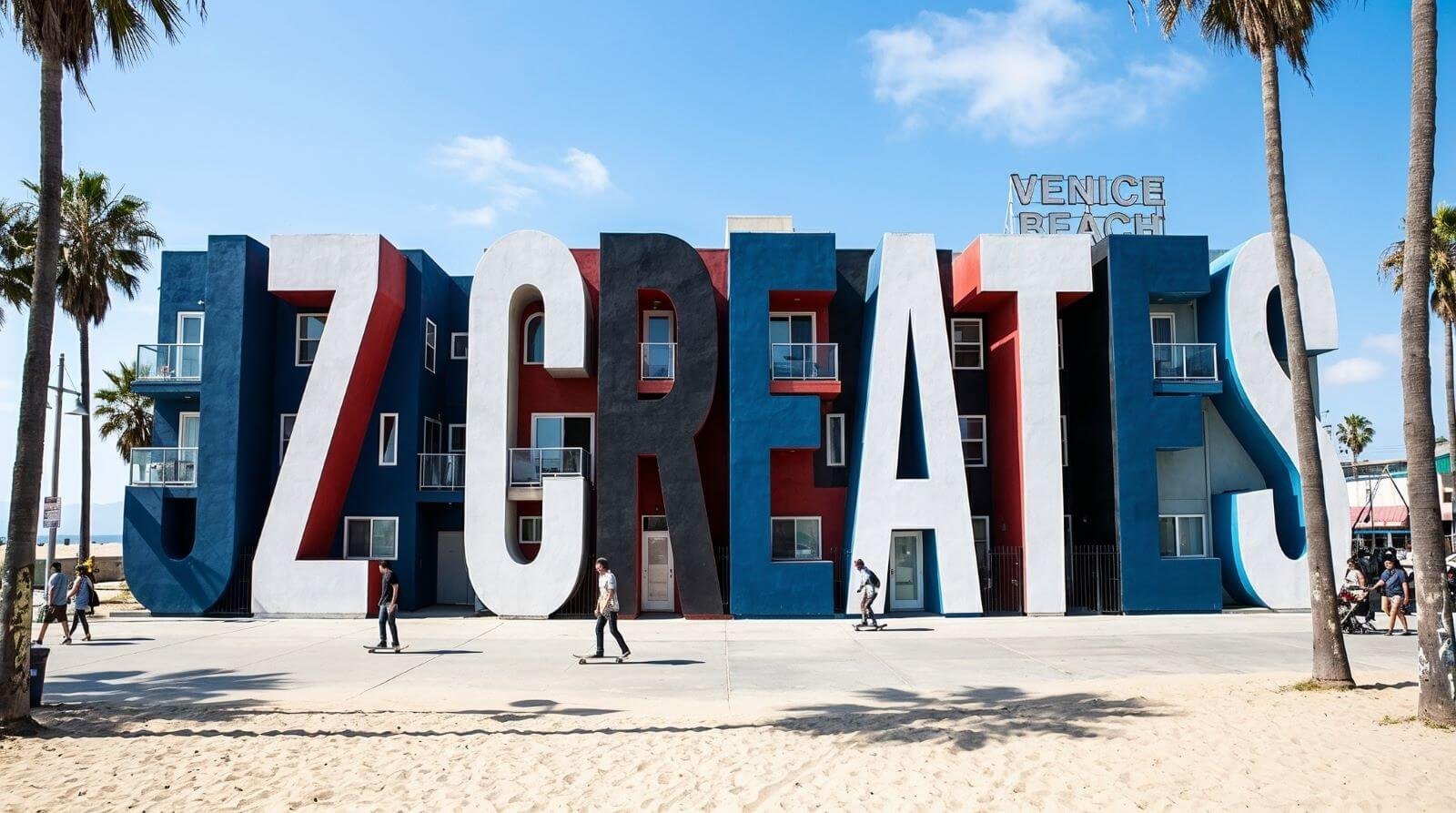
The results across all three are unbelievable. From the handcrafted paper-strip realism, to the clean food-themed type grid, to the massive architectural façades on the beach — every output feels polished, intentional, and creatively spot-on. Easily some of the strongest experimental logo generations I’ve produced so far.
Final Thoughts
Testing Nano Banana Pro over the last few days was really amazing. The model is one of the best I’ve seen so far. Nano Banana is more than just an AI image generation/editing tool. It’s built on the Google DeepMind image model and powered by Gemini 3 Pro Image, which gives it an advanced visual reasoning model and real-world grounding through Google Search.
It delivers high-resolution output (2K/4K), accurate text rendering in images, and strong multilingual typography in AI images. I’ve used it for AI-powered mockups & packaging design, infographics & diagram creation, and creative layouts with multi-image fusion, combining up to 14 inputs in a single scene.
If you want to polish your AI-generated designs, I recommend checking out Envato Elements — it’s great for fonts, templates, and more. And if you need help with digital marketing, visuals, or content creation, our team at JZ Creates can help bring your ideas to life.
How JZ Creates Can Help
At JZ Creates, we help people and businesses turn ideas into strong visuals. If you need help using tools like Nano Banana Pro, our team is ready. We work on design, content, videos, and more, built for social media and digital platforms. We keep up with the newest tools, so your work stands out.
Need help with your next project? Contact us or book a call. Let’s create something great together.
Ready to Transform Your Creative Process?
Don’t wait to explore what tools like Nano Banana Pro can do for your creative projects. Whether you’re starting from scratch or ready to scale your ideas, our team is here to help. Get in touch with us today and let’s talk about how we can bring your vision to life using AI-powered design.