Most text to video AI tools produce AI slop. The few that don’t are quietly being used to make brand films, music festival hype reels, and luxury product spots that would have cost six figures two years ago. We tested every major one we could get our hands on to figure out which ones actually deliver in 2026 — and which are still demo-only. Here’s what works, what to use for which job, and the one thing 90% of brands get wrong when they sit down to prompt these tools.
Key Takeaways
- Best overall text to video AI tool right now: Kling 3.0
- Best for motion and cinematic quality: Seedance 2.0
- Best for realism (and best free option): Google Veo 3.1
- Biggest mistake brands make: generic prompts that produce generic, plastic-looking output
- Text-to-video isn’t replacing production — it’s a new layer in the workflow
What a Text to Video AI Tool Actually Does in 2026
A text to video AI tool takes a written prompt and generates a video clip — usually 5 to 10 seconds — without any cameras, actors, or editing software. The 2025 versions were impressive. The 2026 versions are production-grade for the right use cases.
Here’s the truth nobody at the tool companies will say out loud: the gap between using AI and using AI well is enormous. Most brands are at the first stage. The ones figuring out the second stage are quietly building a competitive advantage that’s going to be hard to catch.
The Top 5 Text to Video AI Tools — Ranked
We tested each tool with the same prompts, the same evaluation criteria — prompt fidelity, motion quality, brand-safe output, and cost at agency scale. Here’s the ranking.
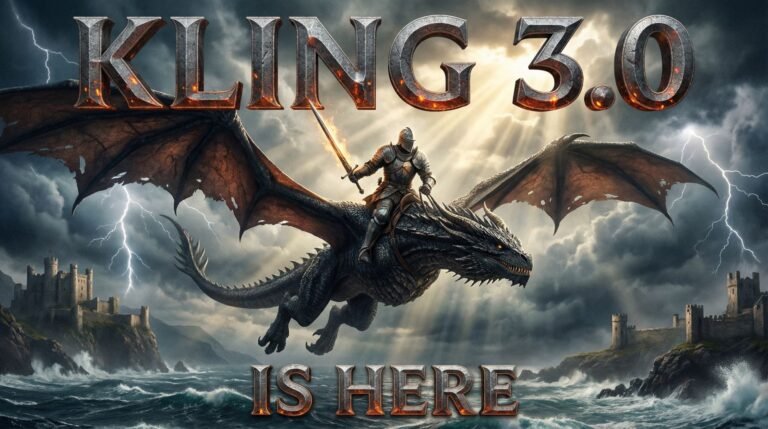
1. Kling 3.0 — Best Overall Text to Video AI Tool
Kling 3.0 is the one we keep coming back to for client work. The motion is believable, the prompt fidelity is excellent, and the cinematic quality is what you want when you’re producing a brand film, a luxury product spot, or anything where the footage needs to feel premium. It’s the closest any text-to-video tool has come to looking like real production.
Best for: brand films, luxury content, music festival promos, anything where cinematic quality matters.
Limitations: queue times during peak hours, and the free tier caps you fast.
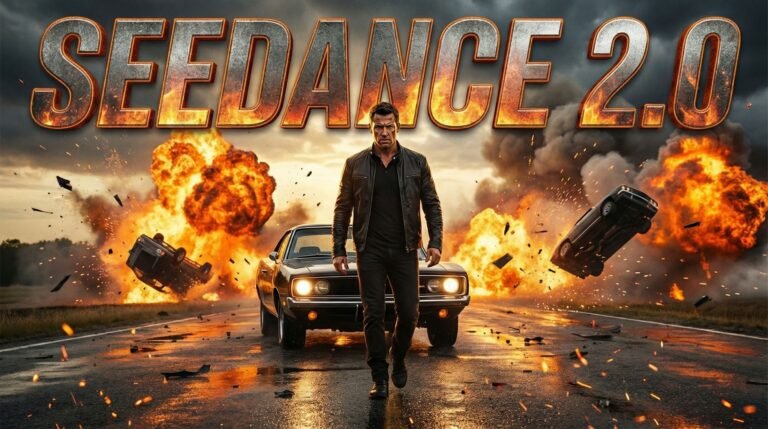
2. Seedance 2.0 — Best for Motion and Cinematic Quality
Seedance 2.0 is arguably the most impressive text to video AI tool we’ve tested for raw motion realism. Camera moves feel natural — dolly-ins, rack focus, tracking shots — and the action sequences hold up in a way most competitors don’t. If your project lives or dies on the motion (action shots, dynamic B-roll, anything kinetic), Seedance is the call.
Best for: B-roll, action sequences, dynamic social ads, anything where motion is the hero.
Limitations: smaller model ecosystem, fewer style presets than Kling.
3. Google Veo 3.1 — Best for Realism (and Best Free Option)
Veo 3.1 is Google’s text-to-video model, and it’s now baked into Google Workspace through Vids. If you’re already paying for Workspace, you have a strong free AI text to video option sitting in your account right now. The realism is exceptional — clean lighting, accurate physics, no plastic skin texture problem.
Best for: product demos, explainer content, education and authority-building video where realism matters more than stylization.
Limitations: less stylized control than Kling, and it’s heavily moderated for brand-safe output (which is good for most brands but limits creative ambition).
4. Wan 2.7 — Best Open-Source Option
Wan 2.7 is Alibaba’s open-weights model, and it’s a different conversation than the others. You can self-host it, fine-tune it on your brand’s visual style, or use it through hosted services — flexibility no closed model offers. For agencies running high-volume content or brands with very specific visual languages, this is the one to watch.
Best for: agencies building custom workflows, brands with strong visual identity needing fine-tuning, technical teams who want control.
Limitations: more setup required, not browser-and-go like the others.
5. Runway Gen 4.5 — Best for Marketing Teams
Runway Gen 4.5 earns its spot because of the surrounding ecosystem — built-in editing tools, multi-aspect output for every platform, and brand-safe defaults that won’t get a CMO fired. If your team isn’t deep in AI workflows yet, Runway is the most marketing-team-friendly entry point.
Best for: in-house marketing teams running social ad campaigns at speed, brands needing multi-format output (9:16, 1:1, 16:9) from a single prompt.
Limitations: quality ceiling is slightly below Kling and Seedance for cinematic work.
Which Text to Video AI Tool Should You Pick?
Cheat sheet — pick the row that matches what you’re actually trying to make.
| The Job You’re Doing | The Tool to Use |
| Cinematic brand film | Kling 3.0 |
| Social ad with dynamic motion | Seedance 2.0 |
| Product demo or explainer | Veo 3.1 |
| Custom brand workflow at scale | Wan 2.7 |
| Multi-platform social campaign | Runway Gen 4.5 |
| Music festival hype reel | Kling 3.0 + Seedance 2.0 stacked |
| Author / book trailer | Veo 3.1 or Kling 3.0 |
The Free Text to Video AI Tool Question
We get asked this constantly — is there a genuinely good free text to video AI tool? Honest answer: the free tiers are great for testing the waters, painful for production. Most of them quietly degrade quality, add watermarks, or cap you at low resolution.
The best free option right now is Google Veo 3.1 inside Google Workspace Vids — if you’re already paying for Workspace, the video generation is included. Kling also has a free tier that’s usable for testing but you’ll outgrow it within a few projects.
For anything client-facing or commercial, budget for the paid tier. The math always works out — even one good clip replaces hours of stock footage hunting or production scheduling.
The “AI Slop” Problem (Why Most Text to Video Output Looks Generic)
Here’s the thing nobody warns you about. AI is a tool, not a talent — the creativity still has to come from somewhere. Most of the AI video flooding social media right now looks like AI video: plastic faces, mushy hand motion, weird physics, generic cinematography. Brands that publish that kind of output are training their audience to scroll past anything that smells AI-generated.
Three rules to avoid producing slop:
- Be specific. Subject + action + lighting + camera move + style. Not “a woman walking” — “a woman in a navy wool coat walking through a snow-covered Tokyo alley at golden hour, slow dolly-in, anamorphic lens flare.”
- Reference cinematic language. “Dolly in,” “rack focus,” “golden hour,” “shallow depth of field.” These aren’t filler words — the models recognize them and adjust output.
- Iterate. The first generation is rarely the keeper. Treat it like a directing session — give the model notes and run it back.
This is where our 20+ years of agency experience producing campaigns for major studios actually pays off in the AI era. Knowing what looks good is now the prerequisite for getting AI to produce something that looks good.
What We Actually Use at JZ Creates
For client work, we run a 2-tool stack: Kling 3.0 as the primary, with Seedance 2.0 for the motion-heavy shots that need that extra realism. Then everything gets cut and color-graded in CapCut or DaVinci before delivery.
Stacking tools matters because no single model wins every shot. Brand films get the cinematic Kling layer. Action moments get the Seedance layer. Everything else gets handled in the edit. That’s the workflow that consistently produces something a brand can actually put their name on — and it’s what we build into our AI creative production pipeline at JZ Creates.
The Bottom Line
The right text to video AI tool depends entirely on what you’re producing — Kling 3.0 if you want the cinematic ceiling, Seedance 2.0 if motion is the hero, Veo 3.1 if you want realism on a budget. The category is moving fast, and what’s #1 today won’t necessarily be #1 in six months. What stays constant is the principle: the creative direction matters more than the tool.
If you’re a brand or marketing team trying to figure out how to integrate AI video into your content workflow without producing AI slop, let’s talk about your project. That’s exactly what we build at JZ Creates.
Text to Video AI Tool FAQ
What’s the best text to video AI tool right now?
For most brand and marketing use cases in 2026, Kling 3.0 is the strongest all-around choice — best balance of motion quality, prompt fidelity, and cinematic feel. Seedance 2.0 edges it for pure motion realism. Pick based on the job.
Is there a free text to video AI tool?
Yes. Google Veo 3.1 is included with Google Workspace Vids, so if you’re already paying for Workspace you have a strong free option built in. Kling and Runway also offer free tiers that work for testing but cap output for serious projects.
Can text to video AI replace traditional video production?
For some jobs, yes — quick concept tests, social B-roll, motion graphics, simple product shots. For brand films requiring on-camera talent, complex narrative, or anything legally sensitive, real production is still the call. The smartest brands are using AI as a layer inside production, not a replacement for it.
How long does it take to generate a video from text?
Typically 30 seconds to 3 minutes per 5–10 second clip, depending on the tool and queue load. Kling and Seedance are slower on the free tier; paid tiers are usually under a minute.
Are text to video AI outputs OK for commercial use?
Mostly yes, but check the specific tool’s terms. Kling, Runway, and Veo allow commercial use on paid plans. Always review the licensing before publishing branded content — and consider documenting your AI use internally for client transparency.
Which text to video AI tool is best for marketing teams?
Runway Gen 4.5 for teams that want speed and multi-format output. Kling 3.0 if quality matters more than turnaround. For most CMOs and VPs of Marketing we work with, the answer is both — Runway for daily social, Kling for the campaign hero pieces.