Key Takeaways
- Nano Banana is available through multiple platforms; LMArena is the best
- You can test out multiple image generators at once to get the best results
- The model excels at image editing and blending multiple photos
- Quality can be inconsistent, so be prepared to retry prompts
- It’s completely free to use through LMArena’s platform
Let’s Get Started
I’m always on the hunt for the latest AI tools that can transform how we create content. Recently, there’s been incredible buzz about Google’s mysterious Nano Banana AI model, and let me tell you – it’s been going viral for its incredible image generation capabilities.
Nano Banana is available on various platforms, including LMArena, Google AI Studio, and Gemini DeepMind. Many other platforms have also integrated the Nano Banana API into their systems, and it’s quickly becoming widely used—even Adobe has adopted it (yes, that Adobe).
What Makes Nano Banana Special?
Before diving into the tutorial, let’s talk about why everyone’s excited about this model. According to recent reports, Nano Banana appears to understand 3D space better than other image editors. It can blend multiple images seamlessly, colorize old photos, and make complex edits that would typically require Photoshop skills.
What sets it apart from other AI image generators for designers is its ability to maintain consistency across characters, environments, and lighting. I’ve seen it successfully change outfits, add objects, and even transform entire scenes while keeping everything looking natural.
Important: Don’t Be Fooled
Be careful, there are fake ‘Nano Banana’ websites that show up at the top of search results. They are not the real thing; they are just riding the trending wave and hoping to monetize from that. Don’t be fooled and always do your due diligence.
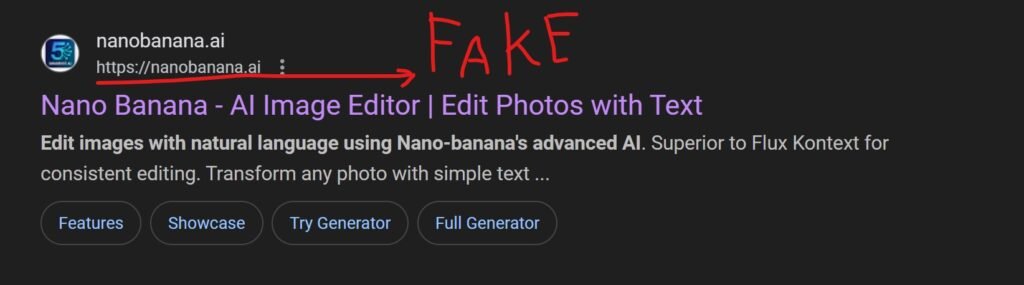

Now, How To Access The REAL Nano Banana
There are several websites where you can access Nano Banana. The most popular—and completely free—option is through LMArena. You can also use Google AI Studio or Google DeepMind, but they add a watermark to the corner of your image, which can be annoying since you’d need to remove it in Photoshop.
Other platforms like Freepik, Leonardo, and OpenArt have also integrated the Nano Banana API into their systems. However, these usually require you to create an account and may involve payment to use.
The Best Way Is LMArena
This is the best way, in my opinion. It’s free, and there are no watermarks in the corner that you usually get from Google’s platform. Also, if the generation is coming out the way you like it, you can test out Nano Banana against another image generation. I’ll show you how to do that later in the article.
Access the Platform
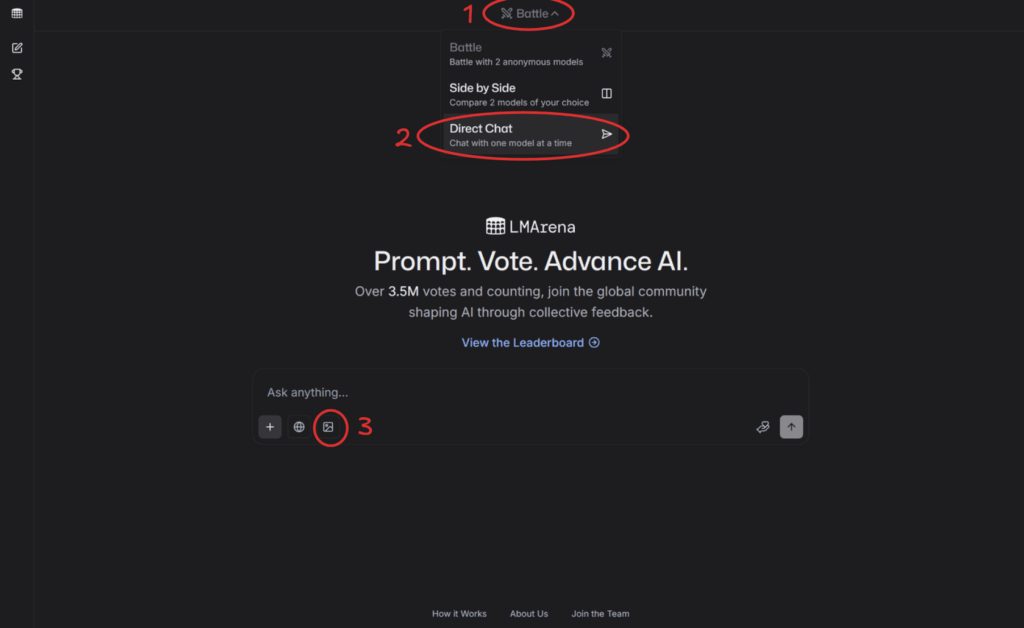
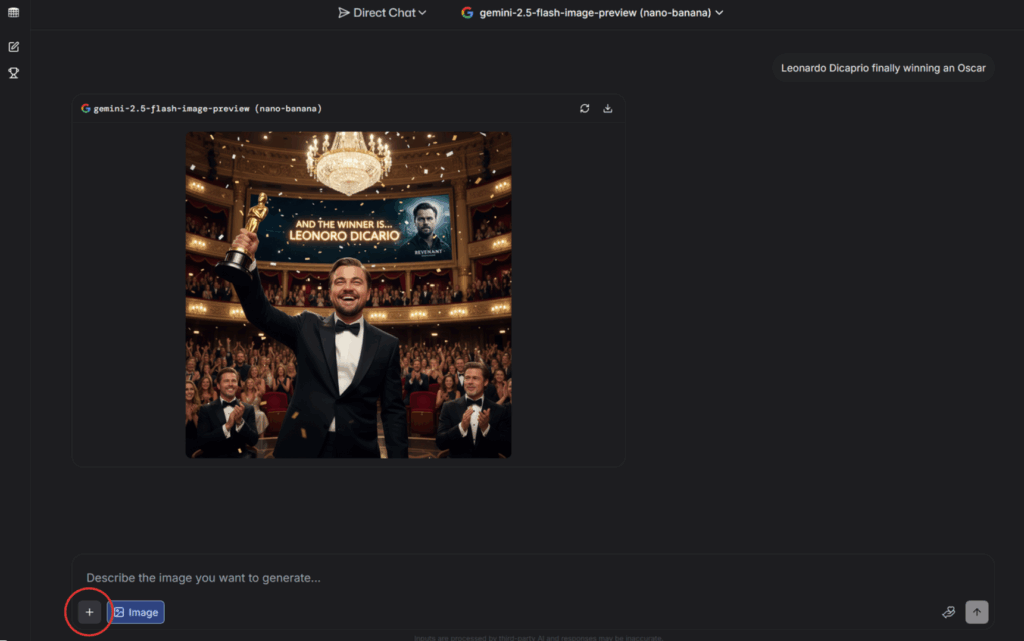
To use Nano Banana through LMArena at lmarena.ai.Click the menu button at the top and select Direct Chat. Then, click the image icon at the bottom of the input field.
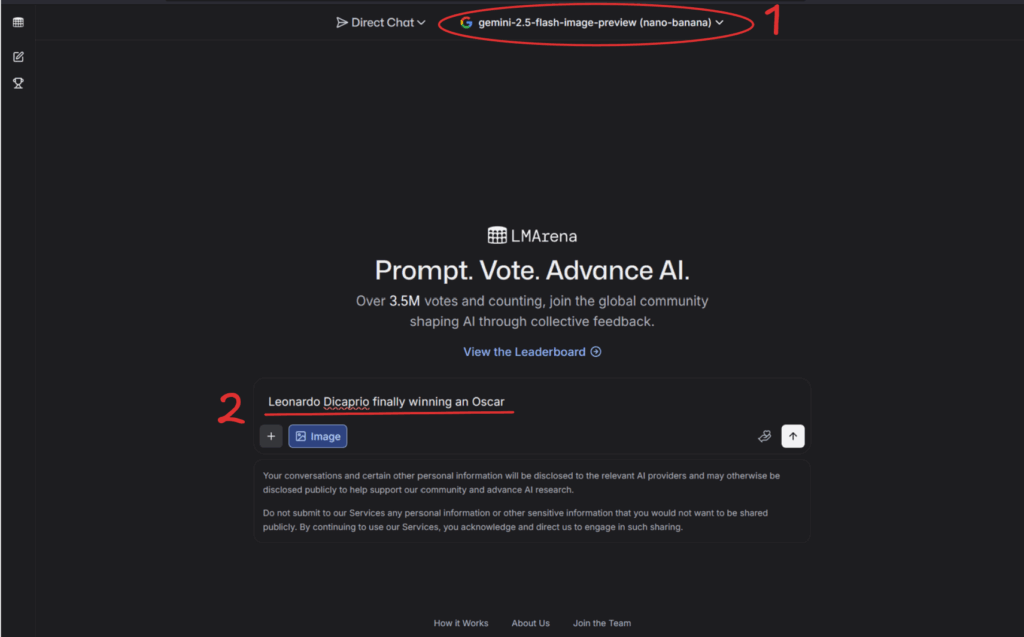
Make sure to select Gemini 2.5 Flash Image Preview (Nano Banana) and enter your prompt. It doesn’t have to be very detailed—Nano Banana is advanced enough to understand what you’re going for most of the time.
Bam! Your generation is ready! To inspect it more closely, just click the image to expand it.
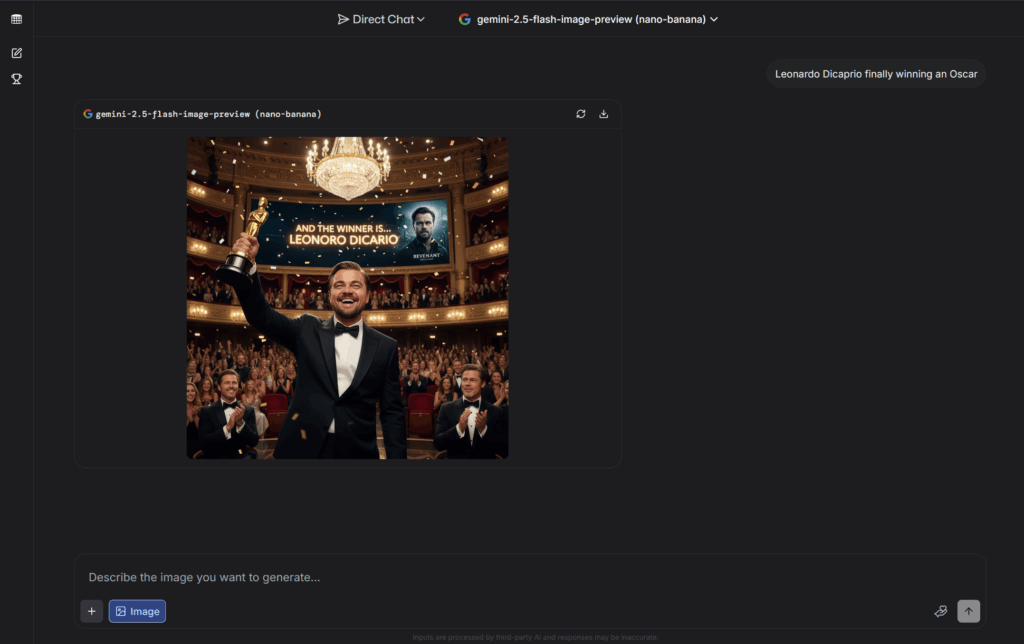
The overall image looks amazing—great details! But there are a couple of issues: Leonardo’s name is misspelled, and there are two Brad Pitts (lol). Still, it’s pretty impressive. Leo looks especially happy to have finally won his Oscar—it only took a bear to get him there.

Using Nano Banana To Edit Your Image
One of Nano Banana’s most powerful features is its ability to edit images at an incredible level. People are even calling it a Photoshop killer, since it’s getting to the point where you don’t need Photoshop anymore—you can just prompt it.
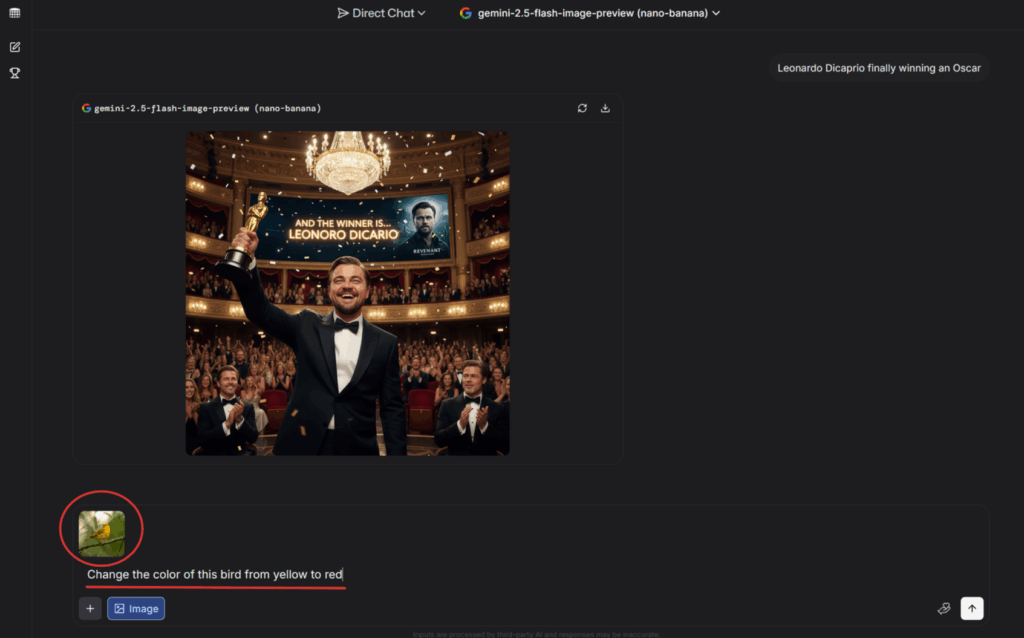
We’re going to change this bird from yellow to red.

First, click the plus icon in the bottom-left corner and upload your image.
Next, we’ll give Nano Banana a simple prompt describing what we want.
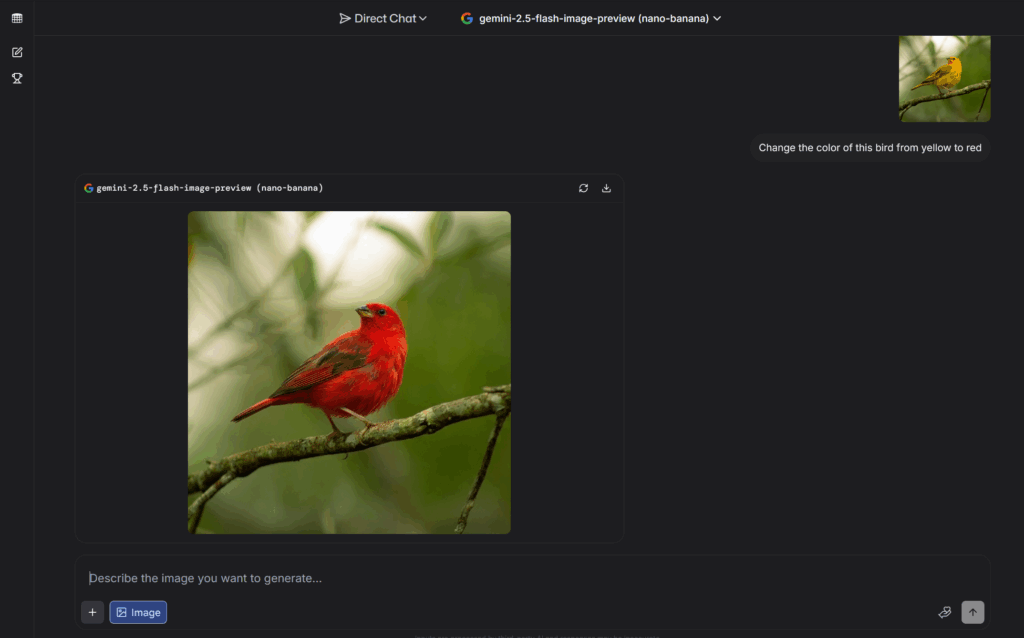
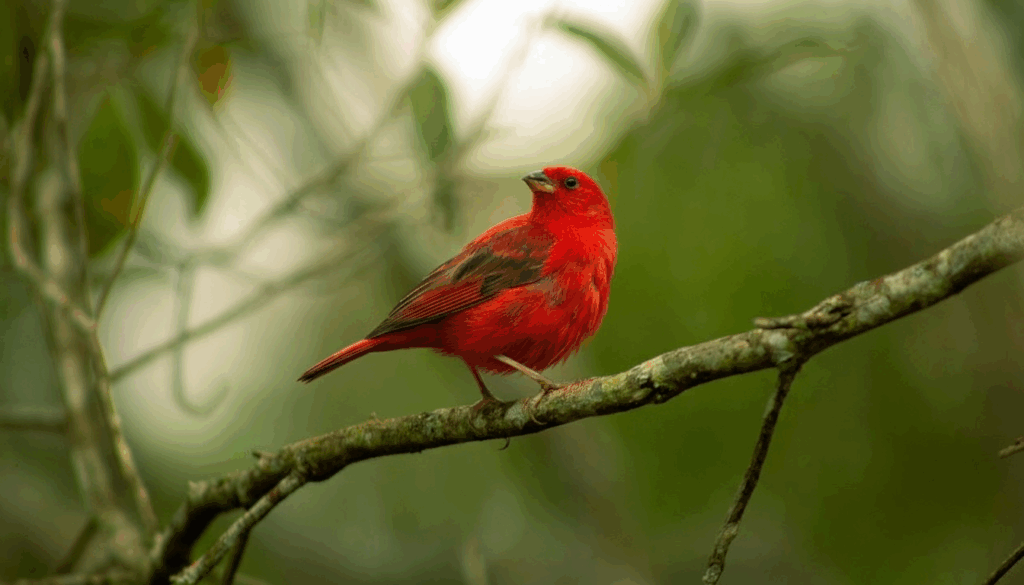
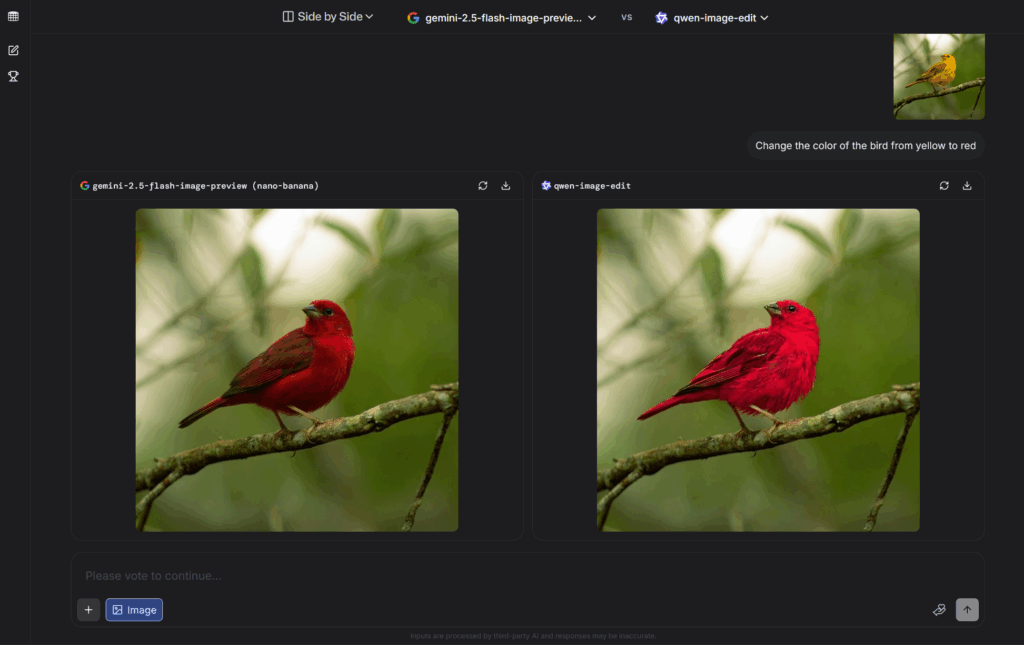
And here’s the result. It looks okay, though I can still see a bit of yellow from the original image. Now, let me show you something cool about this platform.
Getting The Best Image Editing
If you’re not satisfied with your Nano Banana results, you can try out multiple image generators at once. Just click the top menu button and select Side by Side.
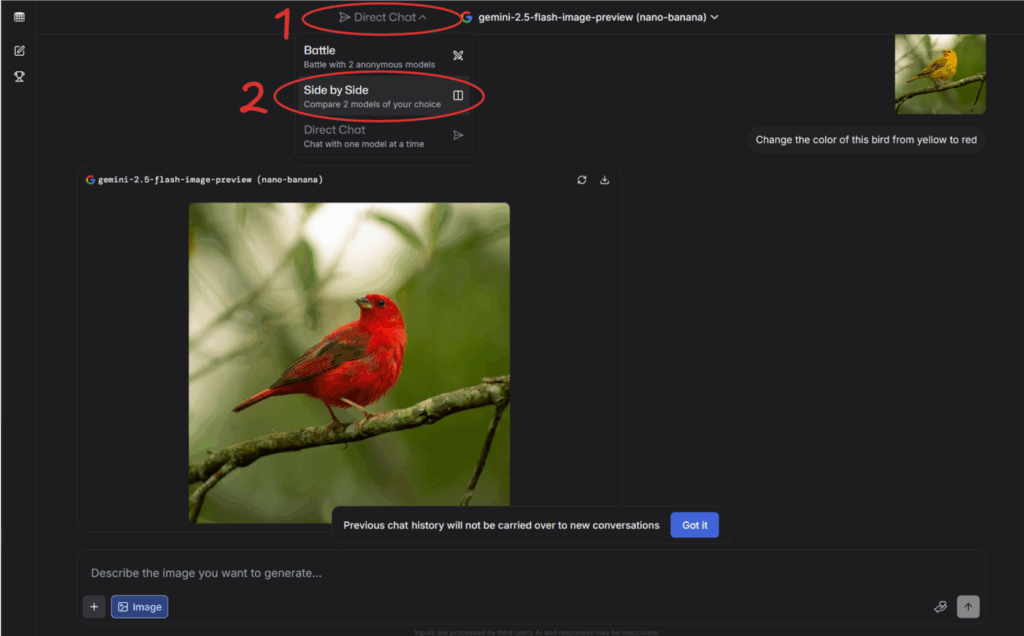
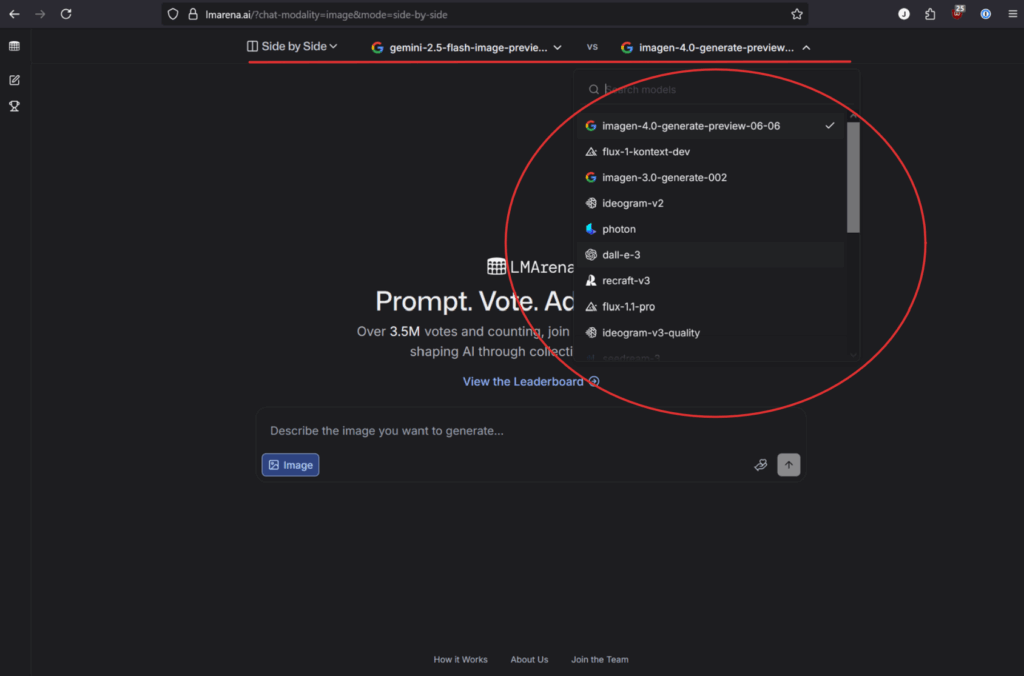
Now you can generate an image with Nano Banana alongside another model. I’ll choose Qwen Image Edit since it’s one of the best AI image generators right now—but you can experiment with different ones to get the best results.
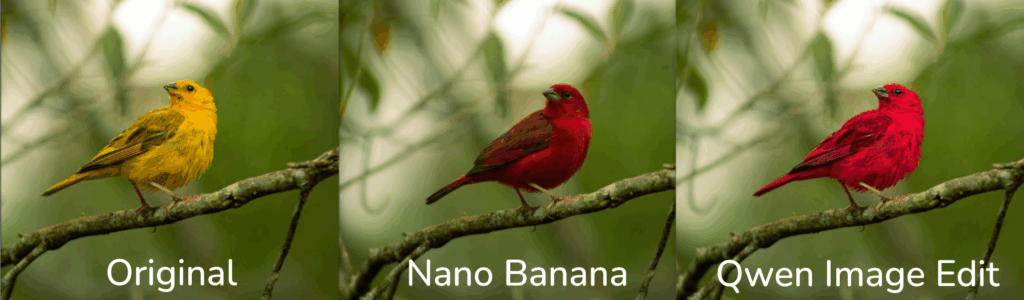
Here are the results. Nano Banana produced a slightly different generation—the color looks better, but it also shifted the bird’s head position a bit. Qwen did a great job too, though its result is a little too bright for my taste.
Here are the images side by side so you can compare the results. Let me know what you think.
Using Battle Mode In LMArena
This platform runs blind tests where you compare different AI models without knowing which is which. It’s completely free, but you’ll need some patience since you can’t directly select Nano Banana. Once you’re on LMArena, click on the dropdown menu at the top. You’ll see three options: Battle, Side-by-Side, and Direct Chat. For Nano Banana, you must use the Battle option since that’s where they’re currently testing the model.
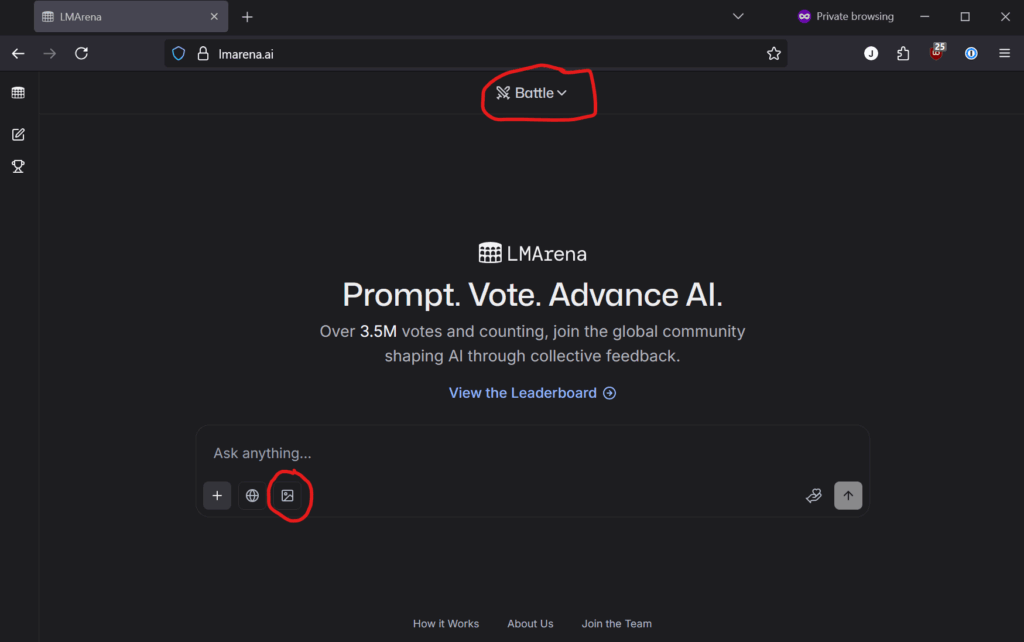
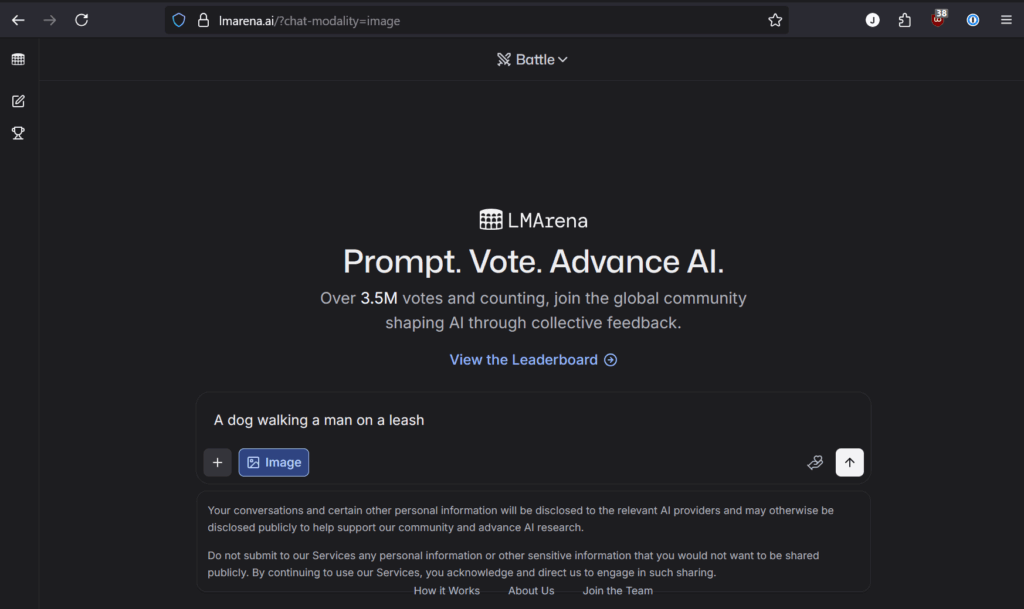
Enter your prompt—for example, I used ‘A dog walking a man on a leash.’
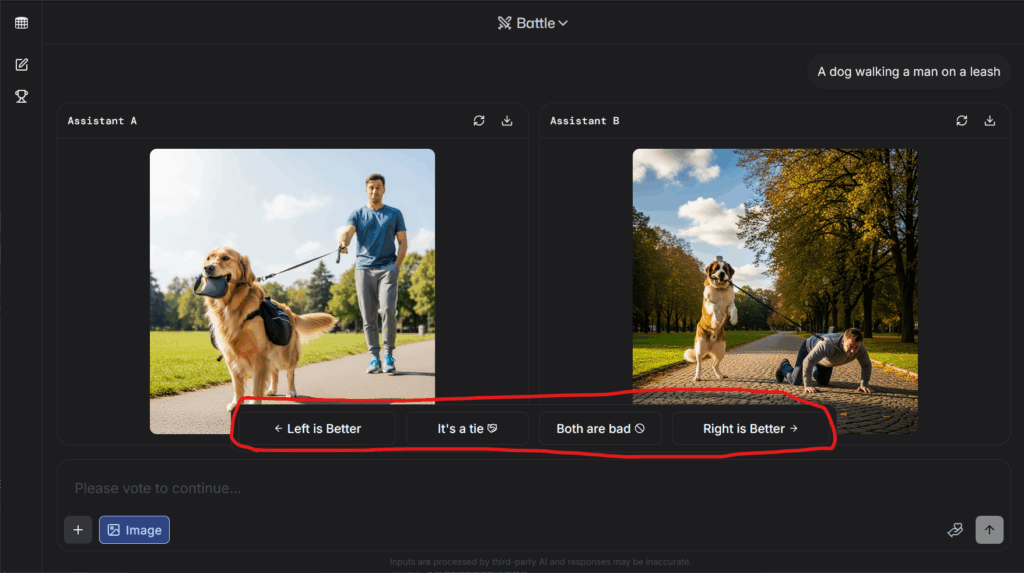
After the test, you’ll see two results, one from ‘Assistant A’ and one from ‘Assistant B.’ Click each image to view it in detail, then choose the one you prefer. In my case, the right image matched my prompt better, so I picked that one.
After selecting my choice, the system revealed which image model was used to generate it. Unfortunately, I didn’t get Nano Banana this time, so I’ll have to give it another try.
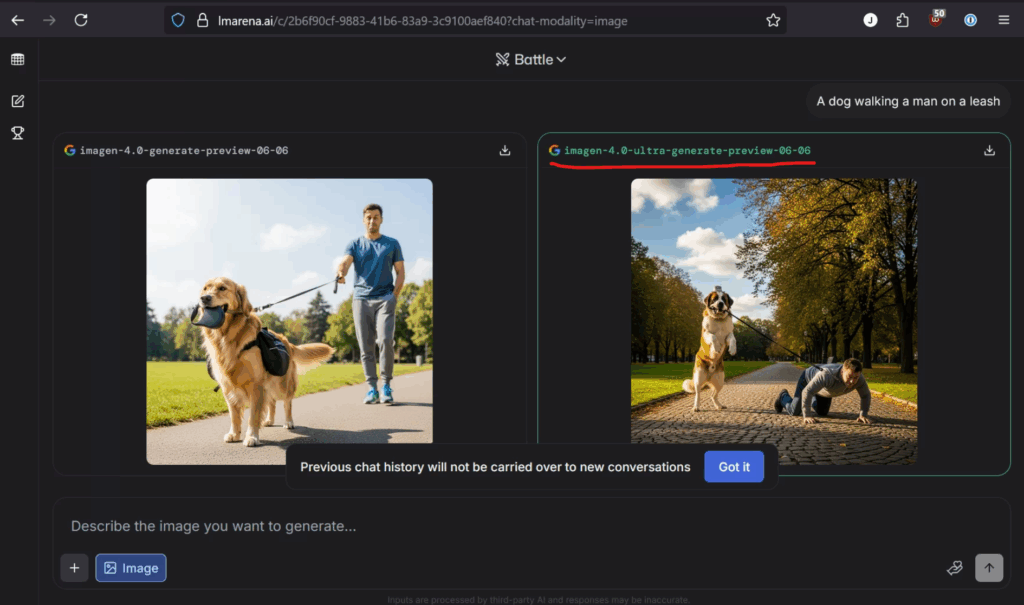
After generating the prompt five times, I finally got Nano Banana. It didn’t follow my prompt exactly—maybe I needed to be clearer—but it’s still a pretty good quality photo in my opinion.

Here is the image generation result in more detail. It looks like Nano Banana added a hat to the dog.

How To Upload Photos To Nano Banana
Now, let’s look at how to upload multiple photos to Nano Banana. You can use any images you like—in my case, I grabbed a few random images from the web, saved them to my computer, opened them side by side, and took a screenshot. Here they are:
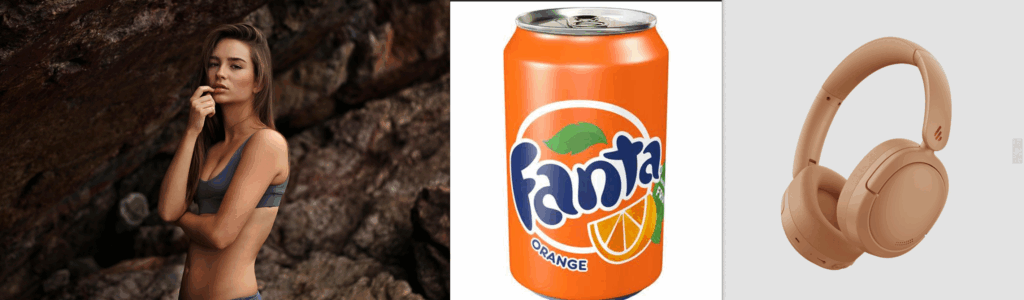
Head back into LLMarena, click the plus icon in the bottom-left corner, upload your image, and add a prompt.
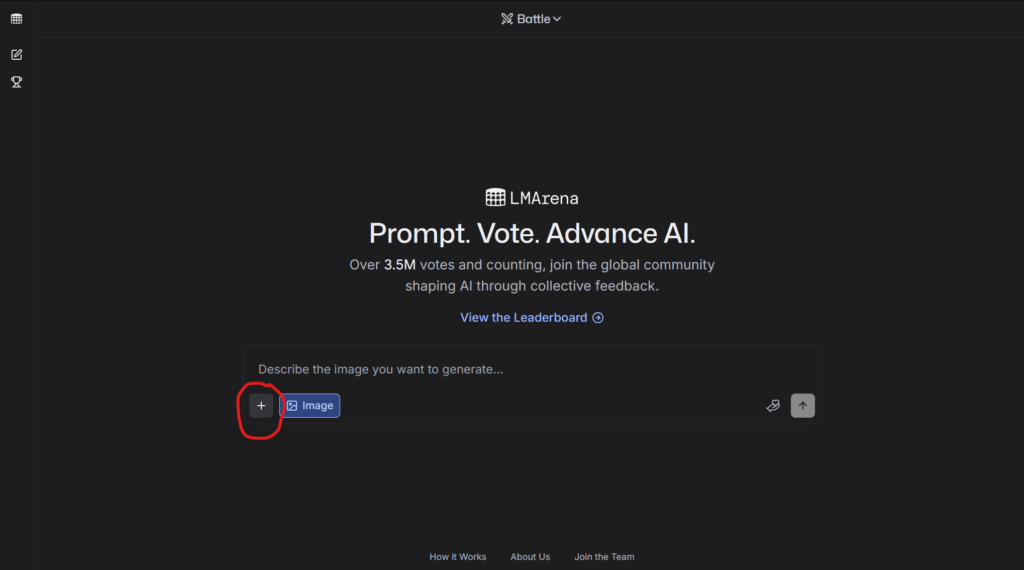
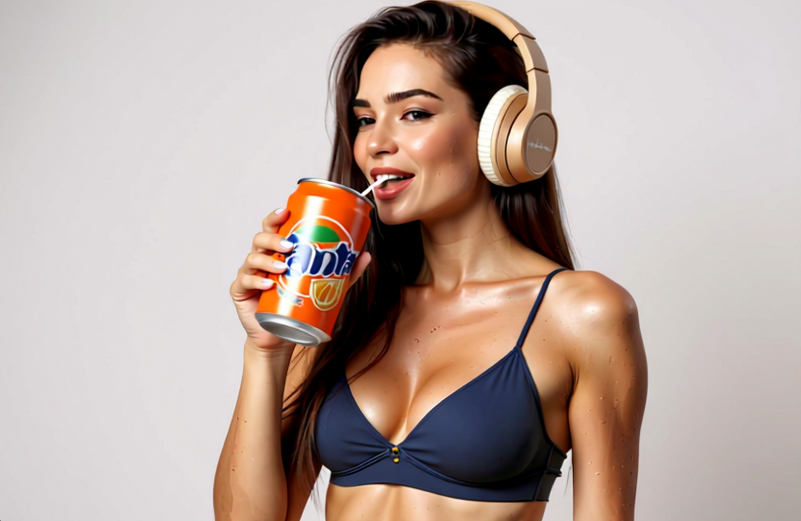
Next, write your prompt. For example, I used: ‘A bikini model drinking a soda with headphones on.’“

I received results from both Nano Banana and Quen Image Edit, and I think they both did a great job generating images. Let’s look at both of them in more detail so you can see the results.
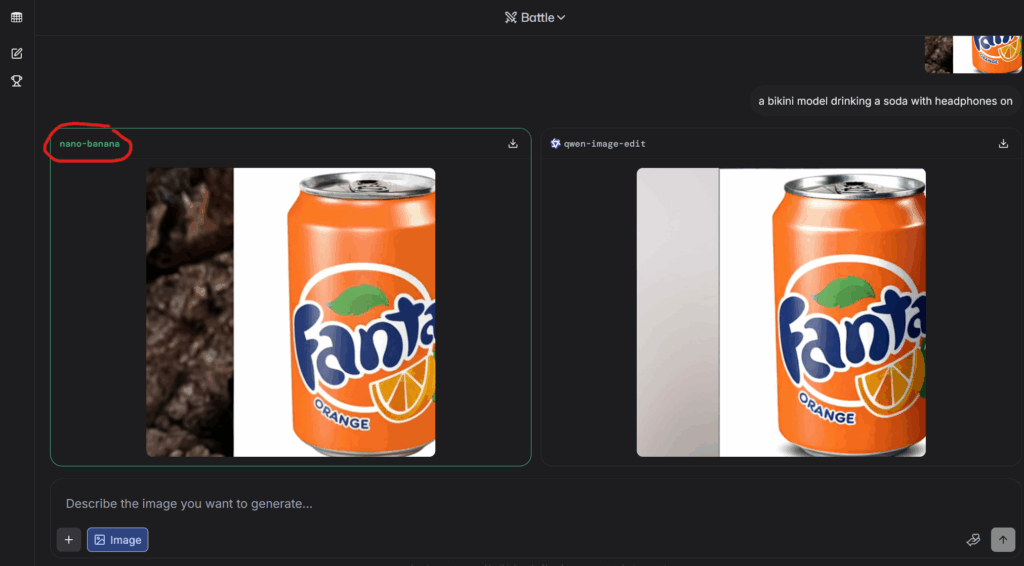
Here’s the actual image from Nano Banana. It followed my prompt well, though the Fanta logo is a bit distorted, and the headphones are slightly different from the ones I uploaded. Overall, it still did a great job generating the image.
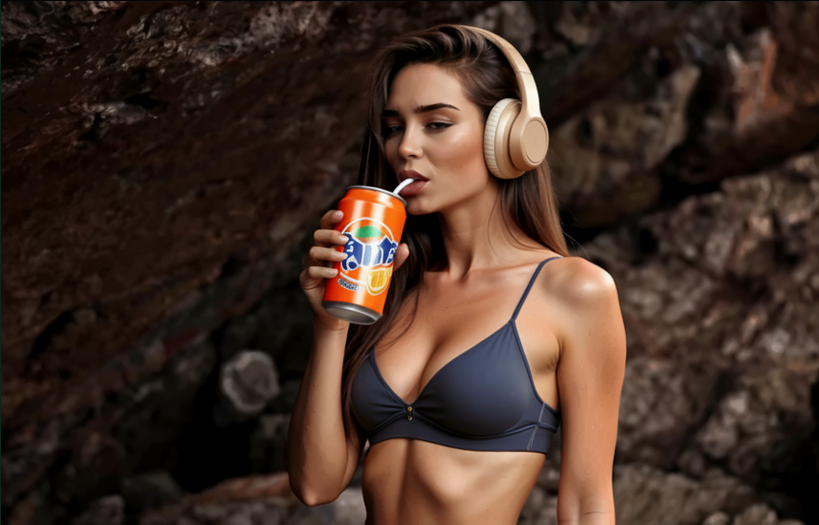
For comparison, here’s the image generated by Qwen Image Edit. I think it’s still pretty good, the model is indoors and the headphones are different as well, but the Fanta logo looks much better than Nano Banana’s version.
Tips for Better Nano Banana Results
Be Specific with Your Prompts
Vague prompts often lead to disappointing results. Instead of “make it look good,” try “add warm sunset lighting” or “change the background to a forest clearing.” The more detailed you are, the better Nano Banana can understand your vision.
Expect Some Iterations
Like other AI video creation tools, Nano Banana isn’t perfect every time. Some generations will nail your prompt exactly, while others might interpret it differently. This is normal for AI image editing, so plan for multiple attempts.
When You Don’t Get Nano Banana
Don’t worry if your first attempt doesn’t use Nano Banana. Simply upload the same image again with the same prompt, or try a slightly different variation. I often need 3-4 attempts before getting the model I want, but since it’s free, there’s no harm in trying multiple times.
The mysterious nature of Nano Banana means Google hasn’t officially announced it, so this testing phase is our only access point right now.
Understanding the Results Process
When you submit your prompt, LMArena generates two images from different models. You won’t know which models were used until after you vote. This is where patience comes in – you have roughly a 20% chance that one of the images came from Nano Banana.
In my recent test, I uploaded an image with a Mountain Dew river and prompted “add a surfer riding on the river.” Both results were decent, but I chose the right image because it matched the original style better. After voting, it revealed that the left image was actually from Nano Banana – and honestly, both looked great!
What Do You Think?
After extensive testing, I believe Nano Banana lives up to the hype for certain tasks. Its ability to maintain consistency across complex edits is genuinely impressive, and the fact that it’s free makes it accessible to everyone. However, the random access through LMArena can be frustrating when you need specific results quickly.
The quality varies depending on your prompt and the complexity of your request. Simple edits like changing colors or adding objects work well, but complex transformations might require several attempts to get right.
Final Thoughts
How to use Google’s Nano Banana might seem complicated right now, but this early access gives us a glimpse into the future of AI image editing. As recent coverage suggests, Google will likely release this model more widely soon.
For now, LMArena remains the best way to experiment with Nano Banana and other cutting-edge AI models. The platform helps the AI community while giving us free access to tools that might cost money elsewhere. It’s a win-win situation that I encourage every creative professional to explore.
How JZ Creates Can Help
At my AI creative agency, we stay on top of emerging tools like Nano Banana to deliver cutting-edge solutions for our clients. While you can experiment with these tools yourself, working with experienced professionals can help you leverage AI automation for agencies more effectively.
Contact us today and let’s elevate your next campaign with amazing AI creative.
If You Want More Nano Banana:
Check out my new article, Insane Use Cases For Nano Banana AI Including Examples and Prompts, where I discuss the possibilities of Nano Banana and the exact prompts I used. You won’t be disappointed.