PikaSwaps in 2026: What Happened and How to Swap Objects in Pika Now
Sponsored
Sponsored
Updated October 2026.
PikaSwaps was Pika’s tool for replacing objects in real video footage, launched in February 2025. Since Pika relaunched its app in September 2026, PikaSwaps no longer appears as a separate tool. Object and character swaps now sit in a Pika video app called Swap Anything, which needs a Pika account and paid credits.
What PikaSwaps Did
PikaSwaps let you change part of a real video without reshooting it.
- Select an object: the AI found objects in the frame automatically, or you painted the area with a brush.
- Describe the replacement: a text prompt or a reference image told it what to put there.
- Retry until it fits: you could regenerate variations without starting over.
At launch it ran on Pika’s free plan, with limits: up to eight swaps, videos up to 25 MB, and only the first five seconds of a clip.
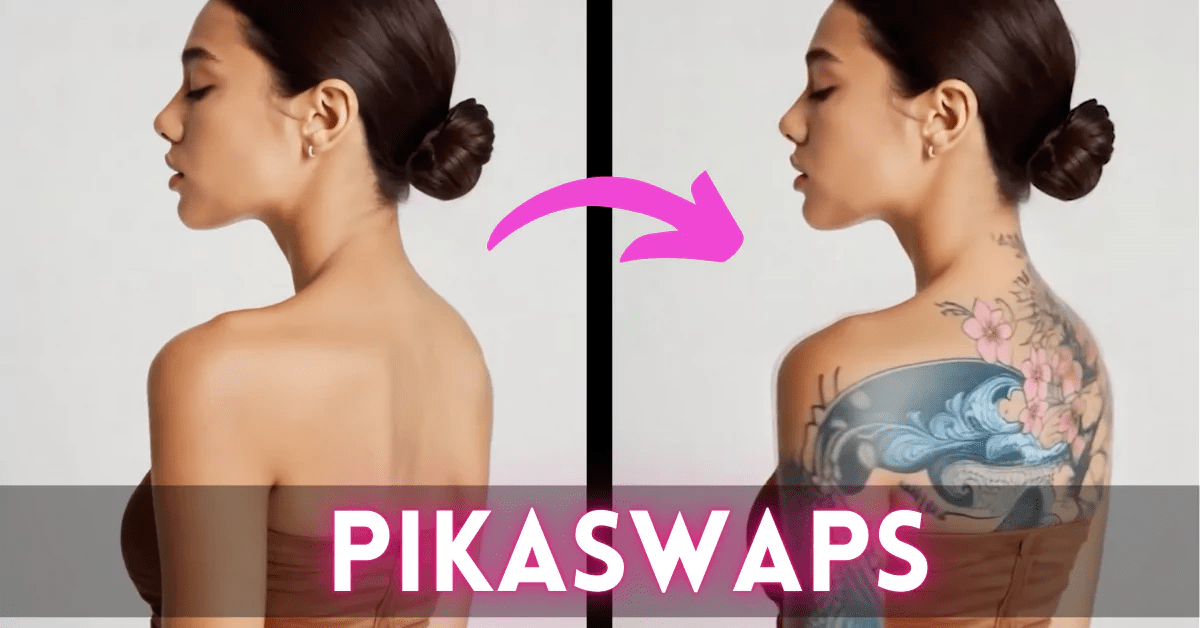
An example of PikaSwaps in action:
What Happened to PikaSwaps
Pika rebuilt its product as a set of apps in September 2026. PikaSwaps is not in the new app list, and old PikaSwaps links now send logged-out visitors to a sign-in page. Pika’s pricing page lists Swap Anything under its video apps and doesn’t mention PikaSwaps. Pika hasn’t announced Swap Anything as a direct rename, but it is the tool that does the same job.
How to Swap Objects in Pika Now
- Go to pika.art and sign in, or create an account.
- Open Swap Anything from the video apps.
- Upload the clip you want to change.
- Fill in what to swap (characters, outfits, location or products) or turn on a full restyle.
- Check the credit estimate on the Generate button before you run it. One independent test saw about 600 credits per run at default settings.
What It Costs
Prices from pika.art/pricing, checked October 9, 2026.
| Plan | Monthly price (billed yearly) | Credits per month | Commercial use |
|---|---|---|---|
| Free | $0 | 0 (credit packs only) | No |
| Starter | $10 ($8) | 900 | No |
| Creator | $35 ($28) | 3,150 | Yes |
| Fancy | $95 ($76) | 8,550+ | Yes |
Top-up credits cost $1 per 60 credits. The free plan includes no monthly credits, so even one swap needs a plan or a credit pack. For brand or client work you need Creator or above, because the lower plans carry no commercial license.
Use It Responsibly
Object replacement makes real footage easy to alter. Only edit footage you have the rights to, get permission before changing a real person’s likeness, and say when content has been altered if a viewer could be misled.
How Brands Use Object Replacement
- Product swaps: show a new colorway, flavor or package in footage you already own.
- Seasonal and regional versions: change props, signage or settings without a new shoot.
- Getting more from hero footage: turn one approved film into several variations for testing.
When a Single Tool Isn’t Enough
Swap Anything is quick for one shot. A campaign needs the product to look right in every shot, consistent lighting and color, and a finished edit. That is the work our AI content creation for brands covers: concept, generation, compositing, editing and grading by our team. If you’re planning a campaign, book a discovery call.

About Jay Hernandez
Jay Hernandez is an award-winning Creative Director with 20+ years of driving standout campaigns for top brands. Based in Los Angeles, he blends deep creative expertise with cutting-edge AI tools to help businesses and marketing teams unlock bold, breakthrough ideas that deliver real impact. If you are ready to elevate your brand and turn big visions into unforgettable campaigns, connect with Jay and make it happen.
Share This Article
Sponsored