The Best AI Tools for Social Media in 2026 (What We Actually Use)
Sponsored
Sponsored
Key Takeaways
- The right ai tools for social media cover five jobs: ideation and copy, video generation, image and carousel generation, voice, and automated distribution.
- Most brand accounts are still run by one person doing all five jobs manually, which is exactly why posting feels like it never stops.
- Claude handles scripts and captions, Kling and Higgsfield cover video and image generation, ElevenLabs handles voice, Envato Elements fills in music and stock, CapCut and DaVinci Resolve finish the edit, and n8n plus Blotato move everything to the calendar and out the door.
- Tools remove repetitive production work. They do not replace someone who knows what a specific brand and audience actually respond to.
- The real win is not any single tool. It is the handoff between tools that turns a good post into a repeatable weekly output.
Most brand social accounts are still built the same way they were five years ago: one person writing the caption, generating the clip, recording the voiceover, editing the cut, and posting it by hand, five separate jobs stacked on one set of shoulders. That is the actual reason posting feels like it never stops, and it is also exactly the gap the current wave of ai tools for social media is built to close.
The tool is not a talent. The creativity still has to come from somewhere.
Quick Comparison: The AI Tools for Social Media Stack
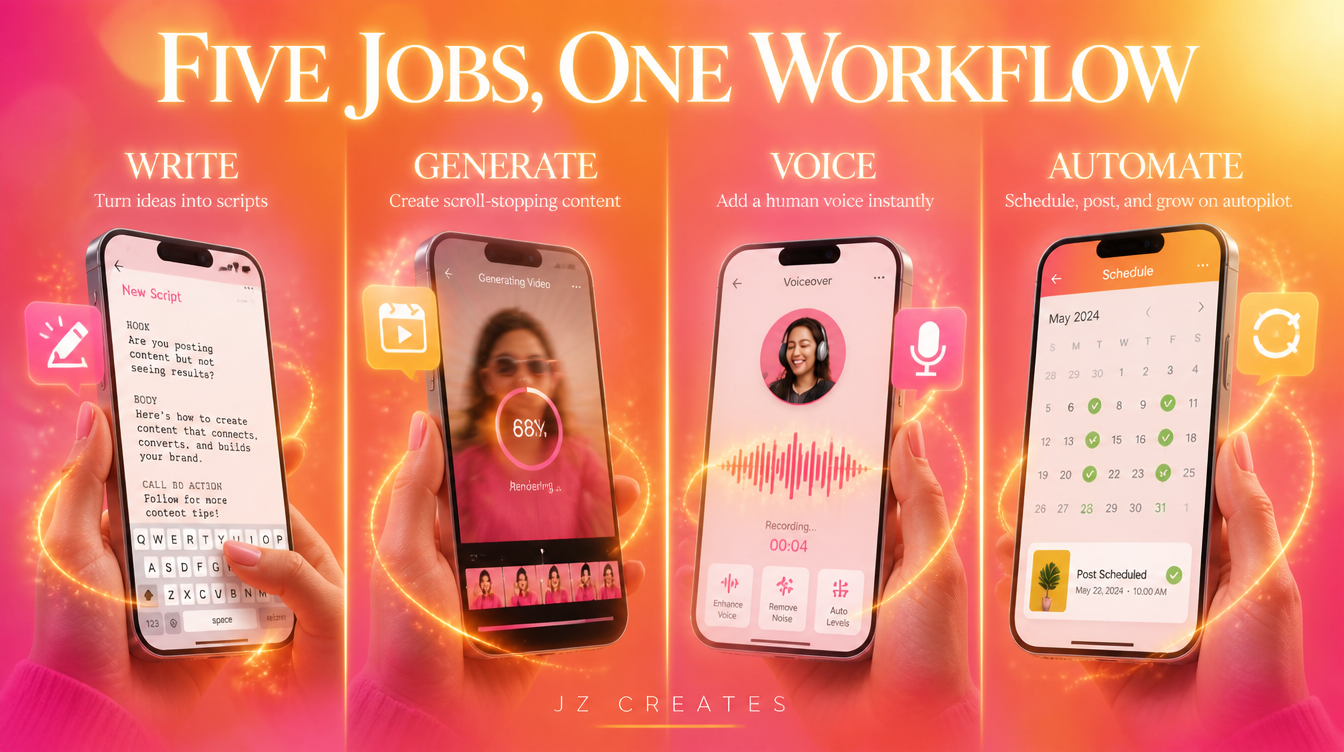
Here is the shape of the stack before we get into each tool. Five jobs, one tool (or two) per job, chained together instead of run separately.
| Job | Tool | Why It Earns a Spot |
| Scripts, captions, planning | Claude | Drafts a week of platform-specific copy in the time it takes to write one caption by hand |
| AI video | Kling | Stylized, cinematic motion without a full shoot budget |
| AI images and carousels | Higgsfield | Consistent type and palette across an entire carousel |
| Voice | ElevenLabs | Cloned brand voice reads a new script without booking a studio |
| Music, stock, templates | Envato Elements | Fills the gaps around generated content without a stock-photo look |
| Edit and finish | CapCut and DaVinci Resolve | Fast social cuts on one end, real color and finishing on the other |
| Automation and distribution | n8n and Blotato | Moves files between tools and out to every platform without a manual upload |
The AI Tools for Social Media We Actually Run, By Job
At JZ Creates, this is the exact stack behind client accounts across consumer products, luxury goods, music festivals, book authors, and entertainment. The tools do not change by industry. The prompts and reference material do.
Ideation and Copy: Claude
Every post starts as a document before it becomes a video or a graphic. We use Claude to draft scripts, write caption variants, build content calendars, and research a client’s competitors before we plan a week of posts.
Caption angle generator: “Here is our lineup announcement copy: [paste]. Write 8 caption variants for a music festival audience, one built for urgency, one for FOMO, one for a longtime fan, one for a first-timer. Keep each under 150 characters and match this brand voice: [paste voice notes].”
AI Video: Kling
When a client needs motion without a full production budget, Kling is our default for stylized, cinematic AI video, from consumer product hero shots to mood pieces for luxury clients. We cover the wider field in our AI video creation tools roundup.
AI Images and Carousels: Higgsfield
For static posts and carousel slides, we generate through the Higgsfield platform, running gpt-image-2 as our default and Nano Banana as a secondary model. It holds consistent typography and palette across a full carousel, which matters when a book author needs ten slides that all read as one launch.
Voice: ElevenLabs
Every voiceover we ship, from a founder narration to a cloned brand voice reading a script Claude helped draft, runs through ElevenLabs. Here is what that actually sounds like, straight from the source instead of a description:
Music, Stock, and Templates: Envato Elements
Not everything needs to be generated from scratch. Envato Elements covers licensed music beds, stock b-roll, graphic templates, and sound effects, the fastest way to fill the gaps around generated content without landing on a stock-photo look every other brand’s feed already has.
Editing: CapCut and DaVinci Resolve
Quick social cuts and platform reformats run through CapCut, which also has its own AI image, video, and voiceover tools built in. Anything heading to a client as a polished deliverable moves to DaVinci Resolve for real color grading and finishing.
Automation and Distribution: n8n and Blotato
This is the job most brands skip, and the one that saves the most time. n8n moves files and formats between every other tool in this list without anyone touching them by hand, and Blotato schedules and publishes across platforms from one place instead of five separate logins. It is the backbone of the AI social media automation workflow we run for clients.
How We Chain These Tools Into One Workflow
None of the seven tools above work alone. A festival recap post might start as a Claude script, generate its motion clip through Kling, get voiced through ElevenLabs, pull a music bed from Envato Elements, finish in CapCut, then get pushed to five platforms through n8n and Blotato without a single manual upload.
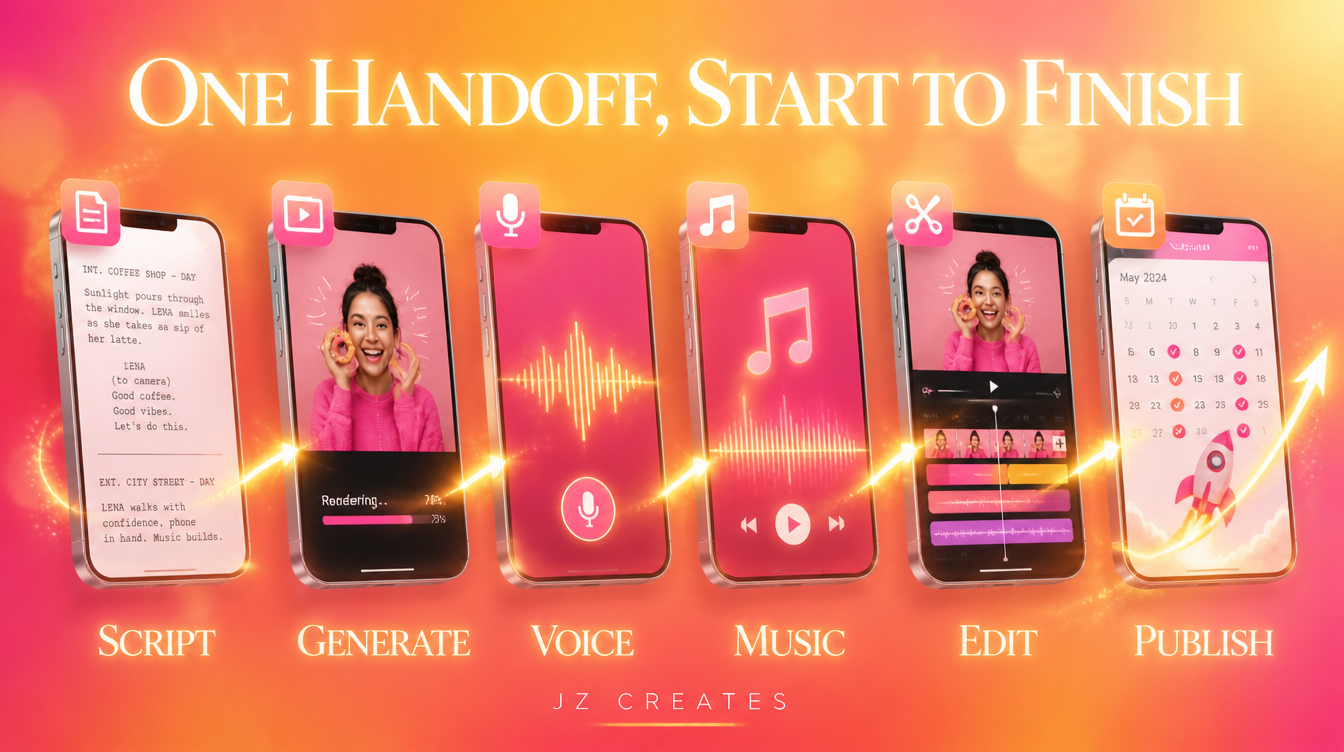
That handoff is the actual answer to “what AI tools for social media should I use.” It is not one winner. It is a sequence where each tool passes the work to the next, and the automation step at the end turns a good piece of content into a repeatable cadence instead of a one-off.
Why AI Tools for Social Media Still Need a Creative Director
The gap between using AI and using AI well is enormous. Most brands are still at the first stage, running one prompt and posting whatever comes out. A luxury client and a music festival client should never sound the same, even running through the identical stack, and that judgment call is still a human one. We put that thinking to work through our AI creative services and AI creative automation work, and it is the same difference we call out in our AI tools for content creators piece. The tools are commodities now. Direction is not.
What We Actually Use at JZ Creates
Our honest current stack for social content, no filler:
- Scripts, captions, planning: Claude for drafting, research, and content calendars.
- AI video: Kling for stylized and cinematic clips.
- AI images and carousels: Higgsfield running gpt-image-2 and Nano Banana.
- Voice: ElevenLabs for voiceover and cloned brand voices.
- Music, stock, templates: Envato Elements.
- Edit and finish: CapCut for fast social cuts, DaVinci Resolve for professional finishing.
- Automation and distribution: n8n to move files without touching them, Blotato to schedule and publish across platforms.
We rotate and re-test this list constantly. A tool earns a spot here because it held up on real client work, not because it launched with a good demo.
The Bottom Line
The best ai tools for social media in 2026 are not a single app you download and forget. They are a chain: one tool to think, one to generate, one to voice, one to finish, and one to automate the posting so the work does not stall waiting on a human to hit publish. Get the chain right and the volume problem that used to eat a whole team’s week becomes a Tuesday afternoon.
If you want a team that already runs this stack on real client work across consumer products, luxury, music festivals, and entertainment, reach out and let’s talk about what we can build for your brand.
Frequently Asked Questions
What are the best AI tools for social media in 2026?
There is no single best tool. A working stack covers ideation and captions (Claude), video generation (Kling), image and carousel generation (Higgsfield running gpt-image-2 and Nano Banana), voice (ElevenLabs), stock and music (Envato Elements), editing (CapCut and DaVinci Resolve), and automated scheduling and distribution (n8n and Blotato).
Can AI tools for social media replace a creative team?
No. The tools remove repetitive production work, not creative direction. A brand still needs someone who understands the platform, the audience, and the brand voice to get output worth posting. We cover this more in our AI social media automation breakdown.
Which AI video tool is best for social content?
It depends on the look you need. We reach for Kling for stylized, cinematic motion most often, and we cover the wider field, including where each tool fits, in our AI video creation tools roundup.
Do I need automation tools like n8n if I only post a few times a week?
If you are posting to more than one platform, automation saves real time even at low volume, since it removes the manual reformatting and re-uploading between apps. It becomes essential once you are posting daily across three or more platforms.
Is it expensive to build an AI social media stack?
Most of the tools above have entry-level plans well under what a single freelance edit or voiceover session costs. The bigger cost is usually time spent learning what each tool is actually good at, which is exactly what a workflow like ours is built to shortcut.
How do I know which combination is right for my brand?
Start with what is slowest in your current process: writing, generating, voicing, editing, or posting. Add one AI tool to fix that bottleneck first, then chain in the next one. Trying to replace an entire workflow at once is where most brands stall out. — Questions about AI tools for social media for your brand? Reach us at info@jzcreates.com, or for partnerships and sponsorships, promo@jzcreates.com. Find us on Instagram, TikTok, X, and LinkedIn at @jzcreates. At JZ Creates, we specialize in producing captivating and engaging content for social and digital media. If your project needs highly creative content, contact us so we can bring your vision to life. Learn more at jzcreates.com. Stay creative, Jay Owner, JZ Creates

About Jay Hernandez
Jay Hernandez is an award-winning Creative Director with 20+ years of driving standout campaigns for top brands. Based in Los Angeles, he blends deep creative expertise with cutting-edge AI tools to help businesses and marketing teams unlock bold, breakthrough ideas that deliver real impact. If you are ready to elevate your brand and turn big visions into unforgettable campaigns, connect with Jay and make it happen.
Share This Article
Sponsored