AI Instagram Content That Actually Stops the Scroll
Sponsored
Sponsored
Key Takeaways
- AI Instagram content only performs when it starts with a real hook, not a pretty render. We plan the first two seconds before we open any tool.
- Our actual workflow runs six steps, from Claude for the script to Blotato for scheduling, and we chain them so nothing gets touched twice.
- Reels and carousels need different production paths. Treat them as one job and both formats suffer.
- A generic AI voiceover is the fastest way to make a Reel feel synthetic. We always add a light human editing pass.
- Automation should handle formatting and posting, never the creative call. That part still needs a person who knows what stops a thumb.
Most brand Instagram accounts post constantly and still can’t buy a comment. That is not a volume problem. It is a hook problem, and AI did not create it. AI just made it obvious, because now everyone can produce enough content to notice that most of it never earns a second of attention.
We spend our days building AI Instagram content for consumer brands, music festivals, and book authors, and the accounts that grow are never the ones posting the most. They are the ones with a real production process behind every Reel and every carousel, even when AI is doing most of the heavy lifting.
What Makes AI Instagram Content Actually Stop the Scroll in 2026
The algorithm rewards watch time and saves, not polish. A Reel can look expensive and still get skipped in under a second if the opening frame does not promise something. A carousel can look homemade and still get saved a thousand times if slide one asks a question the viewer actually wants answered.
We watch this play out on client accounts constantly. Two Reels can use the same AI model, the same length, and the same caption structure, and one will outperform the other by ten times because of a single choice made in the first frame. That gap is not a tooling gap. It is a direction gap, and direction is the part AI still cannot supply on its own.
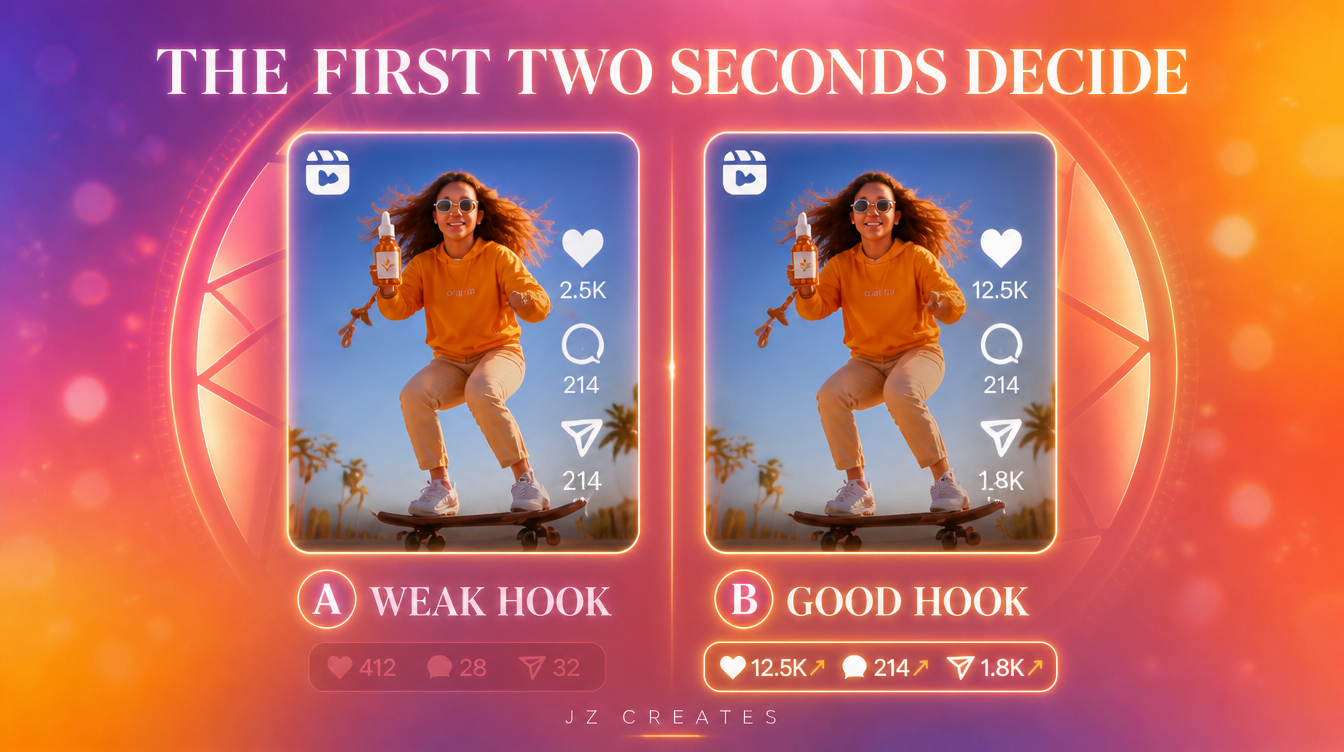
That means the AI part of AI Instagram content is not the differentiator anymore. Every account has access to the same video models and the same image generators. The differentiator is whether someone with a creative eye is directing those tools toward a real hook, a real payoff, and a real reason to follow.
We run JZ Creates, a creative agency in LA focused on content, AI, and automation for brands, and we also build AIGrowthZ, an agency focused specifically on automation workflows like the one below. Twenty plus years running creative campaigns at LA agencies (work that touched Wonder Woman and Jurassic World marketing) taught us that a strong opening frame beats a strong production budget every time. AI just changed how fast we can test that opening frame against ten other ideas before we commit to one.
Our Real Workflow for AI Instagram Content, From Idea to Post
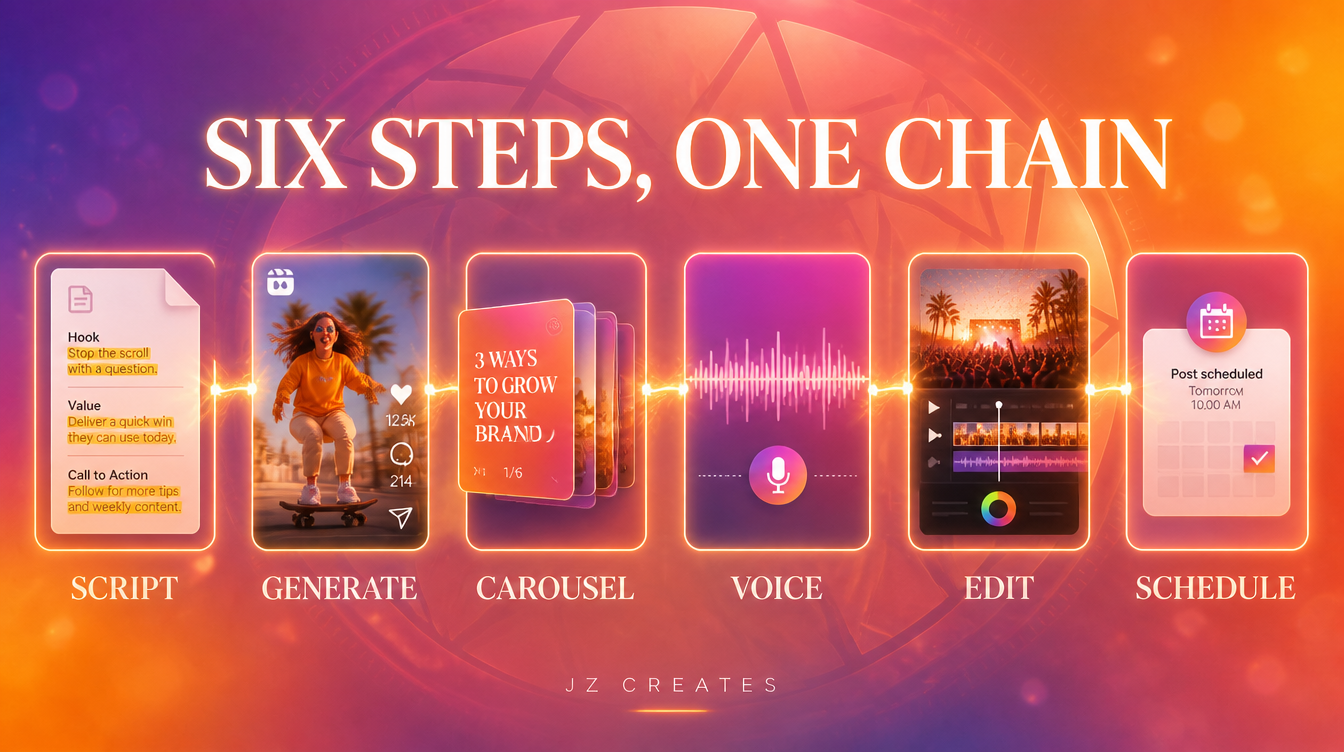
Here is the actual six step chain we run for a client Reel or carousel, start to finish. Each step hands off to the next, so nothing gets rebuilt from scratch.
Step 1: Scripting the Hook With Claude
Every piece starts as a script, not a prompt. We use Claude to write three hook variations before we pick one, because the hook is the only sentence that has to survive contact with the algorithm.
Reel hook generator: “You are a social media creative director for a [industry] brand. Write 5 opening lines for a 20 second Reel about [topic]. Each line must work as spoken audio in the first 2 seconds and create a question the viewer wants answered. No hashtags, no emojis, just the line and a one sentence reason it works.”
Step 2: Generating the Reel With Kling
Once the script is locked, we generate the actual footage. Kling handles most of our AI Instagram content video work because it holds a consistent subject across cuts, which matters when a Reel needs three or four shots that feel like one continuous scene instead of a slideshow.
Step 3: Building the Carousel With Higgsfield
Reels and carousels are not the same job, even when they promote the same idea. For carousels, we generate the slide set in Higgsfield, keeping every slide on one visual system (same palette, same type treatment) so the swipe feels intentional instead of assembled from five different images.
Step 4: Voice and Sound With ElevenLabs
If the Reel needs narration, we generate it in ElevenLabs using a cloned or licensed voice, then layer in music and sound design from Envato Elements. A flat AI voice with no sound design is the fastest way to lose a viewer who was already skeptical of AI content.
Step 5: Why AI Instagram Content Needs a Human Editing Pass
This is the step brands skip, and it shows. We pull every generated clip into CapCut or DaVinci Resolve for pacing, captions, and color, because raw AI output almost always needs a beat trimmed or a cut tightened before it feels native to the platform. CapCut is fast for social-first edits and quick AI voiceover swaps. DaVinci is where color and pacing get a professional finish on client deliverables.
Step 6: Scheduling and Distribution With n8n and Blotato
The last step is formatting and posting, and this is where automation earns its keep. We route finished files through an n8n workflow that resizes for each platform and queues them in Blotato on a schedule. This is also where our own AI creative automation work lives, the same automation muscle we wrote about in our piece on ai social media automation.
The Mistakes That Quietly Kill Instagram Reach
We hear the same worries on almost every client call. Here is what we tell them, myth against reality.
Myth: More posts always means more reach.
Reality: A feed of five average Reels a week loses to one strong Reel a week, almost every time. The algorithm is measuring completion and saves per post, not posts per week.
Myth: A perfectly polished AI video performs better than a rougher one.
Reality: Overproduced AI video can read as an ad, and viewers scroll past ads. Some of our best performing client Reels use a slightly imperfect, handheld feeling render on purpose.
Myth: Carousels are just slower Reels.
Reality: Carousels win saves, Reels win reach. They are different jobs with different goals, and treating them as interchangeable formats is why so many carousels get built as an afterthought.
Myth: One AI tool can carry the whole pipeline.
Reality: We have not found a single tool that scripts, generates, voices, and schedules well at the same time, and honestly we would be a little suspicious of one that claimed to. Chaining a few specialized tools together beats waiting for one tool to master every step.
“AI is a tool, not a talent. The creativity still has to come from somewhere.” We say this to every client who thinks a subscription to a video model replaces a creative director. It never does. It just gives the creative director more shots on goal.
What We Actually Use at JZ Creates
For AI Instagram content specifically, our stack is Claude for scripting, Kling for Reel generation, Higgsfield for carousels and stills, ElevenLabs for voice, Envato Elements for music and stock layers, CapCut and DaVinci Resolve for editing, and n8n plus Blotato for scheduling and distribution. That full pipeline sits inside our broader AI creative services work, and it is the same chain we walked through in our ai video creation tools roundup, just tuned specifically for Instagram’s format requirements.
The Bottom Line
AI Instagram content is not about picking the newest video model. It is about running a real process, hook first, format aware, human finished, every single time you post. Brands that skip steps get content that looks like everyone else’s. Brands that run the full chain get content that earns saves and follows.
If your Instagram account is producing volume without results, that is usually a process gap, not a tools gap. Contact us and let’s look at what’s actually happening in your workflow.
Frequently Asked Questions
What is the best AI tool for Instagram Reels in 2026?
There is no single best tool. We use Kling for video generation because it holds a consistent subject across cuts, but the script written before generation matters more than the model you choose.
Can AI generate an entire Instagram carousel from one prompt?
Higgsfield and similar image tools can generate a strong first slide, but a full carousel that stays consistent across every slide still needs a locked visual system and one person directing that system slide by slide.
Does an AI voiceover hurt engagement on Instagram?
A flat, unedited AI voice can. Pairing it with real sound design from a library like Envato Elements and a human edit pass in CapCut or DaVinci Resolve closes most of that gap.
How much of the Instagram content process should be automated?
Automate the formatting, resizing, and scheduling with a tool like n8n and Blotato. Keep the hook, the script, and the final creative call in human hands.
How many Reels should a brand post per week?
Fewer, stronger Reels consistently outperform a higher volume of average ones. We would rather ship two strong Reels a week than five forgettable ones.
Is AI Instagram content worth it for small brands without a big budget?
Yes. It is often the biggest opportunity for smaller brands, because the tools compress a production budget that used to require a much larger team. At JZ Creates, we specialize in producing captivating and engaging content for social and digital media. If your project needs highly creative content, contact us so we can bring your vision to life! Learn more at https://www.jzcreates.com
Stay creative,
Jay Owner, JZ Creates https://jzcreates.com

About Jay Hernandez
Jay Hernandez is an award-winning Creative Director with 20+ years of driving standout campaigns for top brands. Based in Los Angeles, he blends deep creative expertise with cutting-edge AI tools to help businesses and marketing teams unlock bold, breakthrough ideas that deliver real impact. If you are ready to elevate your brand and turn big visions into unforgettable campaigns, connect with Jay and make it happen.
Share This Article
Sponsored