AI Music Video: How Artists and Brands Make One in 2026
Sponsored
Sponsored
Key Takeaways
- An AI music video is a music video where most or all of the visuals are generated by AI models instead of a traditional shoot, then cut to the song in an edit.
- There are four formats worth knowing: performance, narrative, lyric and visualizer, and hybrid. Pick the format before you pick the tool.
- The beat drives everything. Map the song structure first, then generate shots to fit the cut points, not the other way around.
- Keeping the artist consistent from shot to shot is the hardest part, and it is solved with a locked reference set, not a single lucky prompt.
- Before anything goes public, clear the music rights, get performer consent, and use YouTube’s altered content disclosure when the footage looks real.
In May 2024, director Paul Trillo made the music video for Washed Out’s “The Hardest Part” with OpenAI’s Sora. He reportedly generated around 700 clips and used 55 of them to build one continuous, dreamlike camera move through a couple’s life. That ratio tells you everything about how an AI music video really gets made.
The model makes the footage. A person with taste makes the video.
Search interest for “AI music video” is up about 53% year over year, and most of what ranks is a tool page promising a finished video from an MP3 in minutes. This guide is about the other kind: the one an artist, a label, a festival, or a brand puts its name on.
What Is an AI Music Video?
An AI music video is a music video where the visuals are created mostly or entirely with generative AI, including video models, image models, and lip sync tools, instead of a full live action shoot. The song stays the anchor. The AI footage gets planned, generated, selected, and edited to the track’s beat, structure, and emotion.
Some are 100% generated. Many of the best blend real footage of the artist with generated worlds. Both live or die by one thing: does the picture move with the music?
How to Make an AI Music Video That Follows the Beat
The “upload your song” tools follow the beat in a generic way. A professional AI music video follows the song’s story, and that takes a plan before a single frame gets generated. This is the workflow we use:
- Pick the format. Performance, narrative, lyric, or hybrid (more below). This decision shapes the shot list, the tools, and the budget.
- Map the song. Mark the intro, verses, chorus, bridge, and the big drop. Note the BPM and every moment you want a hard cut.
- Write a shot list against the map. We draft treatments and shot lists with Claude, then rewrite them by hand until they sound like the artist.
- Build the look. Generate style frames first: palette, lighting, wardrobe, and two or three hero locations. Lock them before animating.
- Generate shots in batches. Image to video gives far more control than text to video. We animate approved frames in Kling, several takes per shot.
- Add the performance. Run lip sync line by line, never the whole song in one pass.
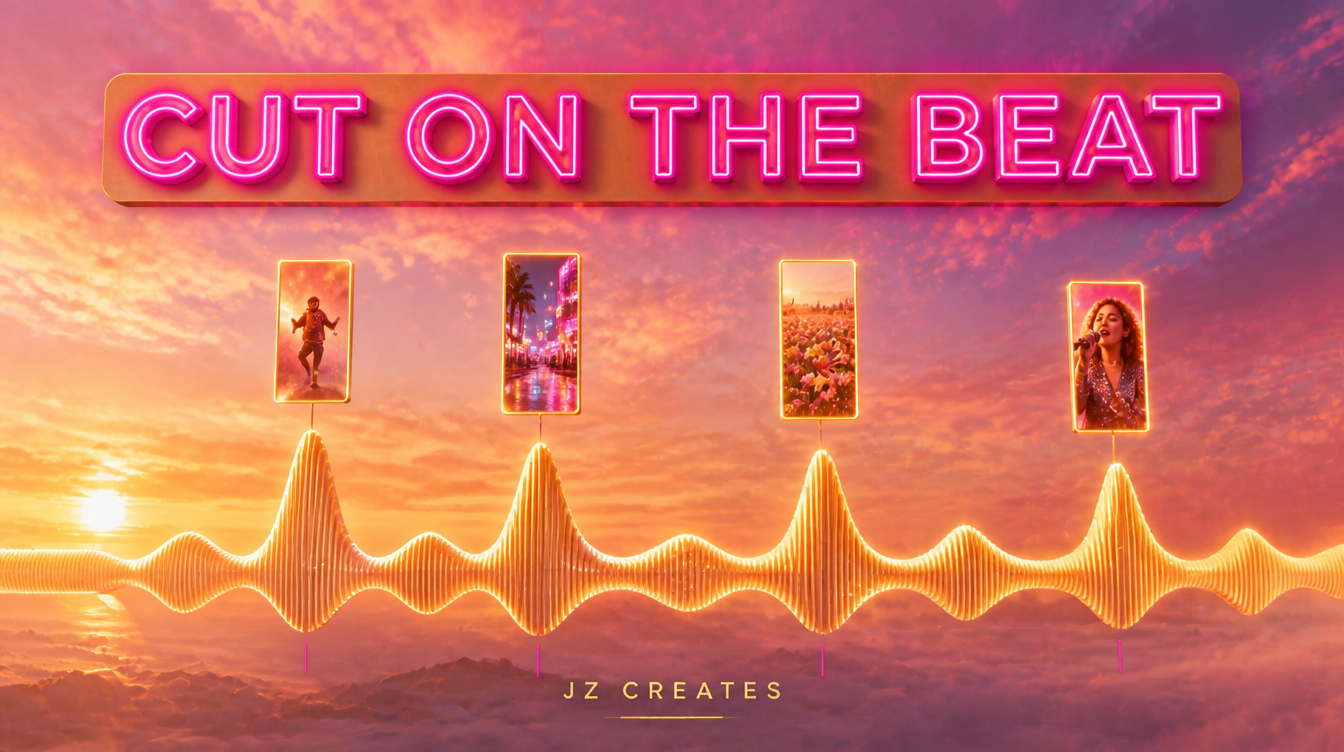
- Cut it on the beat. Assemble in CapCut, using beat markers so every cut lands where the music hits.
Expect to throw away most of what you generate. That is the job. The Washed Out team kept roughly one clip in thirteen, a healthy ratio for work that has to hold up on a big screen.
“Map the song before you generate a single frame. The beat is your shot list.”
The Four AI Music Video Formats
Nearly every AI music video fits one of four formats, and each asks the AI to do a different job.
| Format | What it is | Best for | Where AI does the heavy lifting |
|---|---|---|---|
| Performance | The artist (real or AI) singing or playing to camera | Singles, artist branding | Worlds, wardrobe swaps, lip sync |
| Narrative | A short film with a story that follows the song | Emotional ballads, concept records | Locations, characters, impossible camera moves |
| Lyric and visualizer | Animated type and motion art built around the words | Release week, streaming platforms, Shorts | Motion graphics, textures, loops |
| Hybrid | Real footage of the artist inside generated environments | Labels, festivals, brand anthems | Backgrounds, transitions, effects |
Swipe sideways to see the full table →
Performance
A performance video lives on the face. If the artist is real, we shoot them simply (one camera against a plain wall works) and let AI build the world around them. If the artist is an AI character, consistency and lip sync become the whole game.
Narrative
This is where it gets genuinely exciting. A story that would need five locations, period costumes, and a crane is now a set of prompts and a lot of curation, like the Washed Out video’s impossible continuous camera move.
Lyric and Visualizer
The fastest format to produce and often the most watched on release week. Animated lyrics and looping motion art can ship in days. For quick social cutdowns with captions, Invideo gets a first draft moving fast.
The Hybrid AI Music Video
Our most requested format for brands and festivals, because real people stay on screen. The artist, the DJ, or the crowd is real; the world around them is generated. It reads as premium without looking synthetic.
Keeping the Artist Consistent Shot to Shot
The number one giveaway in an amateur AI music video is a singer who looks like a slightly different person in every shot. Fans notice instantly. The fix is a reference system, and it gets built before you animate anything.
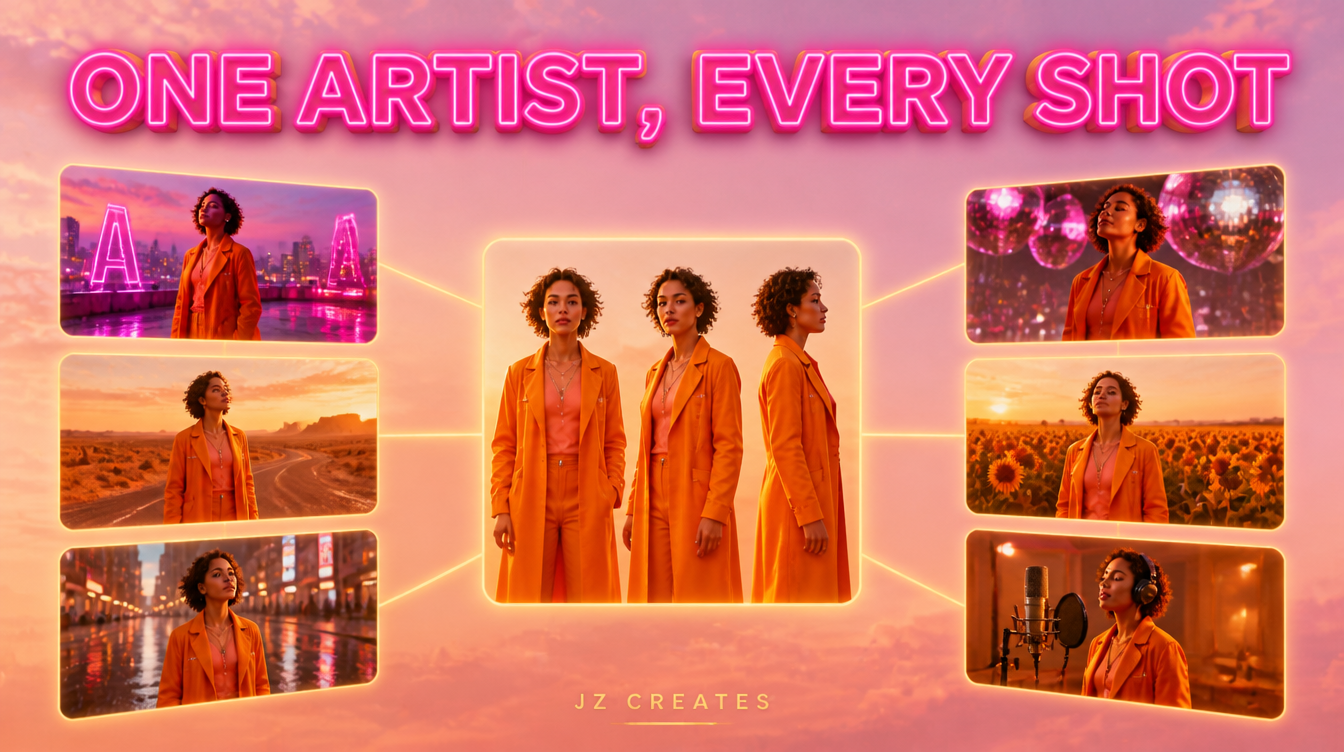
Here is what goes into our reference set:
- A character sheet. The artist (or the AI character) from front, three quarter, and profile angles, in the final wardrobe, with consistent lighting.
- Hero frames per section. One approved still per section of the song, which becomes the starting frame for every shot in that section.
- A locked prompt block. The exact words for face, hair, wardrobe, palette, lens, and lighting, pasted into every generation without edits.
- A continuity check. Before the edit, we line up every selected shot in sequence and pull anything where the face, outfit, or color drifts.
Plan the reference set for 16:9 and 9:16 from day one, and your TikTok and Reels cutdowns come out of the same shots. We cover that side in our guide to AI TikTok video.
Can You Use an AI Music Video Commercially?
Yes, AI music videos can be released and used commercially, and artists and labels already do it. The rules sit around the edges: you need rights to the song, consent from any real performer you depict, clear terms from the tools you use, and an AI disclosure on platforms like YouTube when the footage looks realistic.
Here is the checklist we run before anything ships:
- The music. If the track itself is AI generated, check the license. The landscape shifted in late 2025 when Universal Music settled with Udio and Warner Music settled with Suno, with both deals pointing toward licensed AI music platforms. For brand work we lean on ElevenLabs, whose Eleven Music launched in August 2025 with licensing deals in place for commercial use (check its plan terms for film and TV uses).
- The likeness. No real person’s face or voice without written consent. That includes the artist’s own likeness being extended into new scenes. Put it in the contract.
- The disclosure. YouTube asks creators to disclose meaningfully altered or synthetic content that looks realistic. Clearly fantastical visuals generally do not need the label, but realistic AI footage of a performer does.
- The ownership. The US Copyright Office has said purely AI generated material is not copyrightable without meaningful human authorship. Real creative direction, selection, and editing matter for protection, not just for quality.
Where AI Music Videos Fit for Brands
You do not have to be a recording artist to need one. Some of the best uses we see come from marketing teams.
- Music festivals. Lineup announcements set to a headliner’s track, in a generated world that matches the festival, produced in days, not weeks.
- Brand anthems. A sonic identity or commissioned song becomes a launch week short film plus a dozen social edits.
- Product launches. A consumer product or luxury drop paired with a track and a dreamlike world reads as culture, not an ad.
- Authors and entertainment. A book trailer scored like a music video gives fans something to share.
If you are weighing an AI music video against a traditional spot, our breakdown of what an AI commercial costs uses the same production math. For a look at the raw model quality, our tests of the best AI video generators and our roundup of viral Sora 2 examples are good next reads.
What We Actually Use at JZ Creates
We run JZ Creates, a creative agency in Los Angeles focused on content, AI, and automation for brands, and music festivals and artists are one of our favorite categories. Our team spent 20+ years at LA creative agencies producing campaigns for major Hollywood studios, so every AI music video still gets judged by an old school question: does the picture make you feel the song?
Our stack: Claude for treatments, shot lists, and prompt blocks. Kling for image to video and lip sync. ElevenLabs for licensed music, voice, and sound design. Invideo for fast lyric and social drafts. CapCut for the beat synced edit and vertical cutdowns. Adobe for type, color, and finishing. When a project needs automated versioning and delivery, our AI automation services handle the logistics.
The Bottom Line
If you need an AI music video for an artist, a festival lineup, a brand anthem, or a product launch, that is exactly the kind of project our team loves to build, from treatment to final cut. You can see more of that work on our AI creative services page. At JZ Creates, we specialize in producing captivating and engaging content for social and digital media. If your project needs highly creative content, contact us so we can bring your vision to life!
Frequently Asked Questions
How do you make an AI music video?
Start by choosing a format (performance, narrative, lyric, or hybrid), then map the song’s sections and beat. Write a shot list against that map, generate style frames, animate them with an image to video model like Kling, add lip sync for singing shots, and cut everything to the beat in an editor like CapCut.
What is the best AI music video generator?
It depends on the format. All in one MP3 to video tools are fast for quick visualizers. For professional work, most teams combine an image model for style frames, a video model like Kling for animation and lip sync, and a real editor for the beat synced cut.
Can I make an AI music video for free?
You can test ideas for free. Many AI video tools offer free credits or daily limits, enough for a short visualizer or a few test shots. A full length, professional AI music video usually needs paid plans, because it takes hundreds of generations to find the clips worth keeping.
Are AI music videos allowed on YouTube?
Yes. YouTube allows AI music videos, but it asks creators to disclose meaningfully altered or synthetic content that looks realistic using the altered content setting during upload. Clearly fantastical or animated visuals generally do not need the label. The song itself must still be one you have the rights to use.
Can you use AI generated music videos commercially?
Yes, as long as the inputs are cleared. You need rights to the music, written consent from any real performer you depict, and AI tools whose terms allow commercial use. In the US, purely AI generated material is not copyrightable without meaningful human authorship, so real creative direction and editing also matter for ownership.

About Jay Hernandez
Jay Hernandez is an award-winning Creative Director with 20+ years of driving standout campaigns for top brands. Based in Los Angeles, he blends deep creative expertise with cutting-edge AI tools to help businesses and marketing teams unlock bold, breakthrough ideas that deliver real impact. If you are ready to elevate your brand and turn big visions into unforgettable campaigns, connect with Jay and make it happen.
Share This Article
Sponsored