AI Storyboard: How Brands Plan AI Video Shot by Shot
Key Takeaways
- An AI storyboard is a sequence of AI generated still frames, each paired with shot notes, that maps a video shot by shot before any motion is generated.
- In AI video, the storyboard is where the real decisions happen. Approving stills is fast and inexpensive; revising generated video is slow and burns budget.
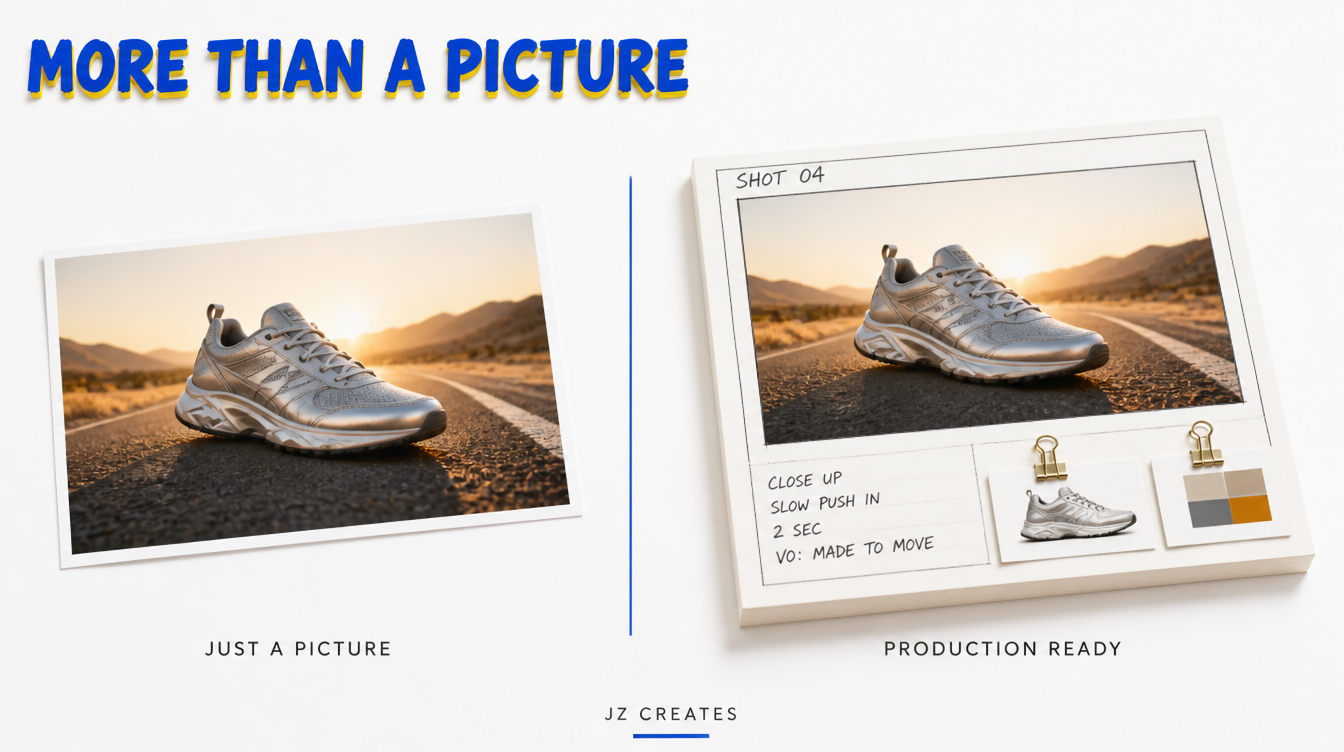
- A production ready frame holds more than a picture: shot size, camera move, duration, copy, sound, and the references and locked prompt that will drive the final clip.
- Consistency is the hardest part. Lock a character and product reference set before the first frame, then build every panel from it.
- Judge an AI storyboard generator for brand work on script import, consistency, camera control, export to video, and commercial terms, not on one pretty frame.
Here is what surprises most marketing teams: in a typical AI video project, the clips that end up on screen are a small slice of everything that gets generated. The rest are near misses, wrong angles, and shots nobody planned for. An AI storyboard is how you shrink that pile before it starts.
Every AI video tool now promises a cinematic clip from a prompt. None of them can tell you which clip you need, in what order, for how long, and why. That is a planning problem, and the answer is older than AI: you board it first. The difference now is that the board itself is generated.
What Is an AI Storyboard?
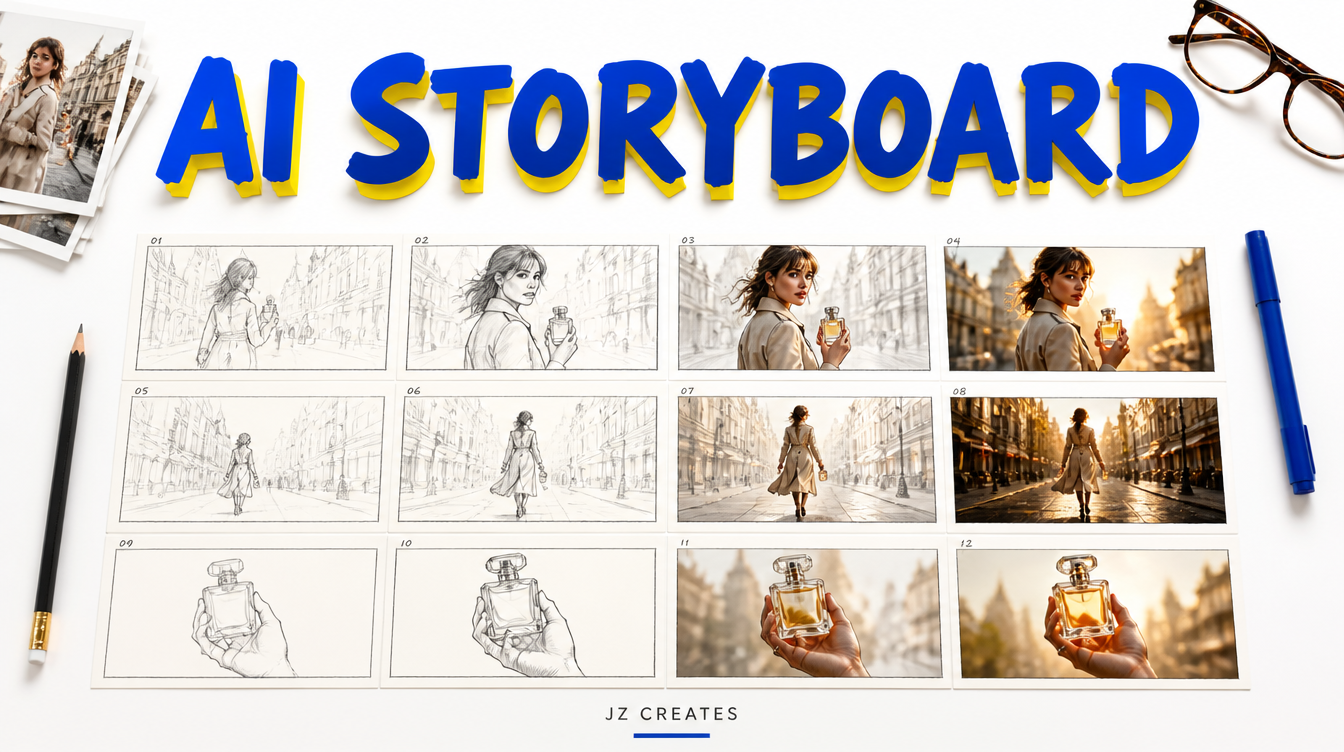
An AI storyboard is a shot by shot visual plan for a video where the frames are created with generative AI from a script, brief, or shot list instead of being sketched by hand. Each panel shows the intended composition and carries notes on camera, timing, and audio, so the team can approve the story before producing any video.
Traditional boards were pencil sketches, good enough to show framing. AI boards look close to the finished spot: real lighting, real wardrobe, the actual product. That is why they matter for brands. A CMO can judge the work as it will actually appear instead of imagining it from stick figures.
Why the AI Storyboard Is the Real Production Now
Our honest take after a lot of AI campaigns: the video model is the easy part. The storyboard is where the brand gets protected.
A still image generates in seconds. A video clip takes much longer and costs far more, and every rejected clip is spent budget. So the smartest place to make creative decisions is the place where changes cost the least, and that is the board.
When a client approves a storyboard, they sign off on the story, the look, the pacing, and the shot list in one review. Notes like “open on the product, not the city” cost a few new stills instead of a full round of regenerated video. This one habit trims revision cycles more than any new model release.
“Approve the stills, then animate. Every change made on the board is a change you never pay for in video.”
A board also shows when a 15 second spot has 22 shots (too many) or when the hero product never gets a clean close up. It is the same discipline behind all of our AI video production work.
What Goes Into an AI Storyboard Frame
A pretty picture is not a storyboard. A production ready AI storyboard frame carries everything the next stage needs to generate the shot without guessing.
| Field | What it holds | Why it matters |
|---|---|---|
| Frame image | The AI generated still | Locks composition, lighting, wardrobe, and product |
| Shot size and angle | Wide, close up, overhead, low angle | Gives the edit rhythm and variety |
| Camera move | Static, push in, orbit, tracking | Becomes the motion instruction for video |
| Duration | Seconds on screen | Keeps 6, 15, and 30 second cuts on time |
| Copy and voiceover | On screen text and spoken lines | Lands the message on the right shot |
| References and prompt | Reference IDs plus the locked prompt block | Lets anyone regenerate the shot consistently |
Swipe sideways to see the full table →
That last row is the one most tools skip, and it is the most valuable. When the prompt and references live on the frame, the board becomes a reusable production document. When the brand wants a holiday version or a new market cut months later, any shot can be rebuilt in the same look.
AI Storyboard Myths vs Reality
A few assumptions slow teams down when they start working this way.
| Myth | Reality |
|---|---|
| An AI storyboard replaces the director | It speeds the director up. Someone still decides what each shot means. |
| The prettiest frame wins | The clearest sequence wins. Boards are judged on story and pacing. |
| Boards are only for long films | A 6 second paid social ad benefits just as much. |
| You can fix it in the edit | In AI video, the edit only has what you generated. |
Swipe sideways to see the full table →
How to Make an AI Storyboard From a Script
You can make an AI storyboard from a script in an afternoon if the inputs are clear. Break the script into numbered shots, lock reference images for characters and products, generate one still per shot, add shot notes, then review the sequence as a rough animatic before generating any video.
Here is the order we follow:
- Start with the single message. One line that says what the viewer should feel or do. Every shot earns its place against it.
- Break the script into a shot list. We use Claude for the first pass (shot size, camera move, duration), then edit it by hand.
- Lock the reference set. Character sheets, product angles, and a palette board, approved before any panel is made.
- Generate one still per shot from the reference set and a shared style block, so panel 1 and panel 18 look like the same film.
- Add the notes and track them. A shared tracker in Airtable keeps each shot’s status, version, and approval in one place.
- Review it in motion. Drop the stills on a timeline with scratch voiceover and music. Ten seconds of watching a sequence teaches more than ten minutes of looking at a grid.
Keeping Every AI Storyboard Frame On Model
Consistency is the top complaint creators raise about AI storyboarding. A face that shifts between panels, or a bottle that changes shape, breaks the illusion and the client’s trust.
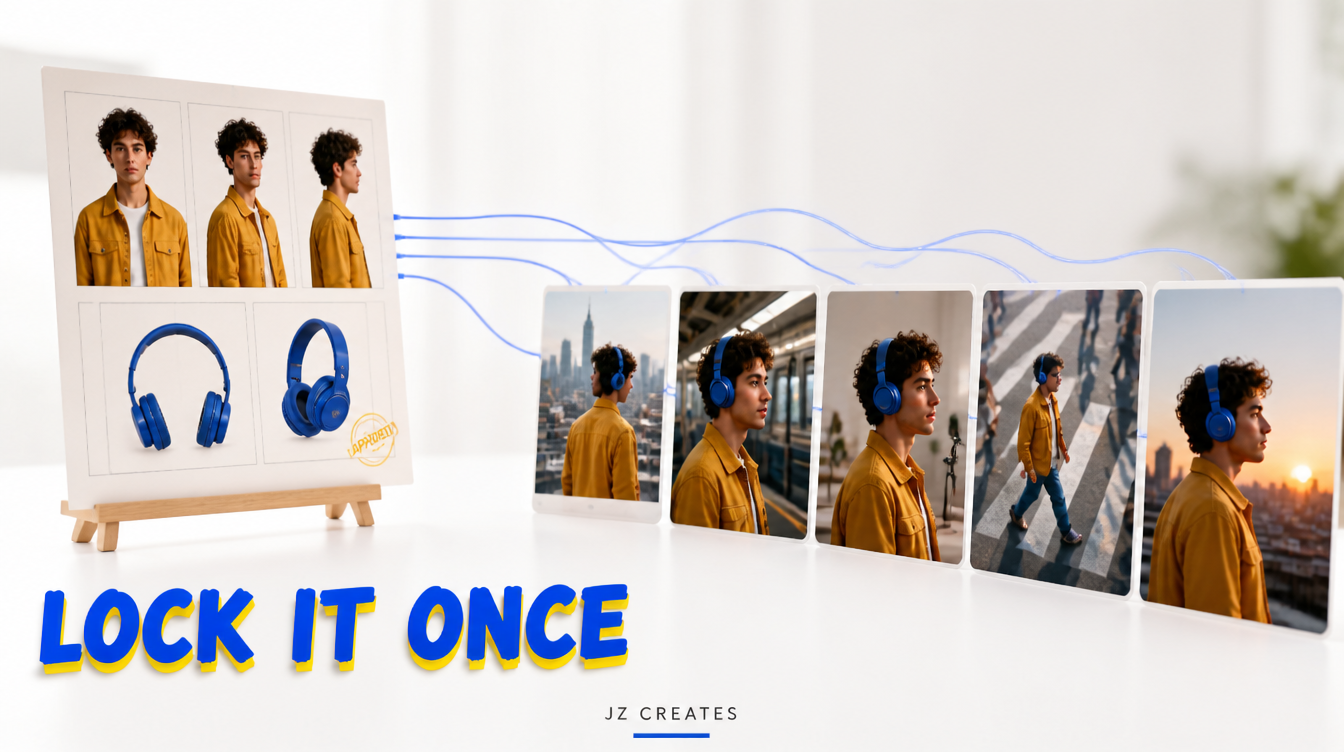
The fix is discipline. Generate the character from front, three quarter, and profile views and approve that sheet first. Render the product from the angles the spot needs. Then attach those references to every frame and reuse the same written style block. For a festival campaign or a luxury launch, that reference set becomes a brand asset reused in every future spot.
Turning an AI Storyboard Into Video
Once the board is approved, it becomes a production checklist. Each approved frame is the starting image for its clip, and the camera and duration notes become the motion instructions.
We animate approved frames with image to video models like Kling, so the look carries straight through and retakes stay on model. The clips then drop into CapCut in the same order as the animatic, and the rough cut is most of the way there.
Boards matter even more when the cut has to land on the beat, which we covered in our guide to the AI music video. For choosing a model shot by shot, see our tests of the best AI video generators.
How to Pick an AI Storyboard Generator for Brand Work
The best AI storyboard generator for a brand keeps characters and products consistent, accepts your script, gives you camera control, exports cleanly into video, and comes with commercial terms you can sign off on. Most tools handle single frames well; fewer handle a full campaign.
- Script import. Can it break a script into panels, or do you rebuild everything by hand?
- Consistency. Can you upload references and keep them across every frame?
- Camera control. Can you set shot size, angle, and lens?
- Export. Can the board play as a timeline and hand frames to your video model?
- Commercial use. Read the terms. The US Copyright Office has said purely AI generated material needs meaningful human authorship to be protected, so document the human direction on every board.
If your team already works in Adobe, Adobe Firefly’s storyboard feature is a natural starting point. For client review, a shared deck in Google Workspace keeps comments and approvals simple for stakeholders who never open an AI tool.
What We Actually Use at JZ Creates
We run JZ Creates, a creative agency in Los Angeles focused on content, AI, and automation for brands across consumer products, luxury, music festivals, entertainment, and authors. Our team spent 20+ years at LA agencies producing campaigns for major Hollywood studios, where boards were always the backbone of the shoot. AI kept that rule and made the board look like the final film.
Our storyboard stack: Claude for shot lists and locked prompt blocks, Adobe for reference sheets and finishing, Airtable as the shot tracker, Kling to animate approved frames, CapCut for animatics and edits, and Google Workspace for client review. We are also building AI Growth Z, our automation agency, which handles versioning and delivery once a board is approved; our AI automation services page shows how. Weighing outside partners? Our guide to hiring an AI video agency covers the questions to ask.
The Bottom Line
If you need an AI storyboard that turns a brief into a sequence your whole team can approve, and then into finished video that stays on brand from the first frame to the last, that is exactly what our team specializes in. See the full range on our AI creative services page, and our breakdown of what an AI commercial costs shows where planning saves the most. At JZ Creates, we specialize in producing captivating and engaging content for social and digital media. If your project needs highly creative content, contact us so we can bring your vision to life!
Frequently Asked Questions
What is an AI storyboard?
An AI storyboard is a shot by shot plan for a video in which each frame is generated with AI from a script or brief instead of drawn by hand. Each panel carries notes on camera, timing, copy, and sound, so a team can approve the story and look before producing any video.
Can AI make a storyboard from a script?
Yes. Many AI storyboard tools read a script, split it into shots, and generate a frame for each. The best results come from reviewing the shot list by hand and locking character and product references first, so every frame in the sequence stays consistent.
What is the best AI storyboard generator?
It depends on the job. For brand work, choose a tool that keeps characters and products consistent with reference images, imports scripts, offers camera control, exports to video, and has clear commercial terms. Test it on a full sequence, not a single frame.
Can you turn an AI storyboard into a video?
Yes. Each approved frame can be the first frame of an image to video generation, with the board’s camera and duration notes guiding the motion. Assembling the clips in animatic order gives you a fast rough cut that stays on model.
How do you keep characters consistent in an AI storyboard?
Approve a character sheet with front, three quarter, and profile views before generating panels, plus product and location references. Attach them to every frame and reuse the same style block. Changing references or prompt wording between shots is the usual cause of drift.
Is there a free AI storyboard generator?
Several AI storyboard tools offer free tiers or trials that work well for testing ideas and quick concept boards. Free plans often limit frames, resolution, consistency features, or commercial rights, so check the terms before using one for client or paid ad work.

About Jay Hernandez
Jay Hernandez is an award-winning Creative Director with 20+ years of driving standout campaigns for top brands. Based in Los Angeles, he blends deep creative expertise with cutting-edge AI tools to help businesses and marketing teams unlock bold, breakthrough ideas that deliver real impact. If you are ready to elevate your brand and turn big visions into unforgettable campaigns, connect with Jay and make it happen.